Portal Annotated Training Guide (Complete)
This guide is fully callout-based and covers every screenshot referenced in the portal user guide. Use it for end-to-end training walkthroughs with numbered focus areas on each page.
1. Landing
1.1 /login
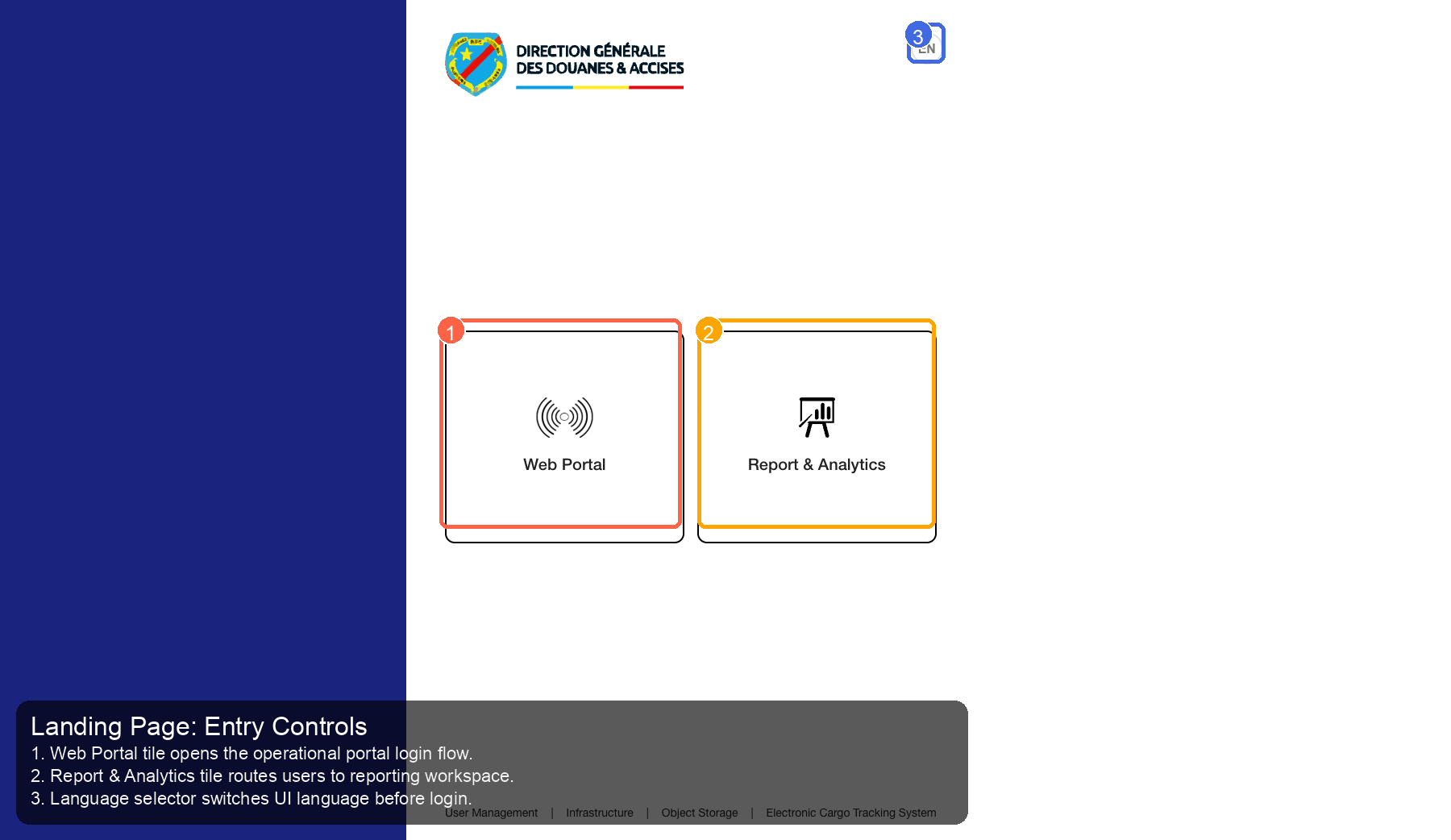
Source Screenshot: 45-landing-page.png
Route / Context: /login
| Callout | Focus | Training Instruction | Validation |
|---|---|---|---|
| 1 | Navigation Context | Web Portal tile opens the operational portal login flow. | Correct navigation context is highlighted before workflow actions. |
| 2 | Filters / Inputs | Report & Analytics tile routes users to reporting workspace. | Changing this control updates page state as expected. |
| 3 | Primary Workspace | Language selector switches UI language before login. | Primary content renders without blank/error state. |
2. Auth
2.1 Keycloak login
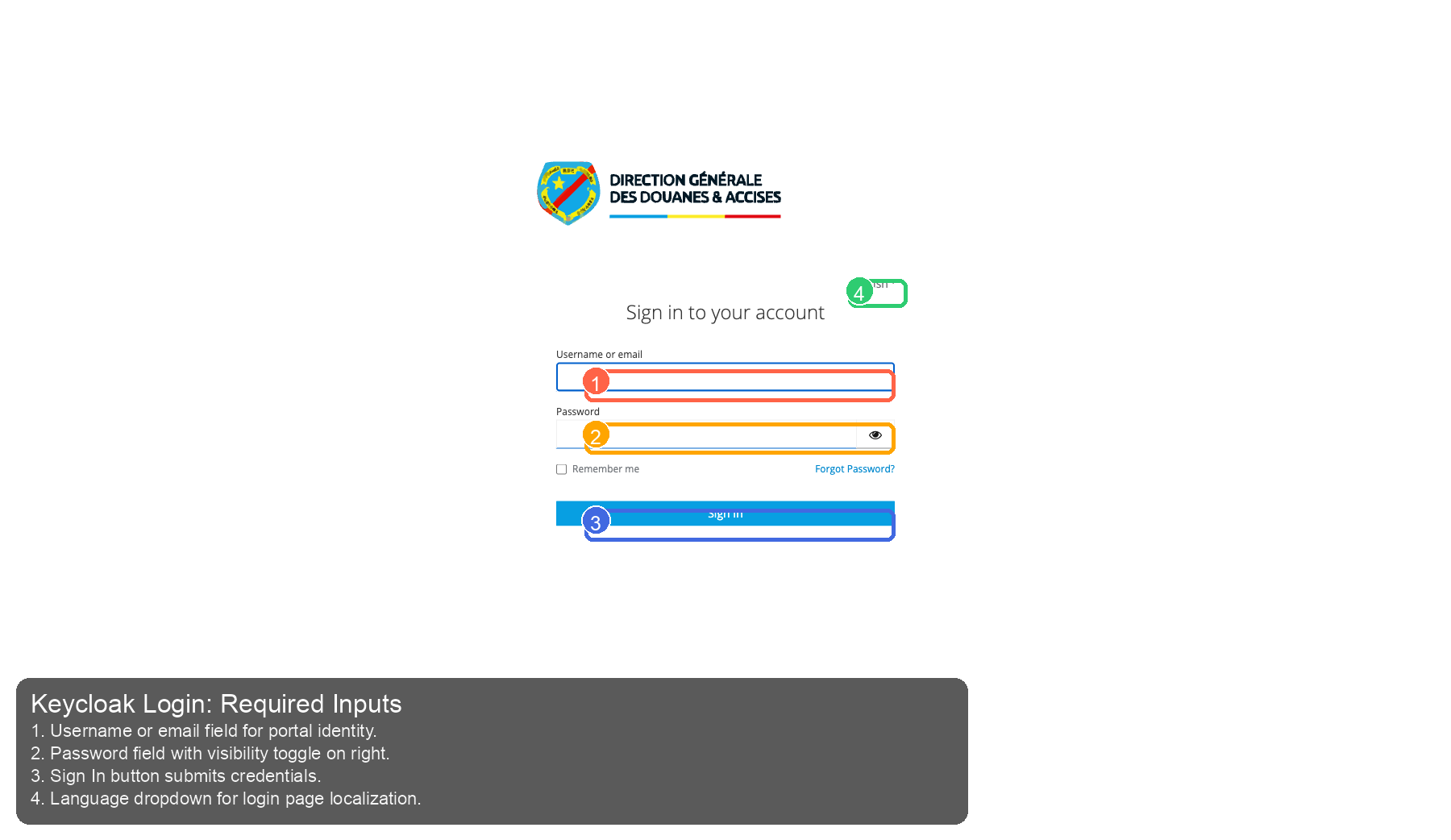
Source Screenshot: 10-keycloak-login.png
Route / Context: Keycloak login
| Callout | Focus | Training Instruction | Validation |
|---|---|---|---|
| 1 | Navigation Context | Username or email field for portal identity. | Correct navigation context is highlighted before workflow actions. |
| 2 | Filters / Inputs | Password field with visibility toggle on right. | Changing this control updates page state as expected. |
| 3 | Primary Workspace | Sign In button submits credentials. | Primary content renders without blank/error state. |
| 4 | Actions / Operations | Language dropdown for login page localization. | Action executes expected operation without runtime error. |
3. Home
3.1 /
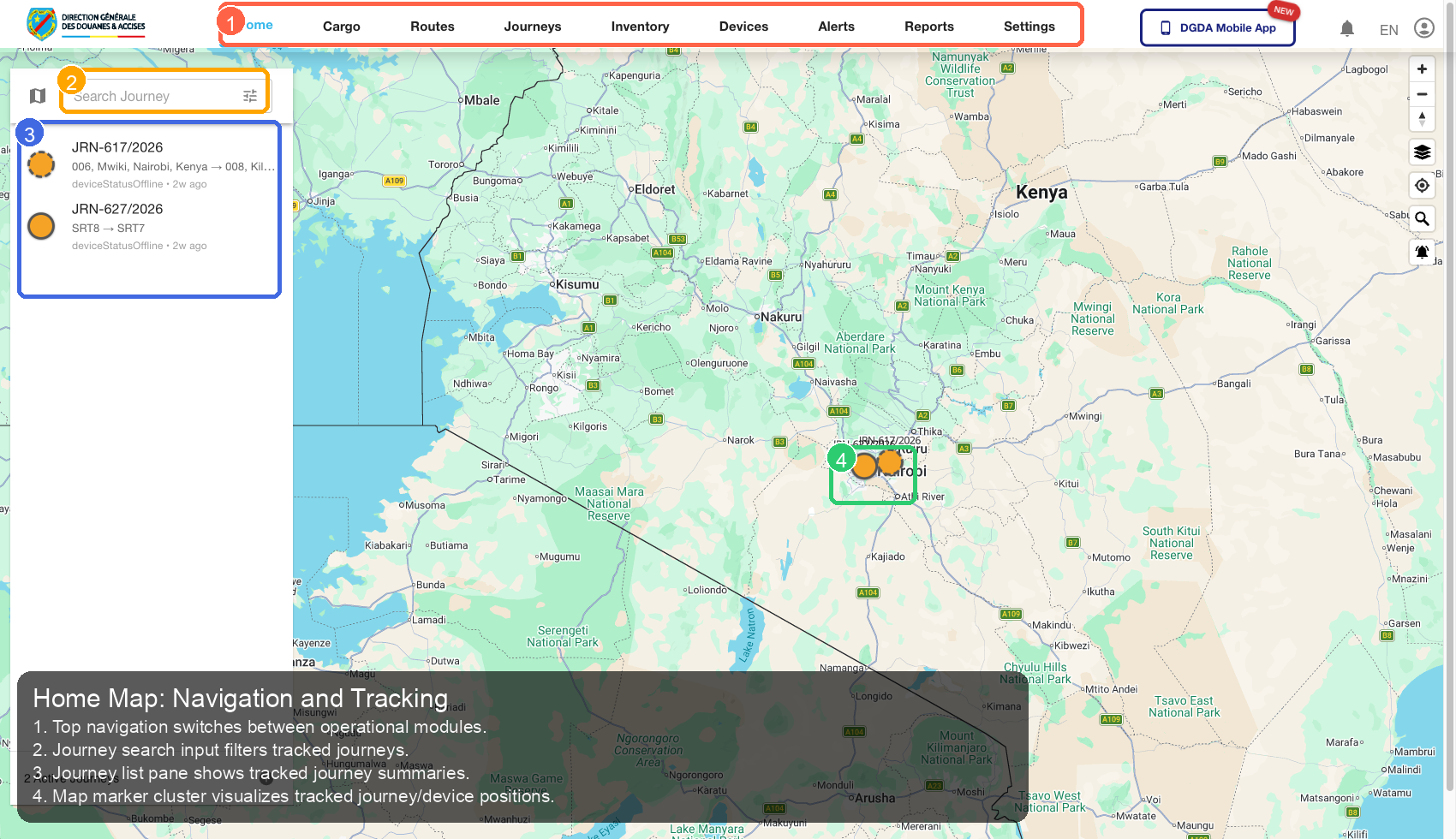
Source Screenshot: 11-home-map.png
Route / Context: /
| Callout | Focus | Training Instruction | Validation |
|---|---|---|---|
| 1 | Navigation Context | Top navigation switches between operational modules. | Correct navigation context is highlighted before workflow actions. |
| 2 | Filters / Inputs | Journey search input filters tracked journeys. | Changing this control updates page state as expected. |
| 3 | Primary Workspace | Journey list pane shows tracked journey summaries. | Primary content renders without blank/error state. |
| 4 | Actions / Operations | Map marker cluster visualizes tracked journey/device positions. | Action executes expected operation without runtime error. |
4. Cargo
4.1 /cargo/unassigned-cargo
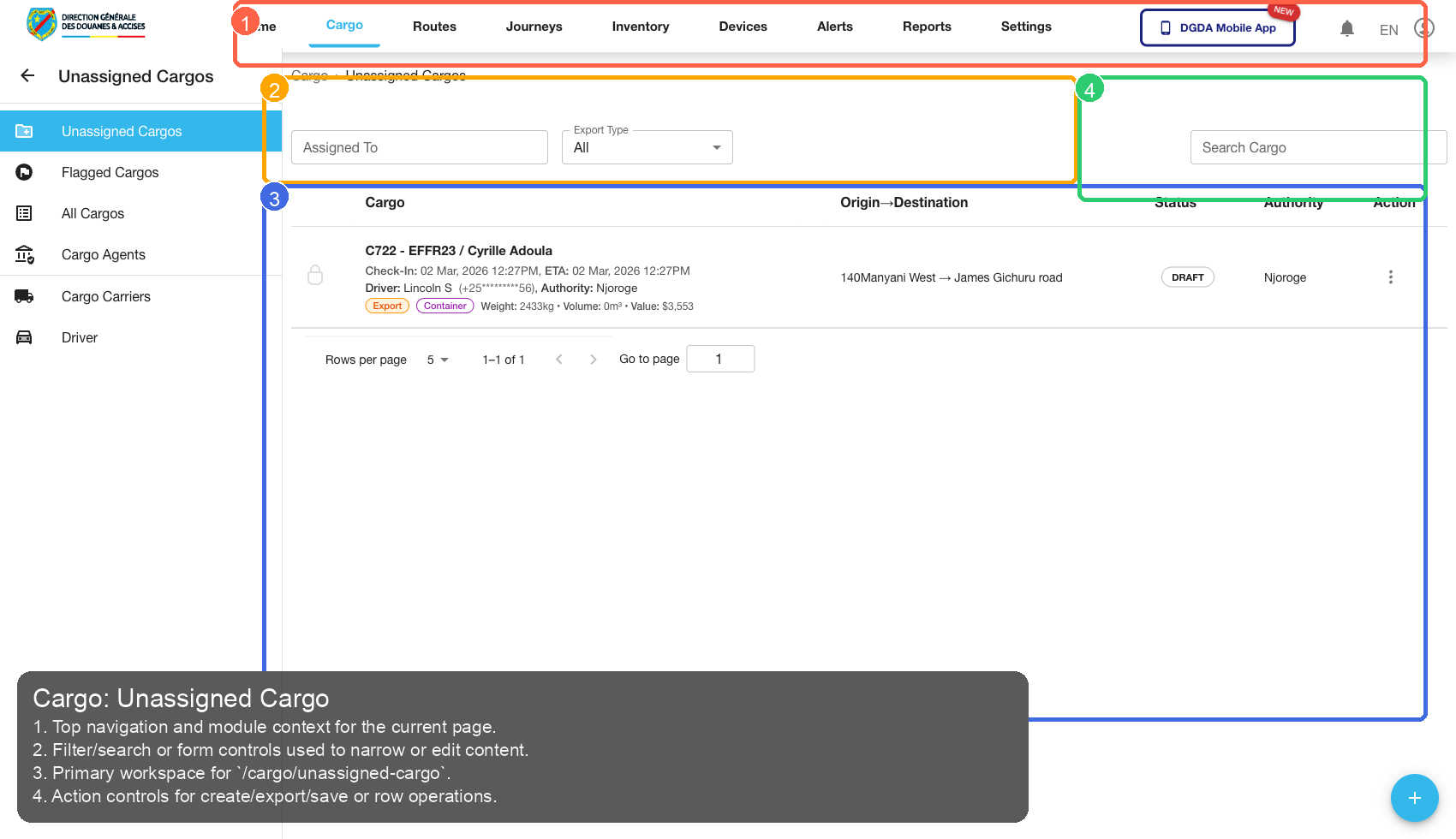
Source Screenshot: 12-cargo-unassigned.png
Route / Context: /cargo/unassigned-cargo
| Callout | Focus | Training Instruction | Validation |
|---|---|---|---|
| 1 | Navigation Context | Top navigation and module context for the current page. | Correct navigation context is highlighted before workflow actions. |
| 2 | Filters / Inputs | Filter/search or form controls used to narrow or edit content. | Changing this control updates page state as expected. |
| 3 | Primary Workspace | Primary workspace for /cargo/unassigned-cargo. |
Primary content renders without blank/error state. |
| 4 | Actions / Operations | Action controls for create/export/save or row operations. | Action executes expected operation without runtime error. |
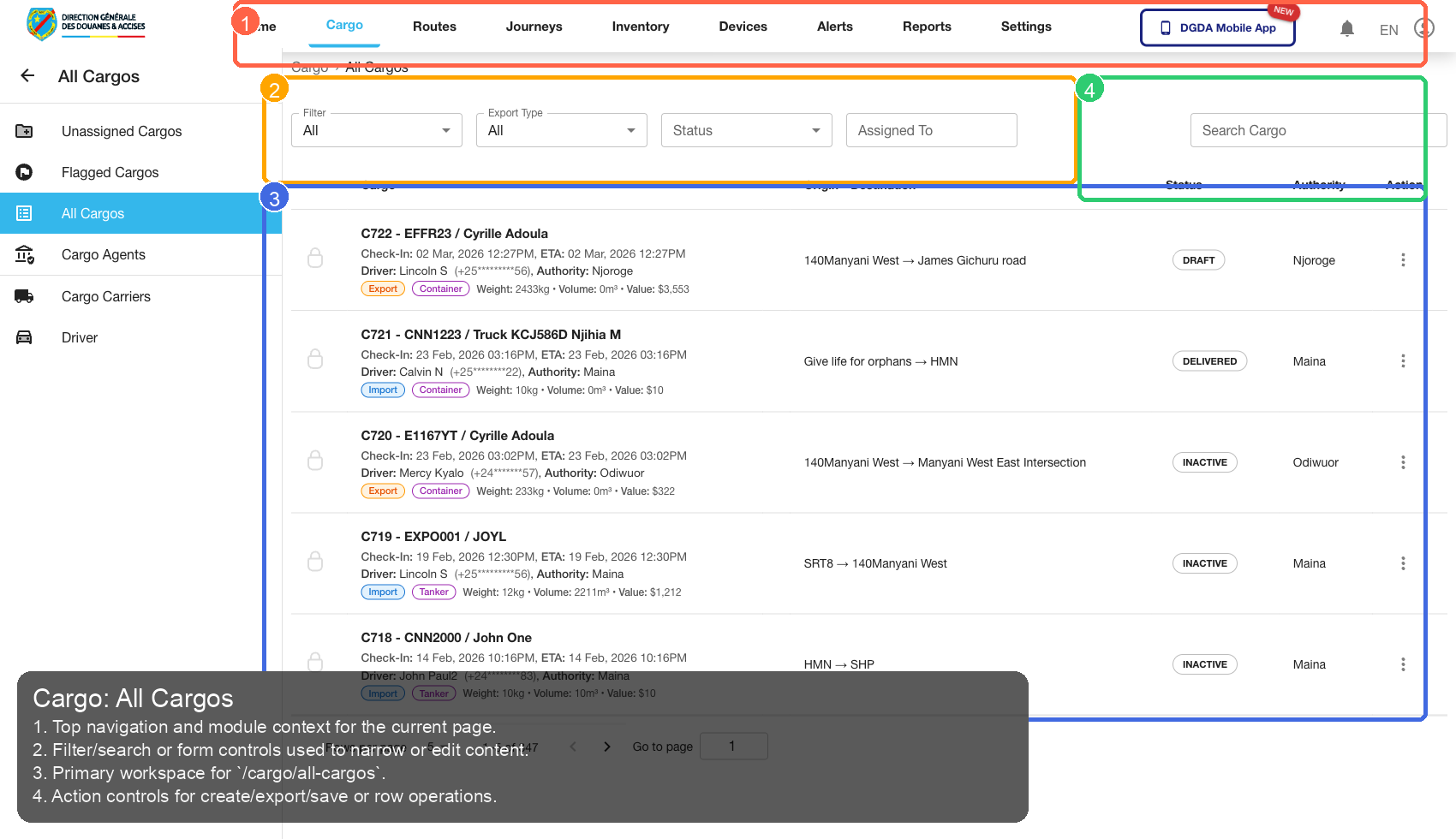
4.2 /cargo/all-cargos
Source Screenshot: 13-cargo-all-cargos.png
Route / Context: /cargo/all-cargos
| Callout | Focus | Training Instruction | Validation |
|---|---|---|---|
| 1 | Navigation Context | Top navigation and module context for the current page. | Correct navigation context is highlighted before workflow actions. |
| 2 | Filters / Inputs | Filter/search or form controls used to narrow or edit content. | Changing this control updates page state as expected. |
| 3 | Primary Workspace | Primary workspace for /cargo/all-cargos. |
Primary content renders without blank/error state. |
| 4 | Actions / Operations | Action controls for create/export/save or row operations. | Action executes expected operation without runtime error. |
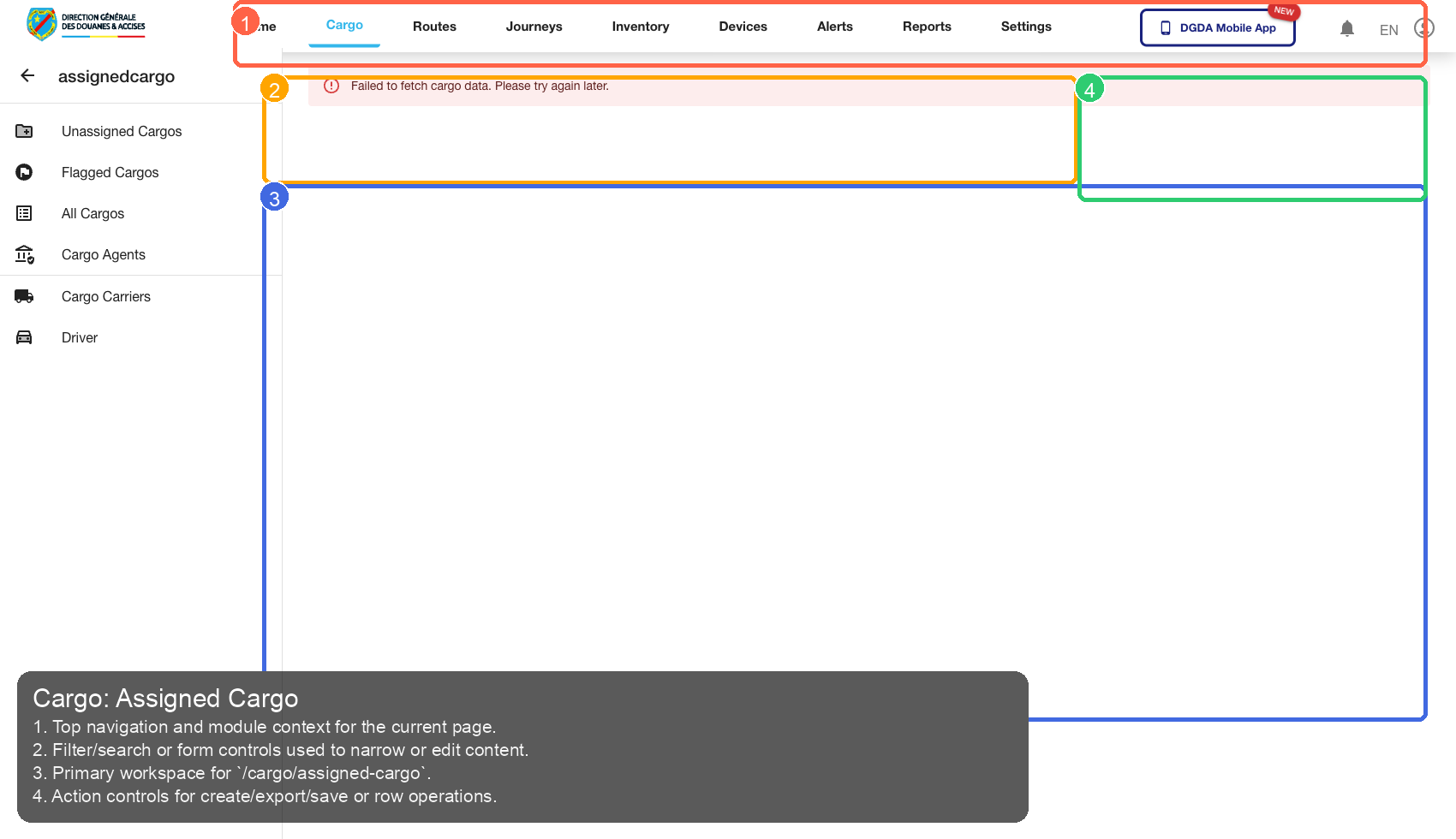
4.3 /cargo/assigned-cargo
Source Screenshot: 14-cargo-assigned.png
Route / Context: /cargo/assigned-cargo
| Callout | Focus | Training Instruction | Validation |
|---|---|---|---|
| 1 | Navigation Context | Top navigation and module context for the current page. | Correct navigation context is highlighted before workflow actions. |
| 2 | Filters / Inputs | Filter/search or form controls used to narrow or edit content. | Changing this control updates page state as expected. |
| 3 | Primary Workspace | Primary workspace for /cargo/assigned-cargo. |
Primary content renders without blank/error state. |
| 4 | Actions / Operations | Action controls for create/export/save or row operations. | Action executes expected operation without runtime error. |
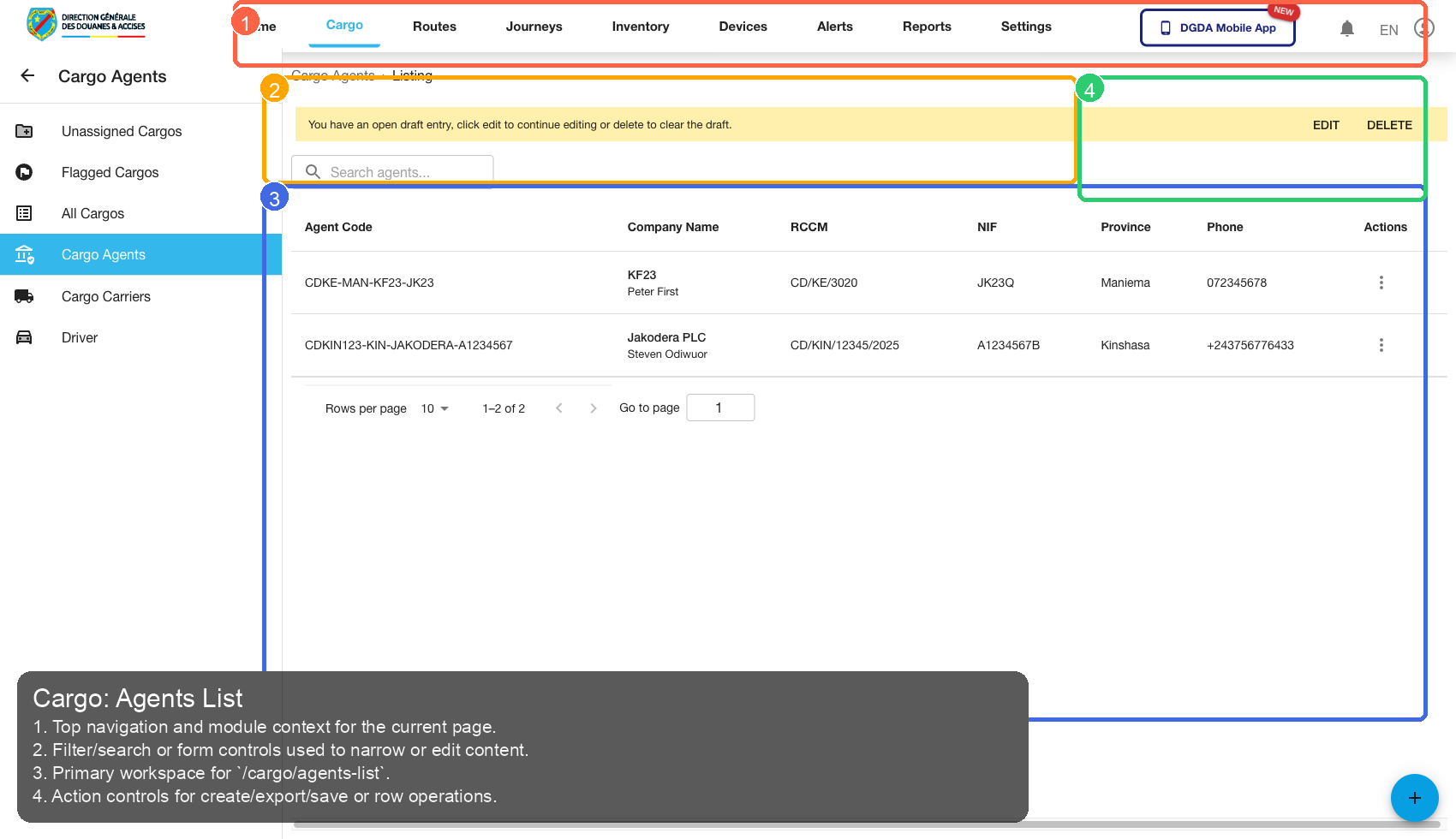
4.4 /cargo/agents-list
Source Screenshot: 15-cargo-agents.png
Route / Context: /cargo/agents-list
| Callout | Focus | Training Instruction | Validation |
|---|---|---|---|
| 1 | Navigation Context | Top navigation and module context for the current page. | Correct navigation context is highlighted before workflow actions. |
| 2 | Filters / Inputs | Filter/search or form controls used to narrow or edit content. | Changing this control updates page state as expected. |
| 3 | Primary Workspace | Primary workspace for /cargo/agents-list. |
Primary content renders without blank/error state. |
| 4 | Actions / Operations | Action controls for create/export/save or row operations. | Action executes expected operation without runtime error. |
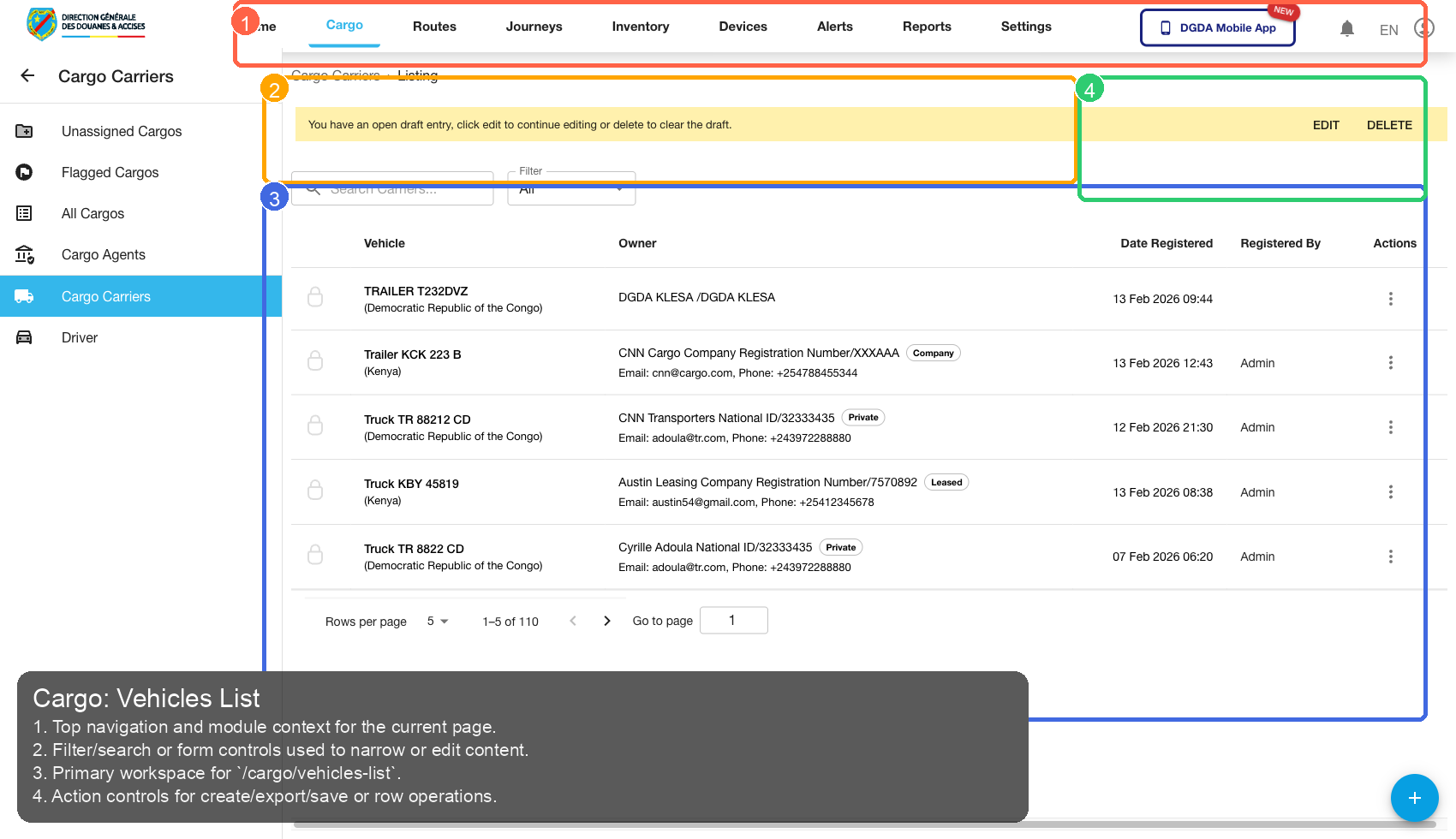
4.5 /cargo/vehicles-list
Source Screenshot: 16-cargo-vehicles.png
Route / Context: /cargo/vehicles-list
| Callout | Focus | Training Instruction | Validation |
|---|---|---|---|
| 1 | Navigation Context | Top navigation and module context for the current page. | Correct navigation context is highlighted before workflow actions. |
| 2 | Filters / Inputs | Filter/search or form controls used to narrow or edit content. | Changing this control updates page state as expected. |
| 3 | Primary Workspace | Primary workspace for /cargo/vehicles-list. |
Primary content renders without blank/error state. |
| 4 | Actions / Operations | Action controls for create/export/save or row operations. | Action executes expected operation without runtime error. |
4.6 /cargo/drivers-list
Source Screenshot: 17-cargo-drivers.png
Route / Context: /cargo/drivers-list
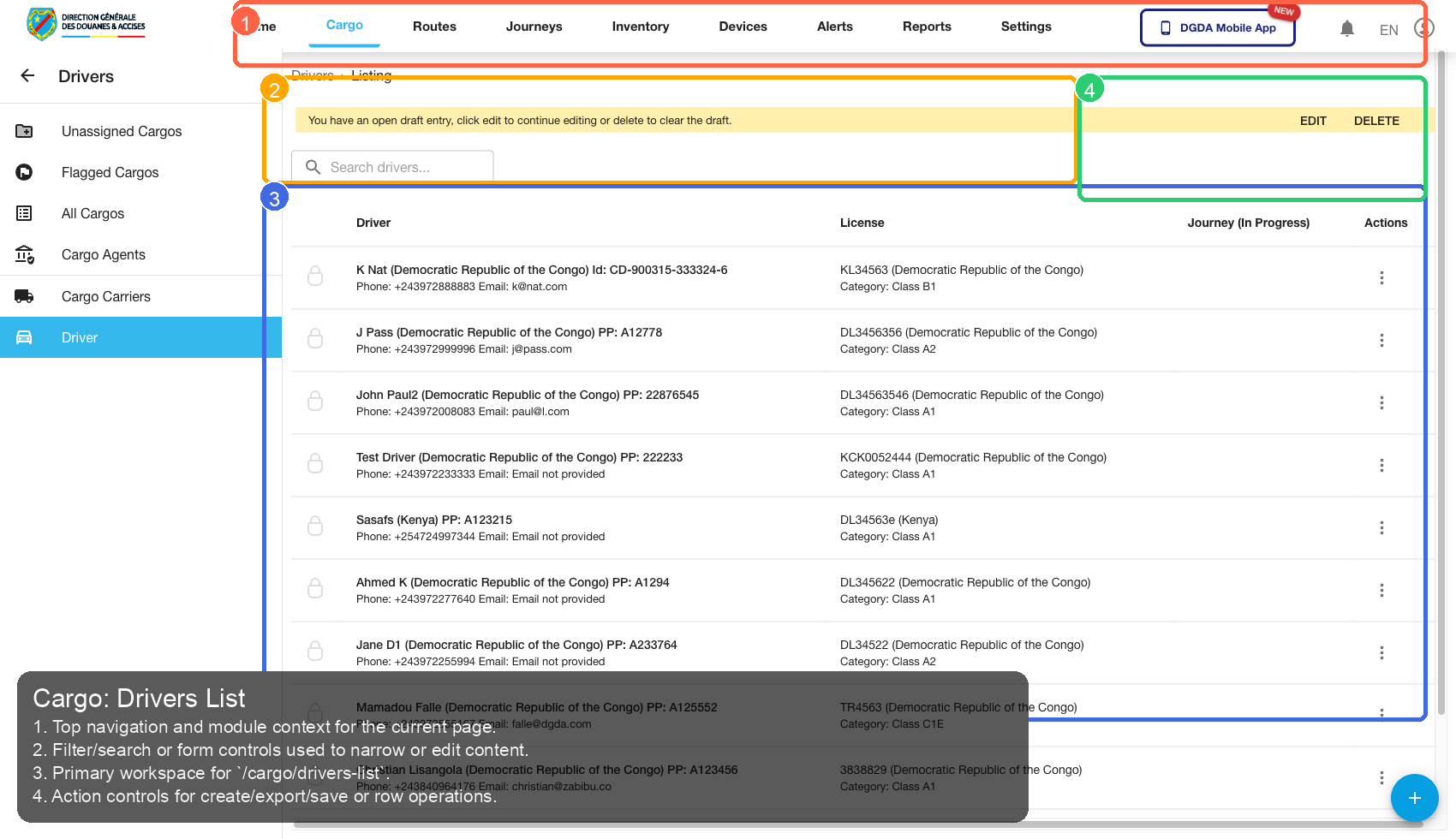
| Callout | Focus | Training Instruction | Validation |
|---|---|---|---|
| 1 | Navigation Context | Top navigation and module context for the current page. | Correct navigation context is highlighted before workflow actions. |
| 2 | Filters / Inputs | Filter/search or form controls used to narrow or edit content. | Changing this control updates page state as expected. |
| 3 | Primary Workspace | Primary workspace for /cargo/drivers-list. |
Primary content renders without blank/error state. |
| 4 | Actions / Operations | Action controls for create/export/save or row operations. | Action executes expected operation without runtime error. |
4.7 /cargo/create-cargo
Source Screenshot: 37-cargo-create-cargo.png
Route / Context: /cargo/create-cargo
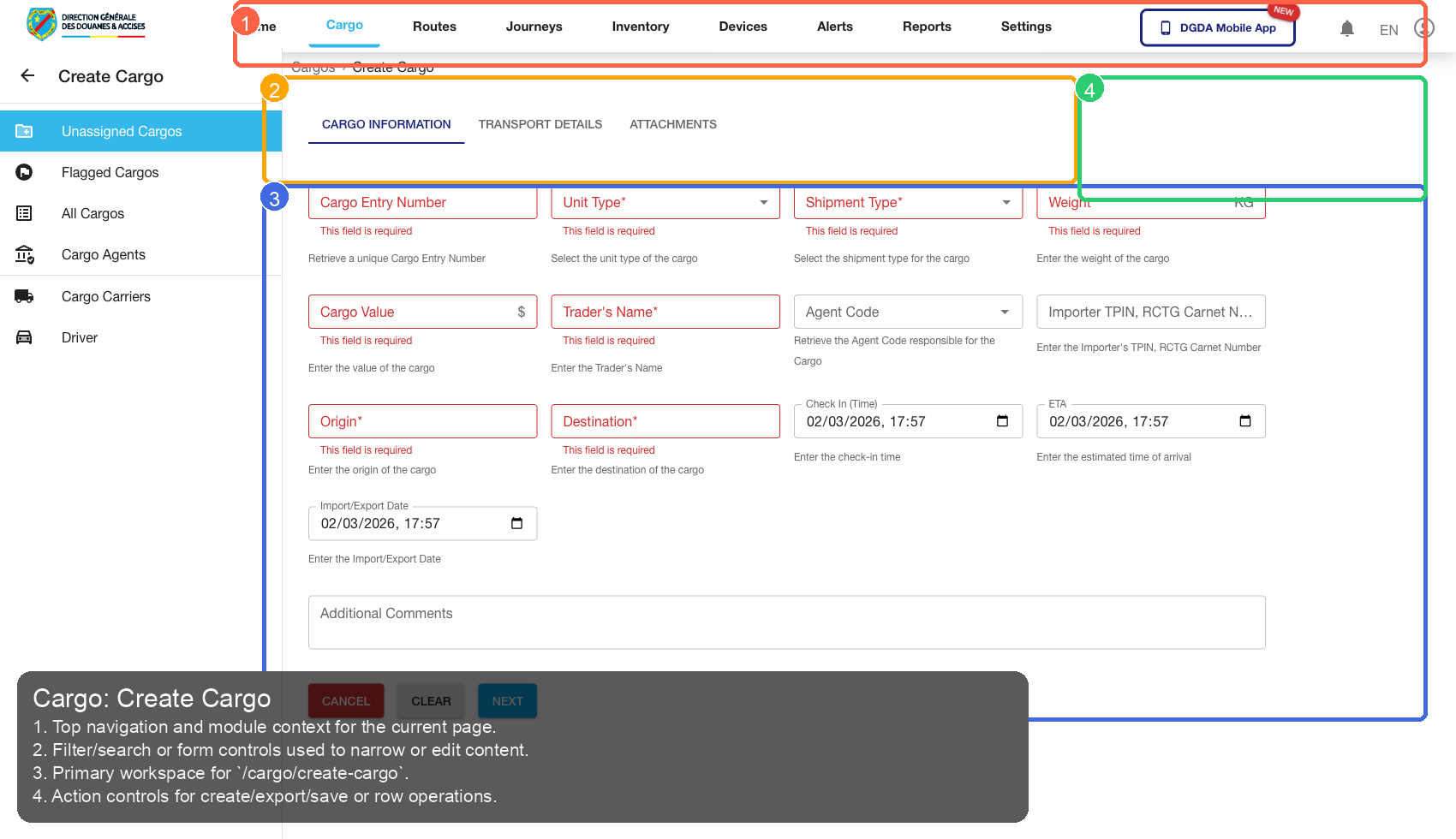
| Callout | Focus | Training Instruction | Validation |
|---|---|---|---|
| 1 | Navigation Context | Top navigation and module context for the current page. | Correct navigation context is highlighted before workflow actions. |
| 2 | Filters / Inputs | Filter/search or form controls used to narrow or edit content. | Changing this control updates page state as expected. |
| 3 | Primary Workspace | Primary workspace for /cargo/create-cargo. |
Primary content renders without blank/error state. |
| 4 | Actions / Operations | Action controls for create/export/save or row operations. | Action executes expected operation without runtime error. |
5. Journey
5.1 /journey/active
Source Screenshot: 18-journey-active.png
Route / Context: /journey/active
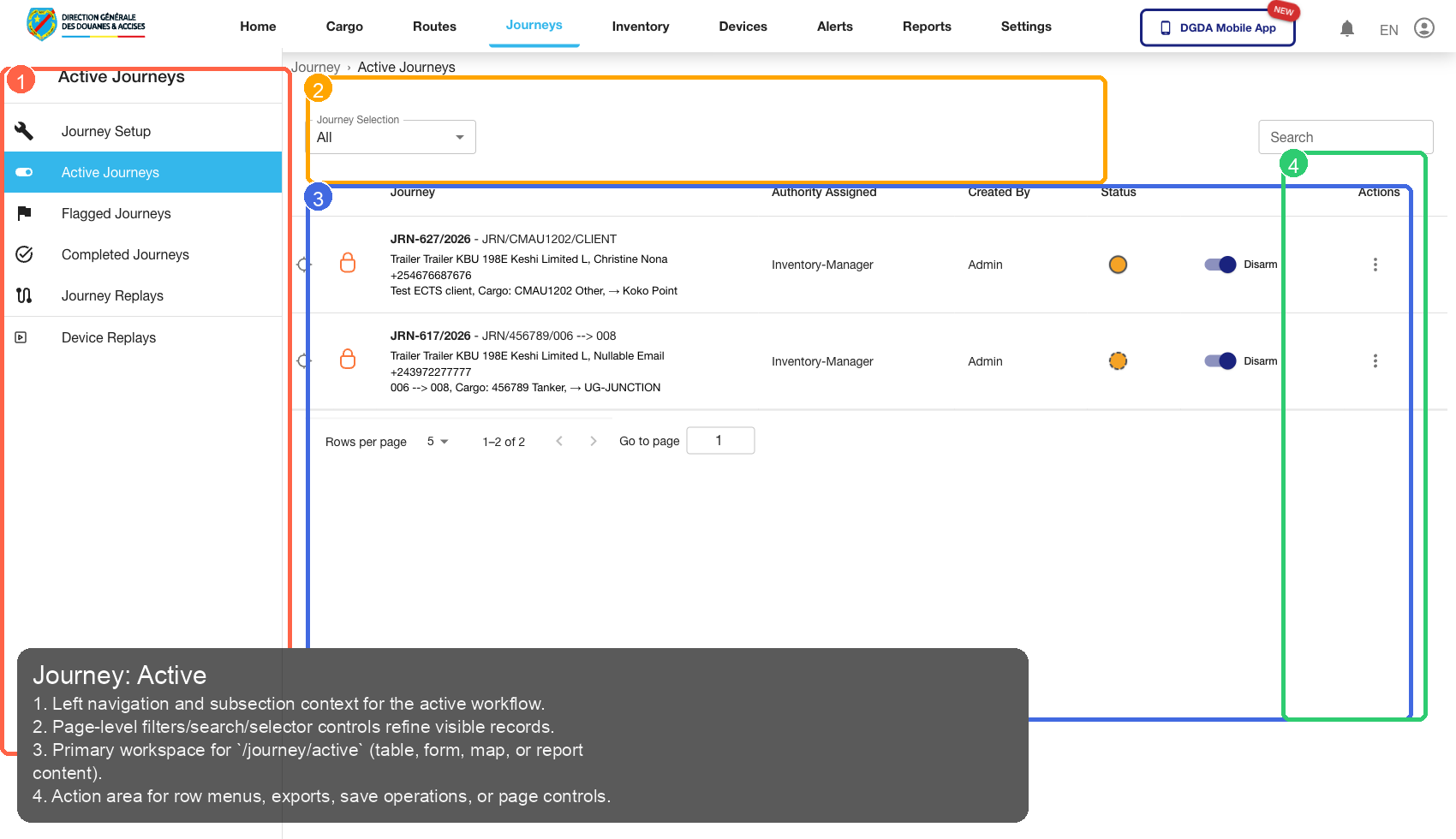
| Callout | Focus | Training Instruction | Validation |
|---|---|---|---|
| 1 | Navigation Context | Left navigation and subsection context for the active workflow. | Correct navigation context is highlighted before workflow actions. |
| 2 | Filters / Inputs | Page-level filters/search/selector controls refine visible records. | Changing this control updates page state as expected. |
| 3 | Primary Workspace | Primary workspace for /journey/active (table, form, map, or report content). |
Primary content renders without blank/error state. |
| 4 | Actions / Operations | Action area for row menus, exports, save operations, or page controls. | Action executes expected operation without runtime error. |
5.2 /journey/completed
Source Screenshot: 19-journey-completed.png
Route / Context: /journey/completed
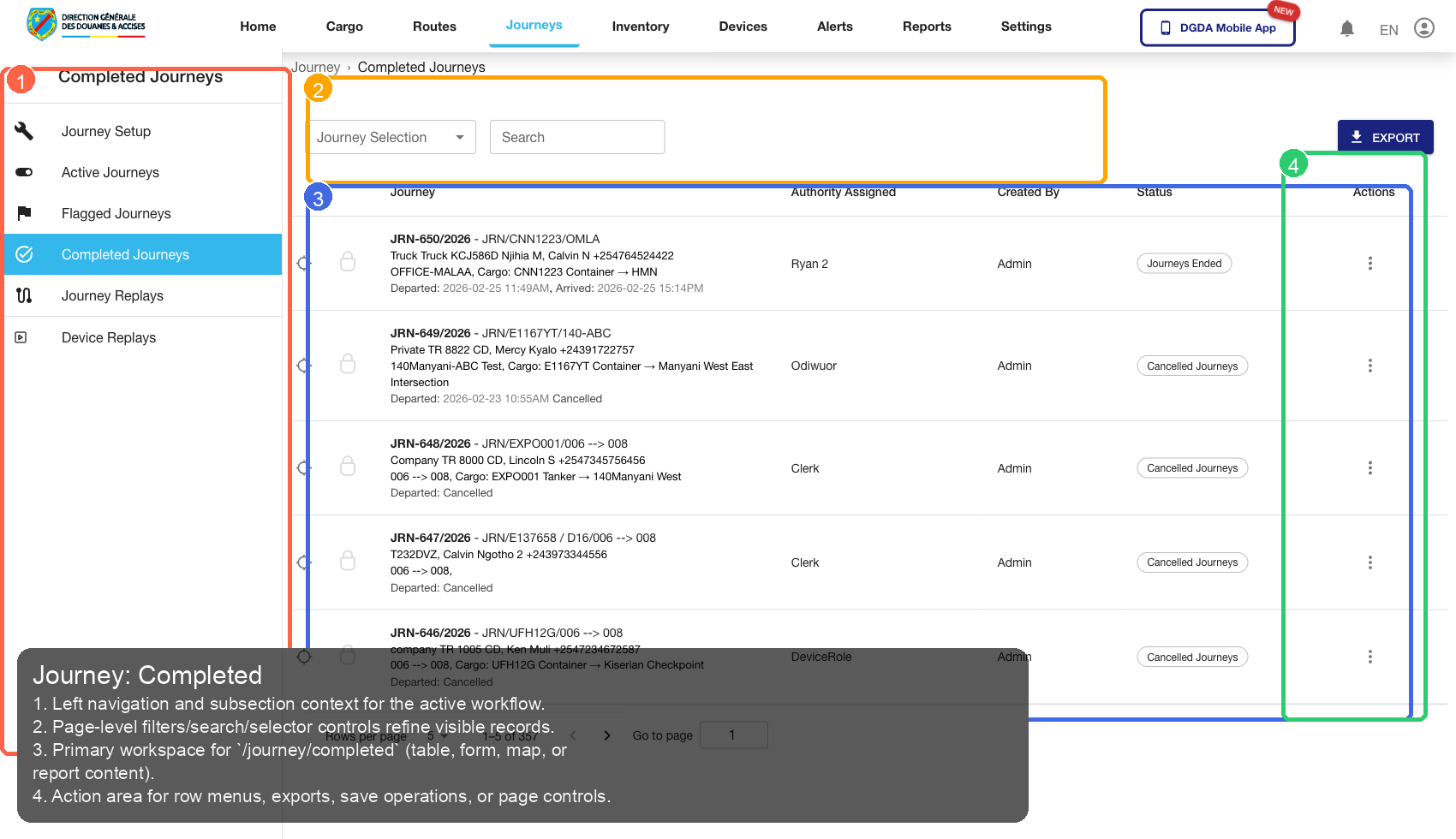
| Callout | Focus | Training Instruction | Validation |
|---|---|---|---|
| 1 | Navigation Context | Left navigation and subsection context for the active workflow. | Correct navigation context is highlighted before workflow actions. |
| 2 | Filters / Inputs | Page-level filters/search/selector controls refine visible records. | Changing this control updates page state as expected. |
| 3 | Primary Workspace | Primary workspace for /journey/completed (table, form, map, or report content). |
Primary content renders without blank/error state. |
| 4 | Actions / Operations | Action area for row menus, exports, save operations, or page controls. | Action executes expected operation without runtime error. |
5.3 /journey/active click flow
Source Screenshot: 66-journey-active-before-click.png
Route / Context: /journey/active click flow
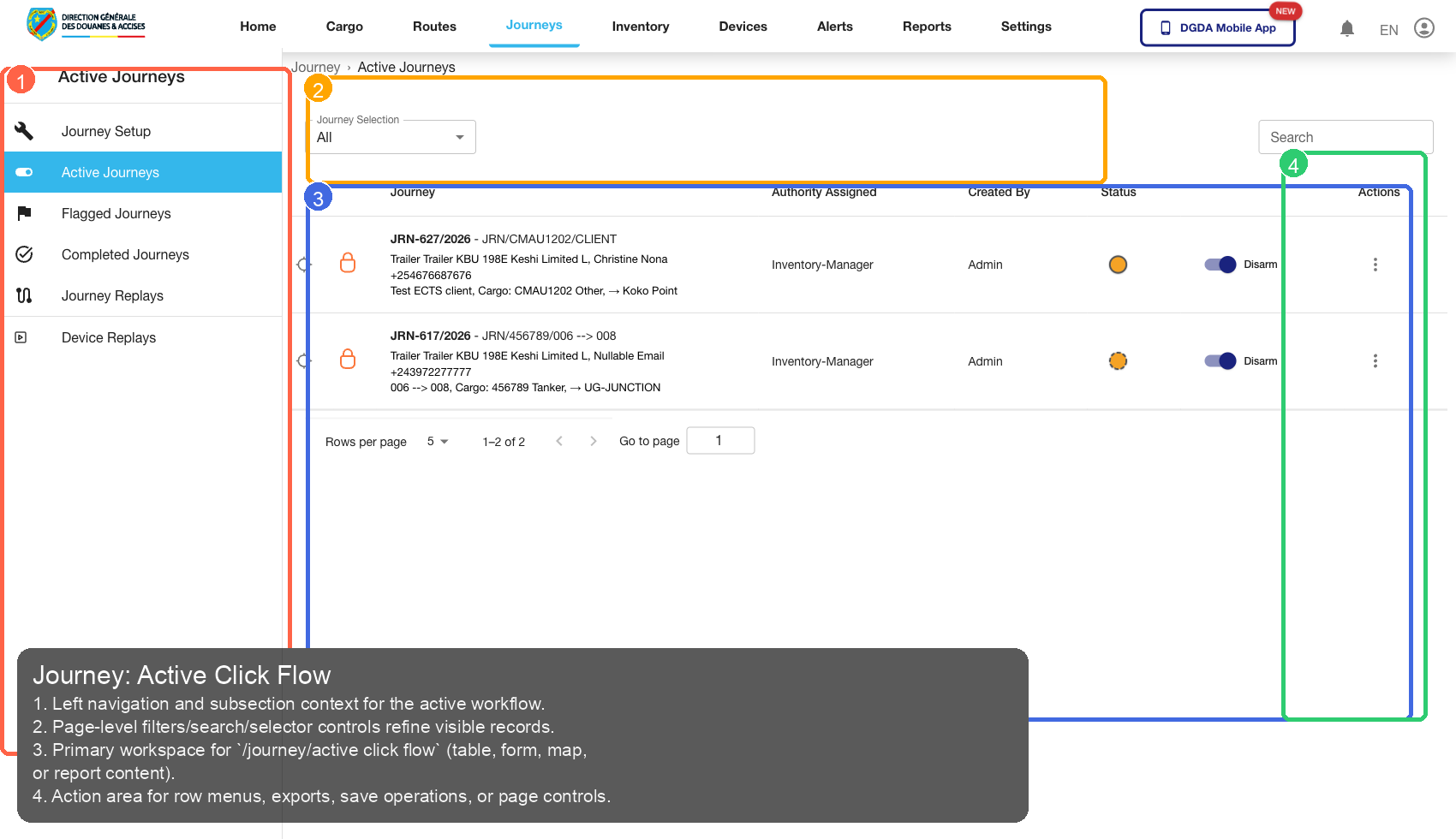
| Callout | Focus | Training Instruction | Validation |
|---|---|---|---|
| 1 | Navigation Context | Left navigation and subsection context for the active workflow. | Correct navigation context is highlighted before workflow actions. |
| 2 | Filters / Inputs | Page-level filters/search/selector controls refine visible records. | Changing this control updates page state as expected. |
| 3 | Primary Workspace | Primary workspace for /journey/active click flow (table, form, map, or report content). |
Primary content renders without blank/error state. |
| 4 | Actions / Operations | Action area for row menus, exports, save operations, or page controls. | Action executes expected operation without runtime error. |
5.4 /journey/active click flow
Source Screenshot: 67-journey-clicked-detail.png
Route / Context: /journey/active click flow
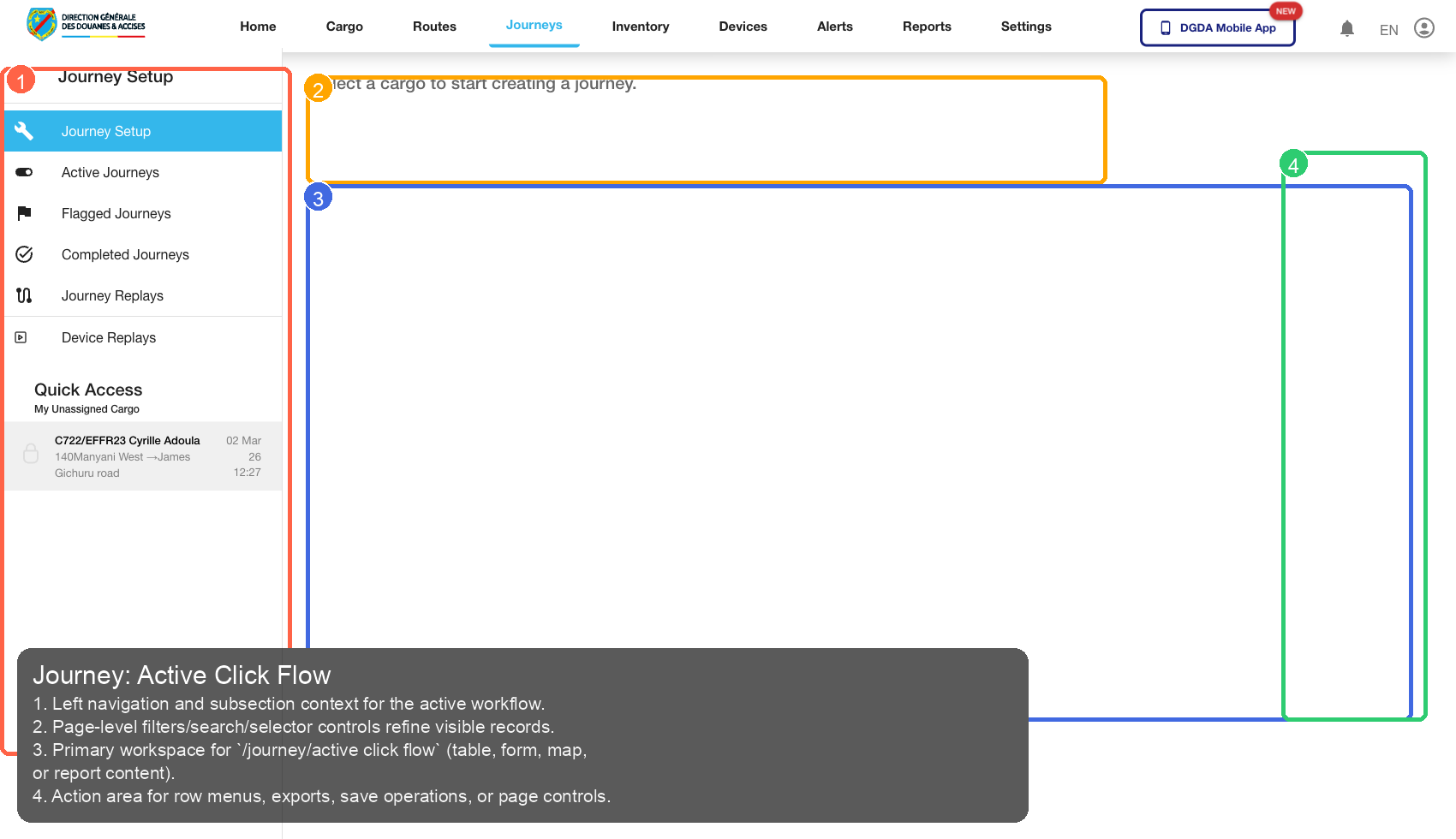
| Callout | Focus | Training Instruction | Validation |
|---|---|---|---|
| 1 | Navigation Context | Left navigation and subsection context for the active workflow. | Correct navigation context is highlighted before workflow actions. |
| 2 | Filters / Inputs | Page-level filters/search/selector controls refine visible records. | Changing this control updates page state as expected. |
| 3 | Primary Workspace | Primary workspace for /journey/active click flow (table, form, map, or report content). |
Primary content renders without blank/error state. |
| 4 | Actions / Operations | Action area for row menus, exports, save operations, or page controls. | Action executes expected operation without runtime error. |
5.5 /journey/completed click flow
Source Screenshot: 68-journey-completed-before-click.png
Route / Context: /journey/completed click flow
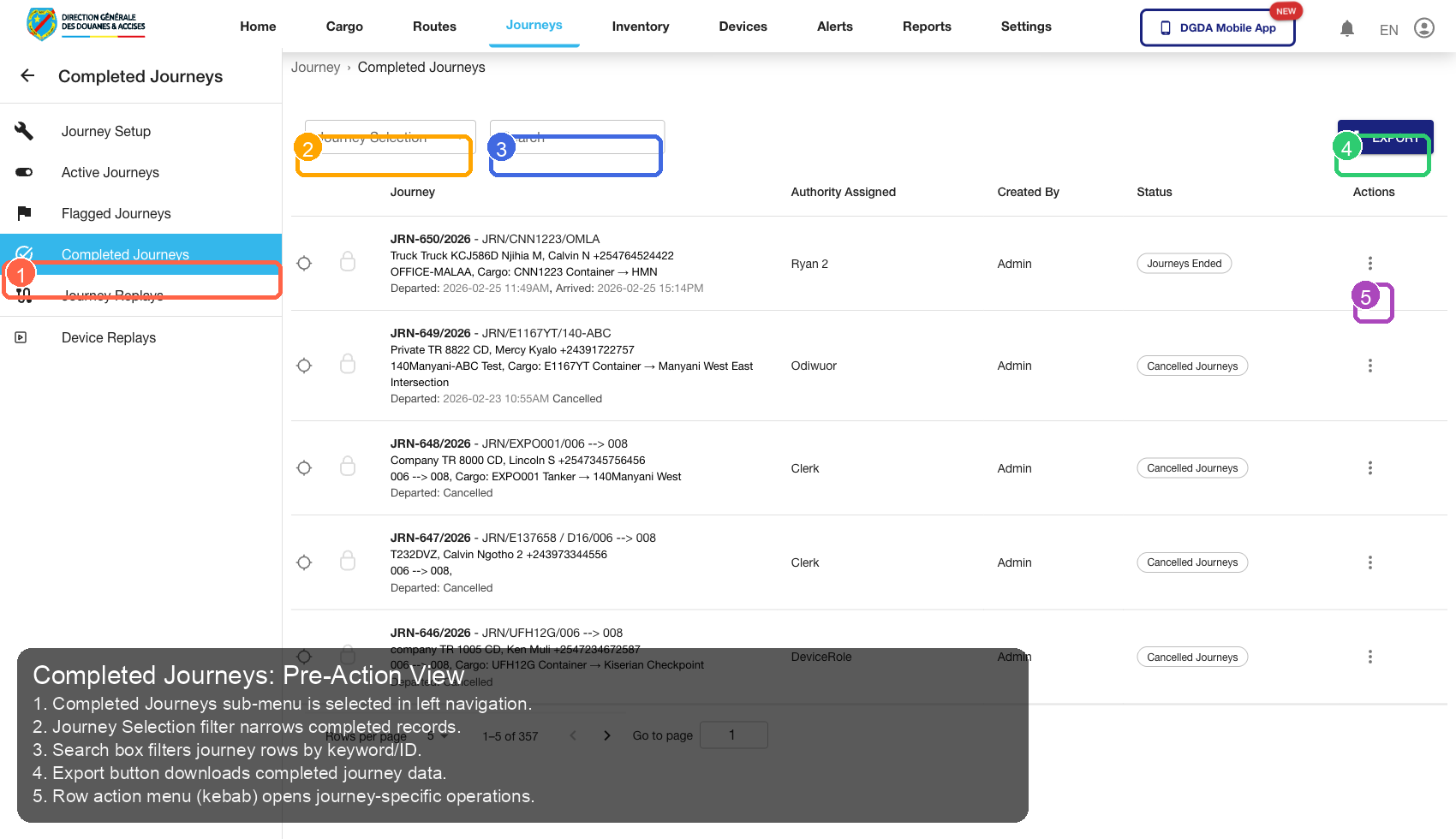
| Callout | Focus | Training Instruction | Validation |
|---|---|---|---|
| 1 | Navigation Context | Completed Journeys sub-menu is selected in left navigation. | Correct navigation context is highlighted before workflow actions. |
| 2 | Filters / Inputs | Journey Selection filter narrows completed records. | Changing this control updates page state as expected. |
| 3 | Primary Workspace | Search box filters journey rows by keyword/ID. | Primary content renders without blank/error state. |
| 4 | Actions / Operations | Export button downloads completed journey data. | Action executes expected operation without runtime error. |
| 5 | Additional Control | Row action menu (kebab) opens journey-specific operations. | Control behaves consistently and remains interactive. |
5.6 /journey/completed click flow
Source Screenshot: 69-journey-completed-clicked.png
Route / Context: /journey/completed click flow
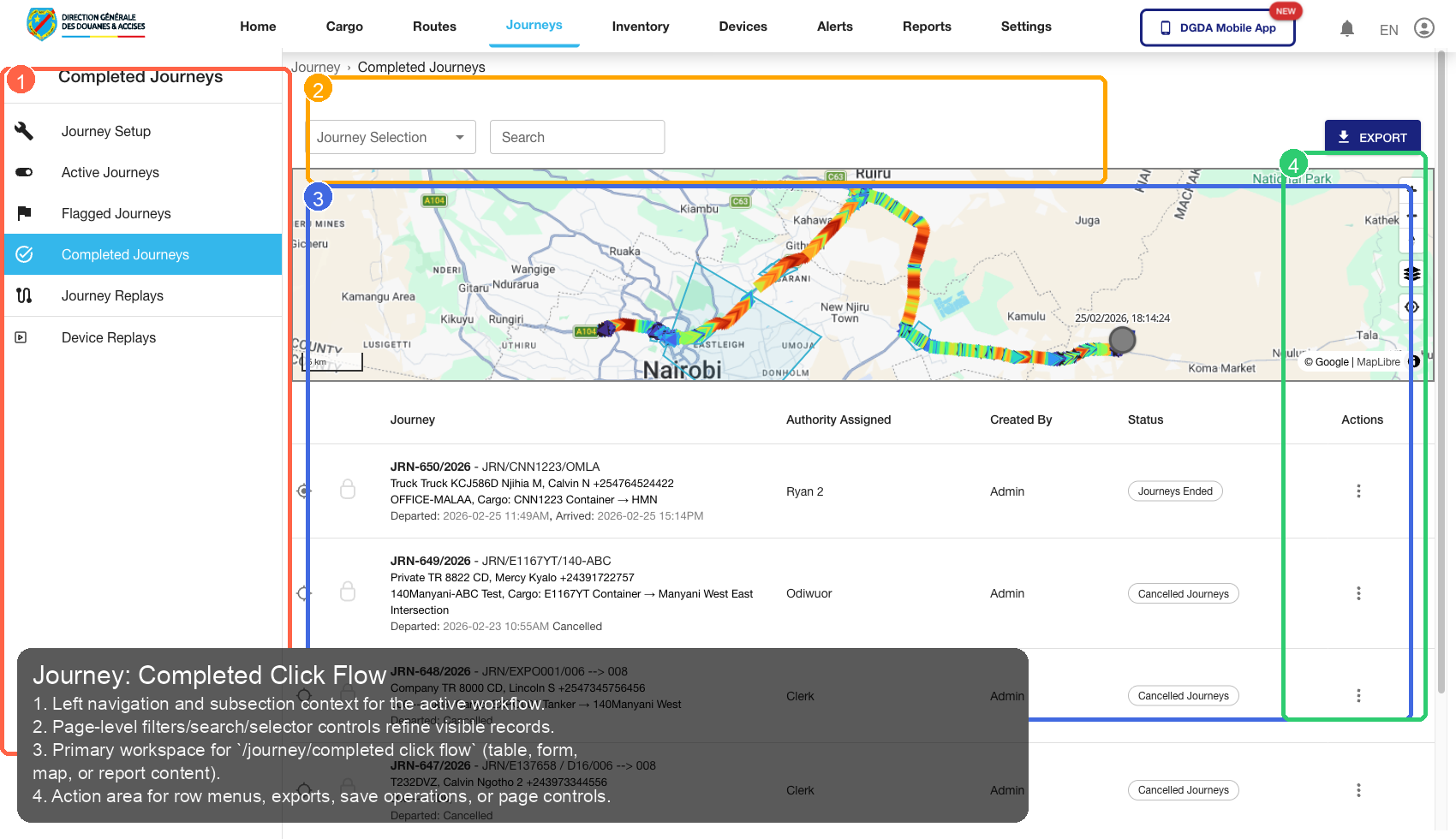
| Callout | Focus | Training Instruction | Validation |
|---|---|---|---|
| 1 | Navigation Context | Left navigation and subsection context for the active workflow. | Correct navigation context is highlighted before workflow actions. |
| 2 | Filters / Inputs | Page-level filters/search/selector controls refine visible records. | Changing this control updates page state as expected. |
| 3 | Primary Workspace | Primary workspace for /journey/completed click flow (table, form, map, or report content). |
Primary content renders without blank/error state. |
| 4 | Actions / Operations | Action area for row menus, exports, save operations, or page controls. | Action executes expected operation without runtime error. |
5.7 /journey/completed click flow
Source Screenshot: 70-journey-row-view.png
Route / Context: /journey/completed click flow
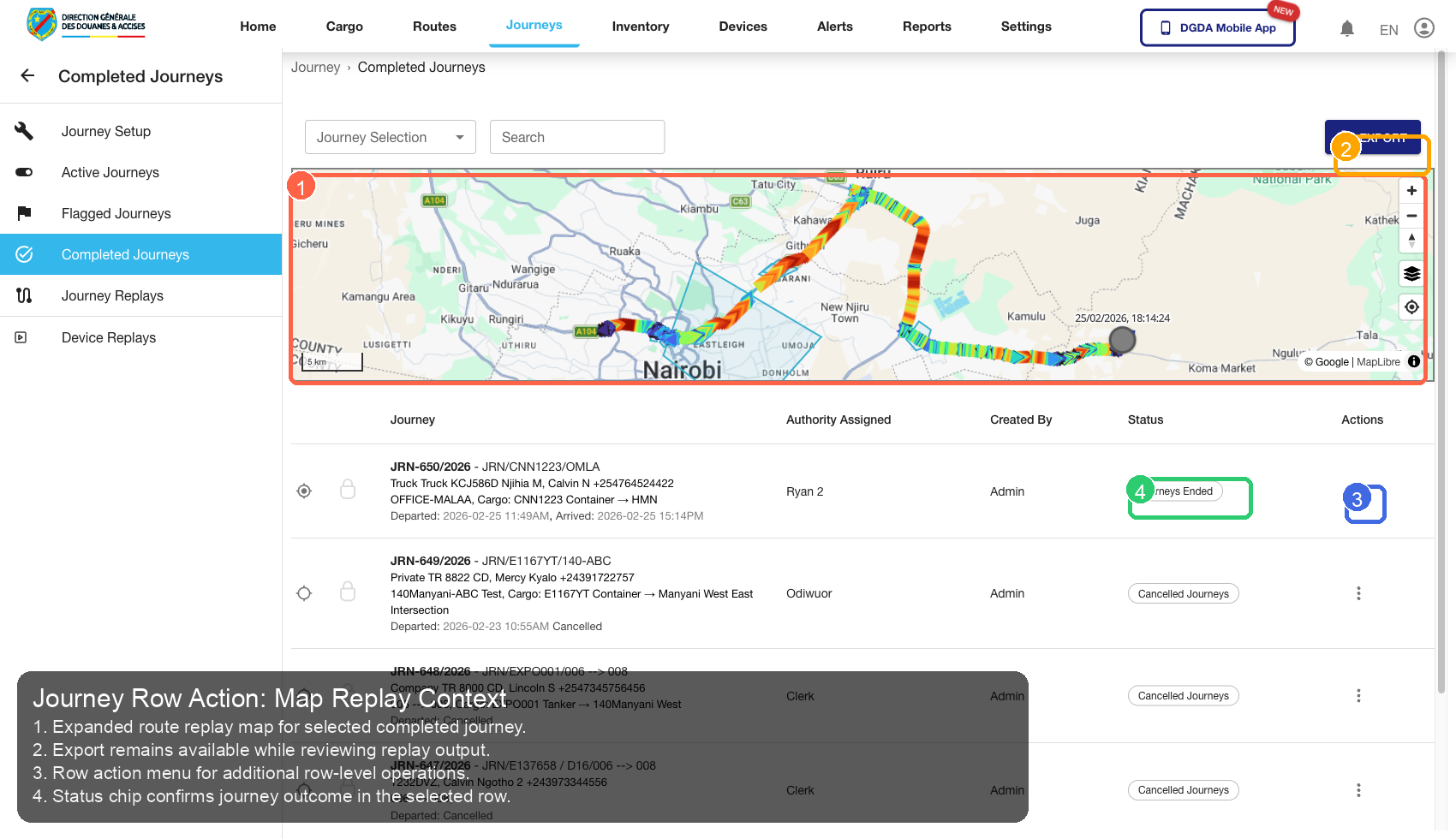
| Callout | Focus | Training Instruction | Validation |
|---|---|---|---|
| 1 | Navigation Context | Expanded route replay map for selected completed journey. | Correct navigation context is highlighted before workflow actions. |
| 2 | Filters / Inputs | Export remains available while reviewing replay output. | Changing this control updates page state as expected. |
| 3 | Primary Workspace | Row action menu for additional row-level operations. | Primary content renders without blank/error state. |
| 4 | Actions / Operations | Status chip confirms journey outcome in the selected row. | Action executes expected operation without runtime error. |
5.8 /journey/create-journey
Source Screenshot: 38-journey-create-journey.png
Route / Context: /journey/create-journey
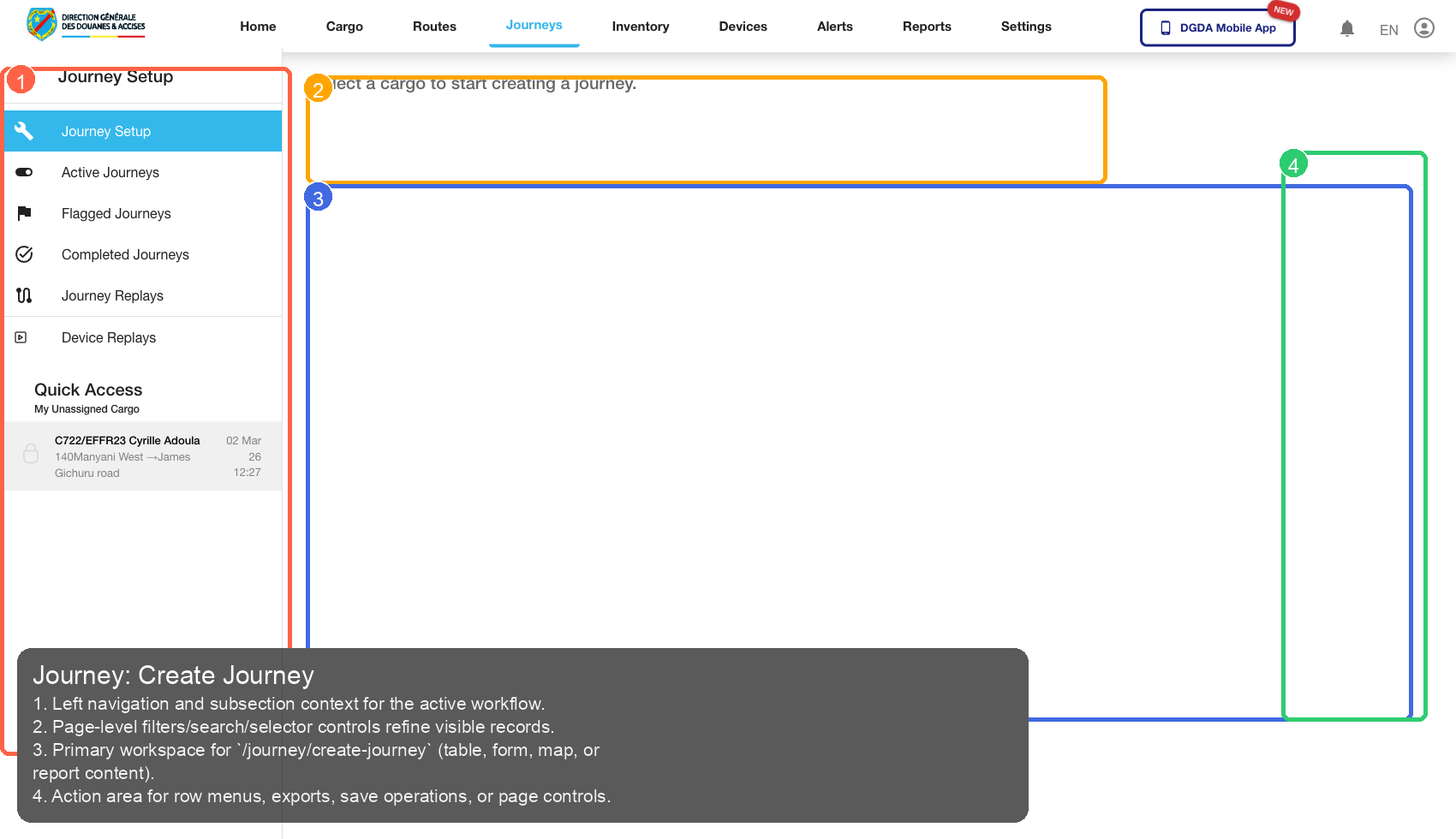
| Callout | Focus | Training Instruction | Validation |
|---|---|---|---|
| 1 | Navigation Context | Left navigation and subsection context for the active workflow. | Correct navigation context is highlighted before workflow actions. |
| 2 | Filters / Inputs | Page-level filters/search/selector controls refine visible records. | Changing this control updates page state as expected. |
| 3 | Primary Workspace | Primary workspace for /journey/create-journey (table, form, map, or report content). |
Primary content renders without blank/error state. |
| 4 | Actions / Operations | Action area for row menus, exports, save operations, or page controls. | Action executes expected operation without runtime error. |
6. Routes
6.1 /routes/list
Source Screenshot: 20-routes-list.png
Route / Context: /routes/list
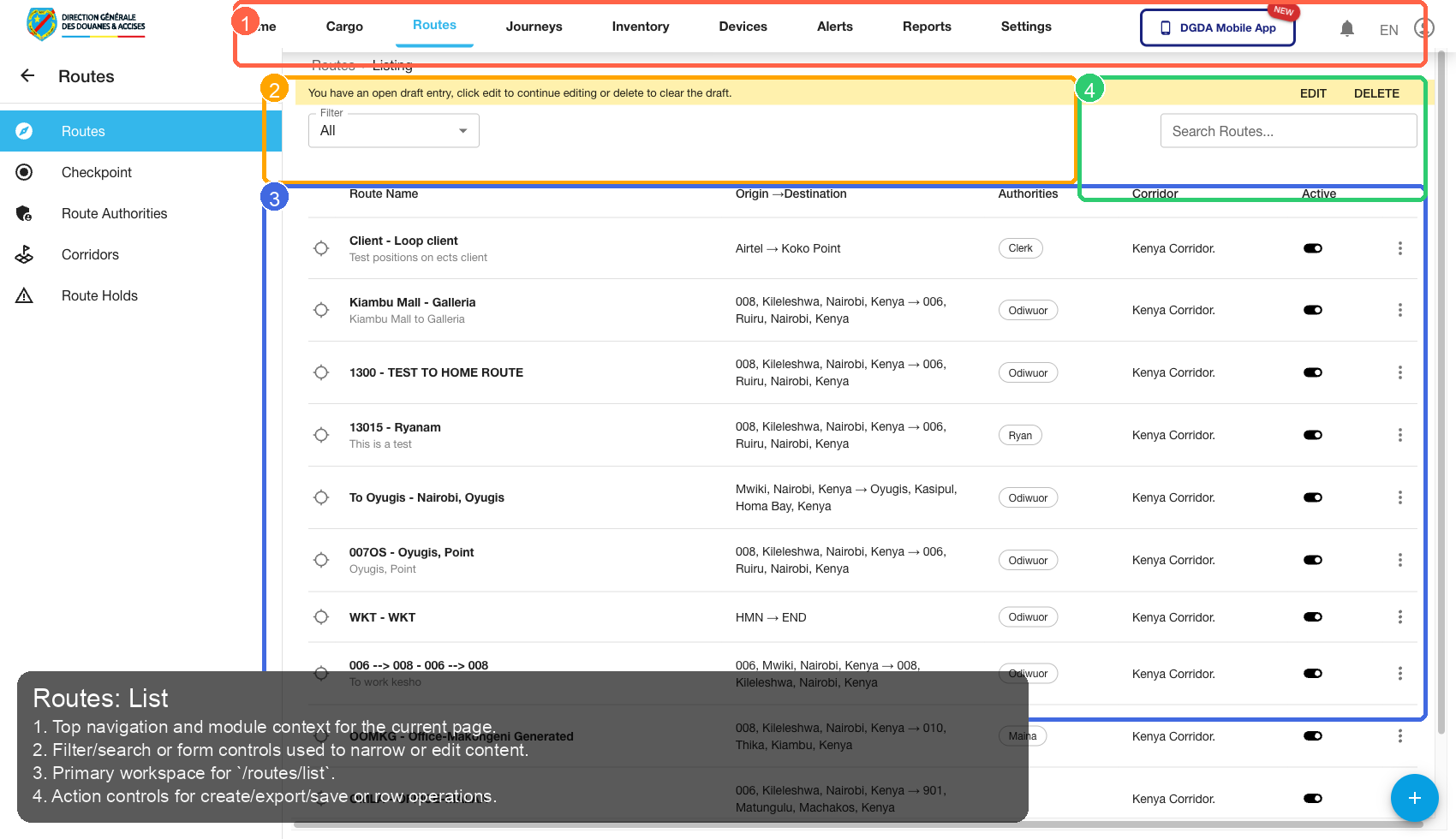
| Callout | Focus | Training Instruction | Validation |
|---|---|---|---|
| 1 | Navigation Context | Top navigation and module context for the current page. | Correct navigation context is highlighted before workflow actions. |
| 2 | Filters / Inputs | Filter/search or form controls used to narrow or edit content. | Changing this control updates page state as expected. |
| 3 | Primary Workspace | Primary workspace for /routes/list. |
Primary content renders without blank/error state. |
| 4 | Actions / Operations | Action controls for create/export/save or row operations. | Action executes expected operation without runtime error. |
6.2 /routes/checkpoints
Source Screenshot: 21-routes-checkpoints.png
Route / Context: /routes/checkpoints
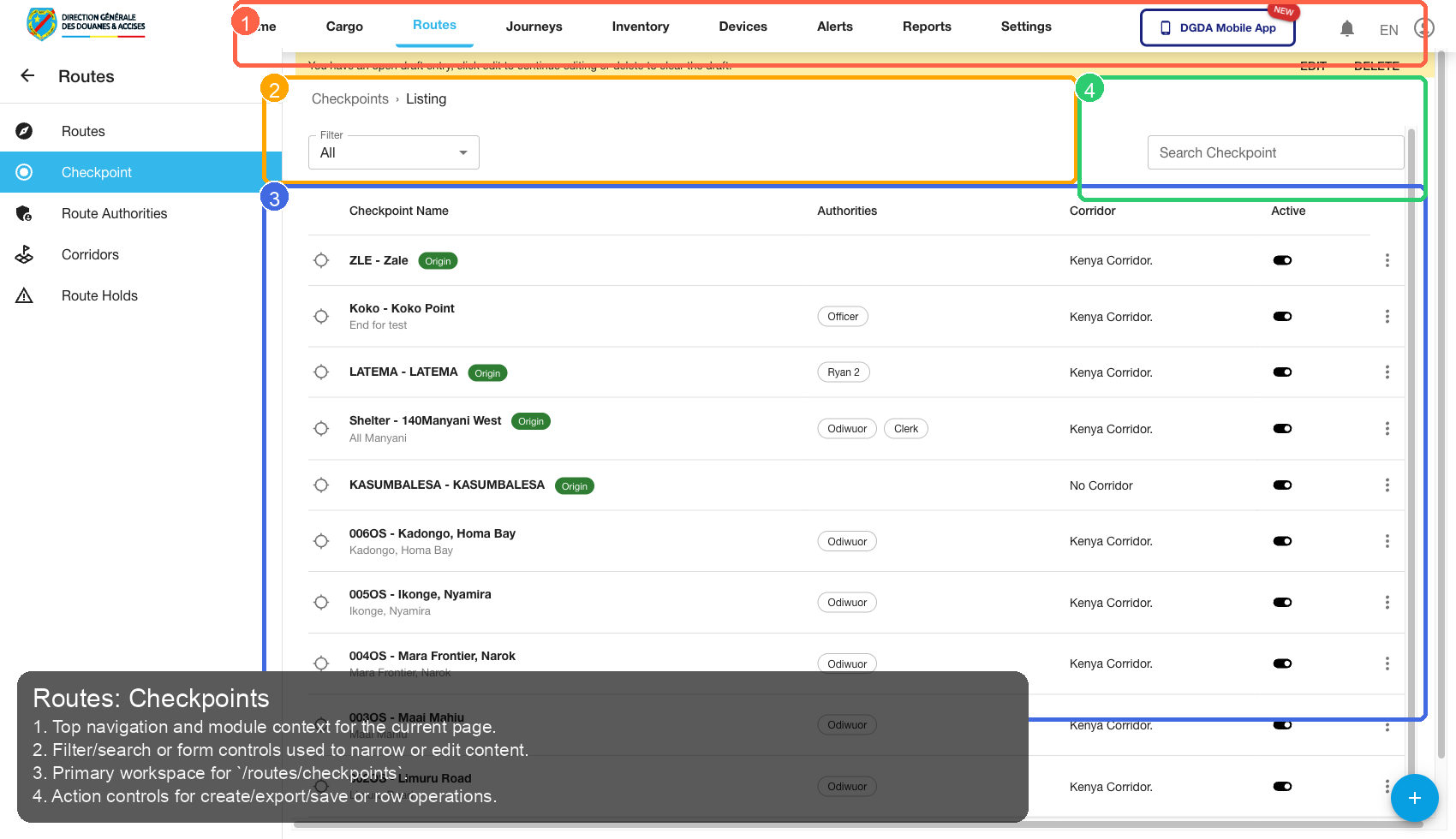
| Callout | Focus | Training Instruction | Validation |
|---|---|---|---|
| 1 | Navigation Context | Top navigation and module context for the current page. | Correct navigation context is highlighted before workflow actions. |
| 2 | Filters / Inputs | Filter/search or form controls used to narrow or edit content. | Changing this control updates page state as expected. |
| 3 | Primary Workspace | Primary workspace for /routes/checkpoints. |
Primary content renders without blank/error state. |
| 4 | Actions / Operations | Action controls for create/export/save or row operations. | Action executes expected operation without runtime error. |
6.3 /routes/route-authorities
Source Screenshot: 22-routes-authorities.png
Route / Context: /routes/route-authorities
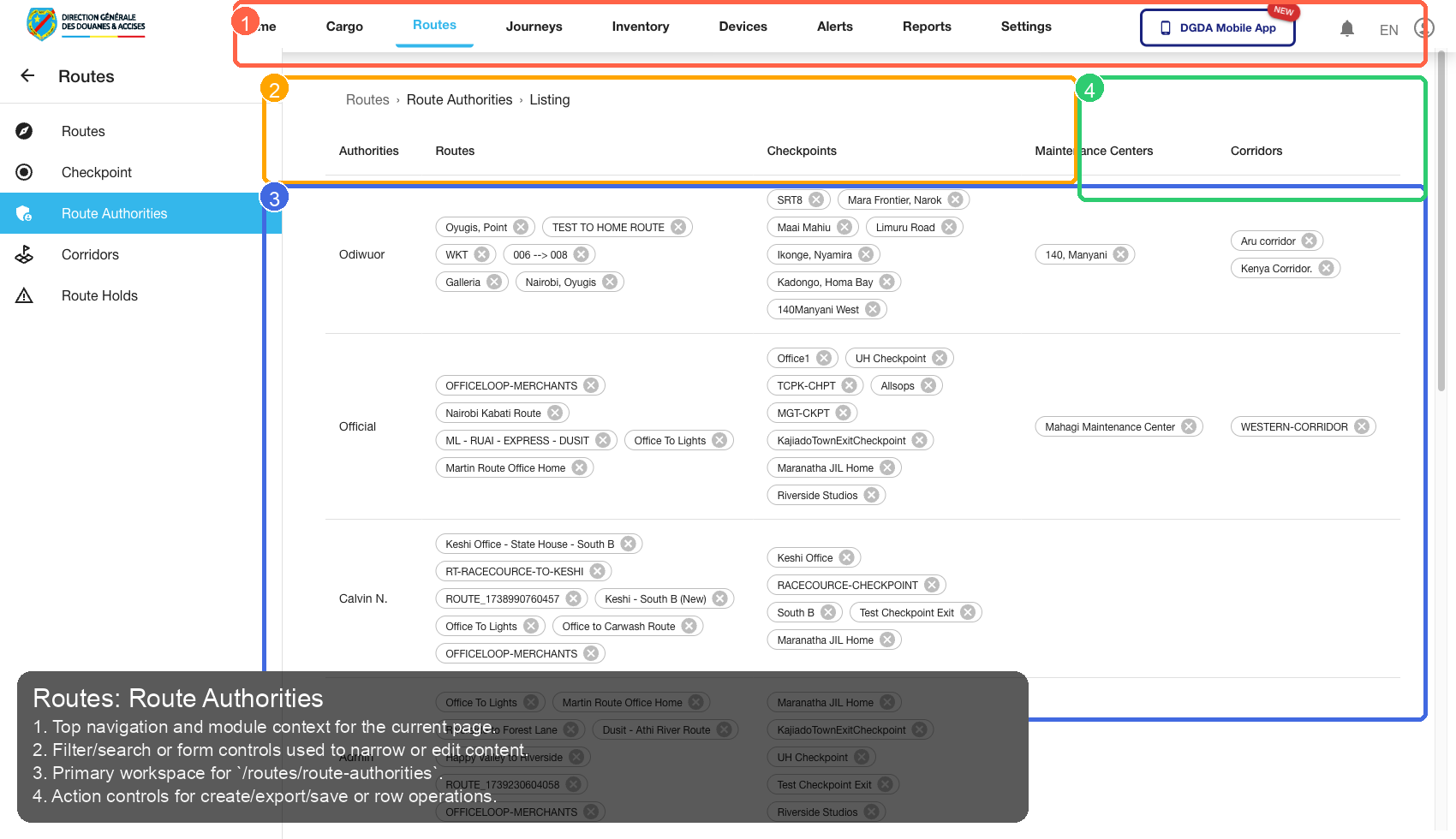
| Callout | Focus | Training Instruction | Validation |
|---|---|---|---|
| 1 | Navigation Context | Top navigation and module context for the current page. | Correct navigation context is highlighted before workflow actions. |
| 2 | Filters / Inputs | Filter/search or form controls used to narrow or edit content. | Changing this control updates page state as expected. |
| 3 | Primary Workspace | Primary workspace for /routes/route-authorities. |
Primary content renders without blank/error state. |
| 4 | Actions / Operations | Action controls for create/export/save or row operations. | Action executes expected operation without runtime error. |
6.4 /routes/route-holds
Source Screenshot: 24-routes-holds.png
Route / Context: /routes/route-holds
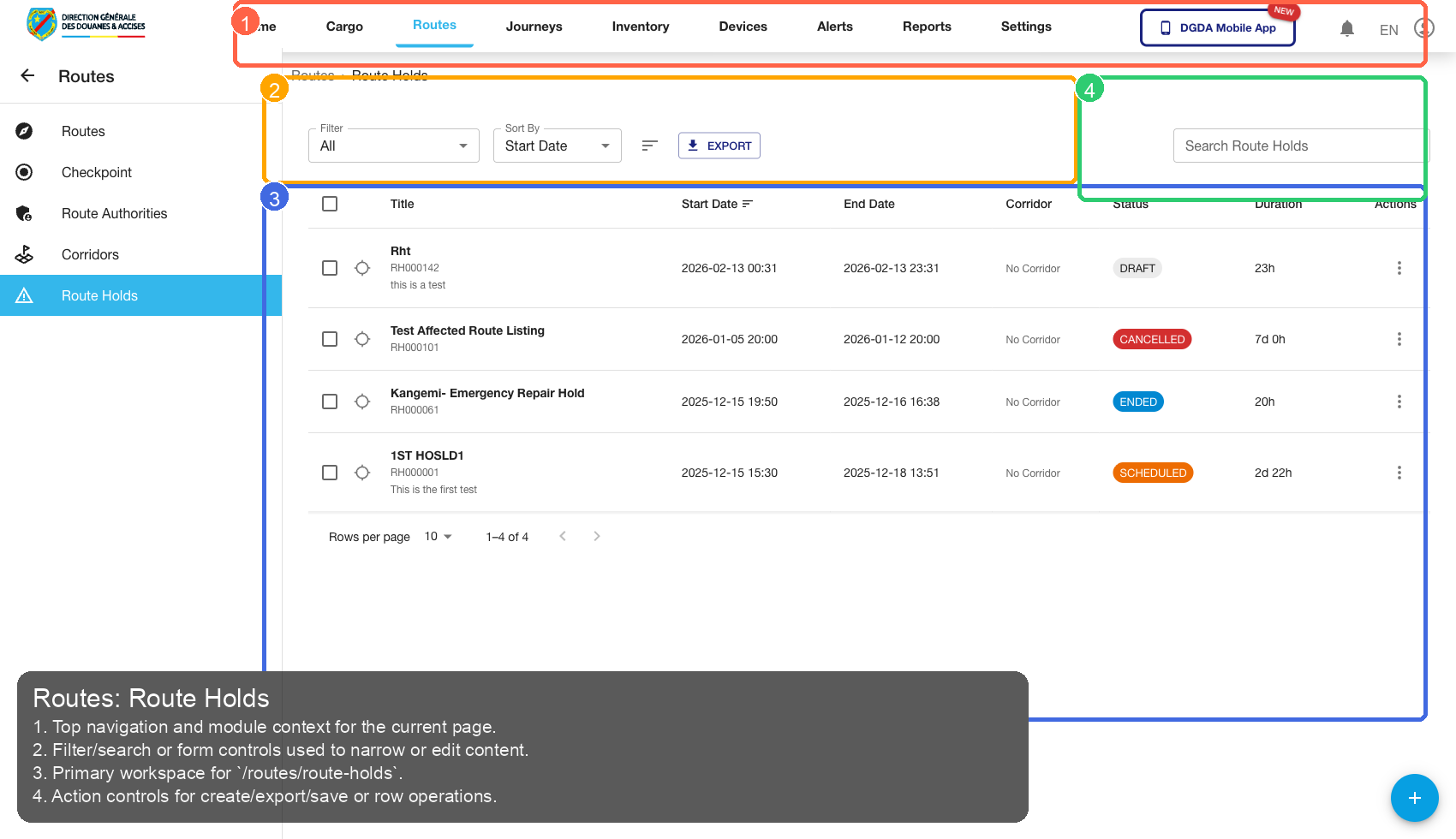
| Callout | Focus | Training Instruction | Validation |
|---|---|---|---|
| 1 | Navigation Context | Top navigation and module context for the current page. | Correct navigation context is highlighted before workflow actions. |
| 2 | Filters / Inputs | Filter/search or form controls used to narrow or edit content. | Changing this control updates page state as expected. |
| 3 | Primary Workspace | Primary workspace for /routes/route-holds. |
Primary content renders without blank/error state. |
| 4 | Actions / Operations | Action controls for create/export/save or row operations. | Action executes expected operation without runtime error. |
6.5 /routes/add-route
Source Screenshot: 39-routes-add-route.png
Route / Context: /routes/add-route
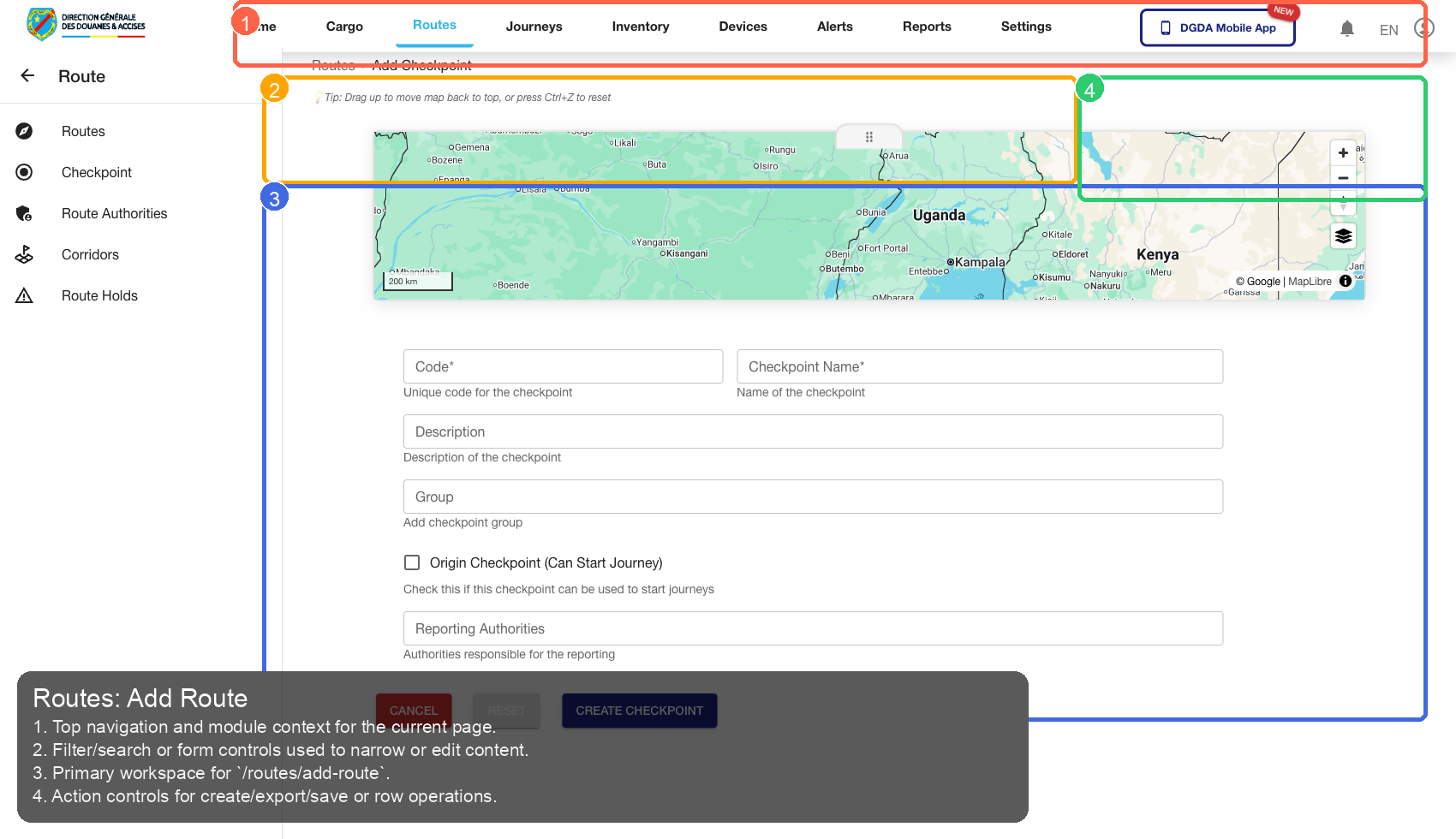
| Callout | Focus | Training Instruction | Validation |
|---|---|---|---|
| 1 | Navigation Context | Top navigation and module context for the current page. | Correct navigation context is highlighted before workflow actions. |
| 2 | Filters / Inputs | Filter/search or form controls used to narrow or edit content. | Changing this control updates page state as expected. |
| 3 | Primary Workspace | Primary workspace for /routes/add-route. |
Primary content renders without blank/error state. |
| 4 | Actions / Operations | Action controls for create/export/save or row operations. | Action executes expected operation without runtime error. |
6.6 /routes/corridors
Source Screenshot: 40-routes-corridors.png
Route / Context: /routes/corridors
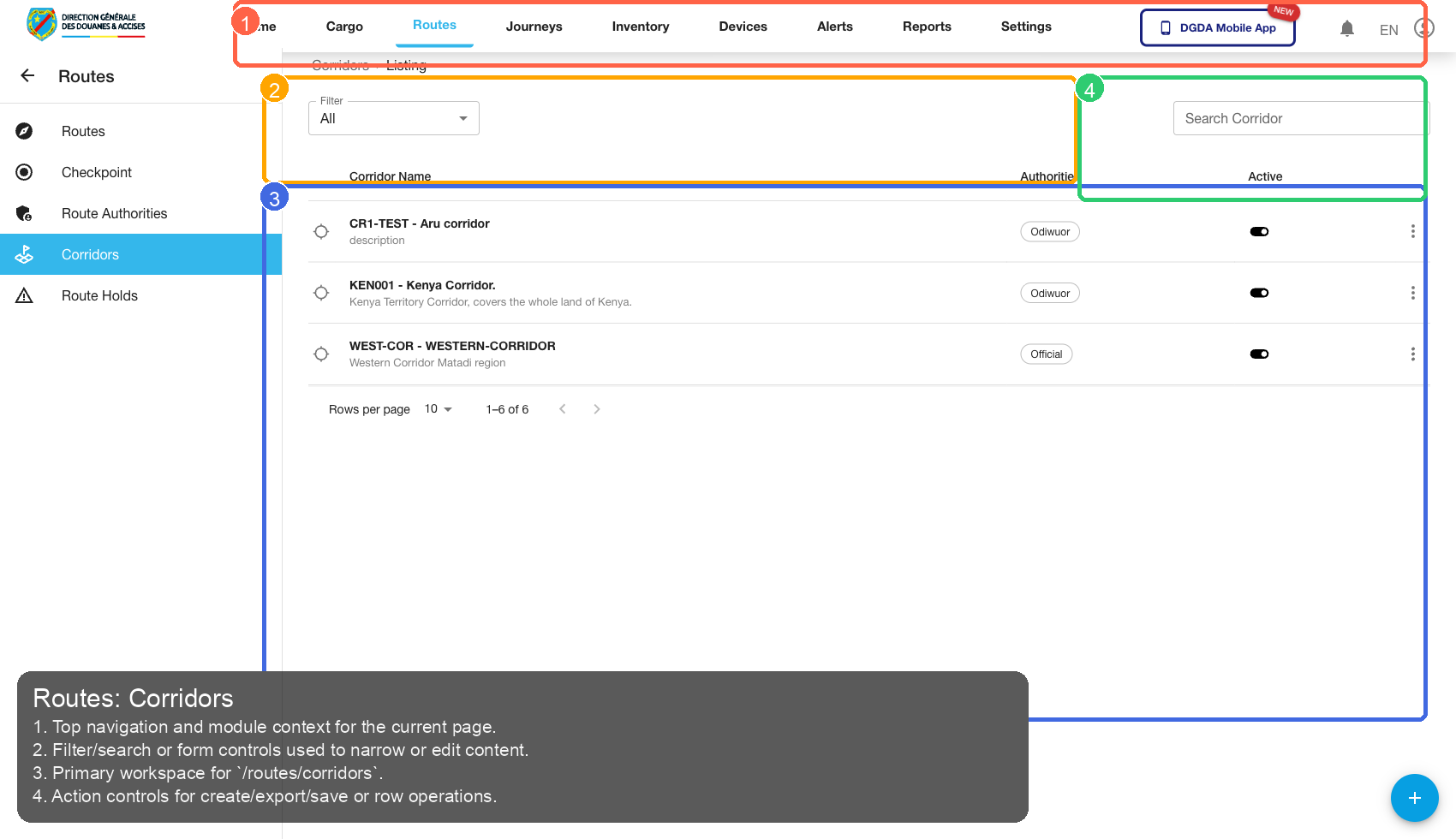
| Callout | Focus | Training Instruction | Validation |
|---|---|---|---|
| 1 | Navigation Context | Top navigation and module context for the current page. | Correct navigation context is highlighted before workflow actions. |
| 2 | Filters / Inputs | Filter/search or form controls used to narrow or edit content. | Changing this control updates page state as expected. |
| 3 | Primary Workspace | Primary workspace for /routes/corridors. |
Primary content renders without blank/error state. |
| 4 | Actions / Operations | Action controls for create/export/save or row operations. | Action executes expected operation without runtime error. |
7. Inventory
7.1 /inventories/inventory
Source Screenshot: 25-inventory-list.png
Route / Context: /inventories/inventory
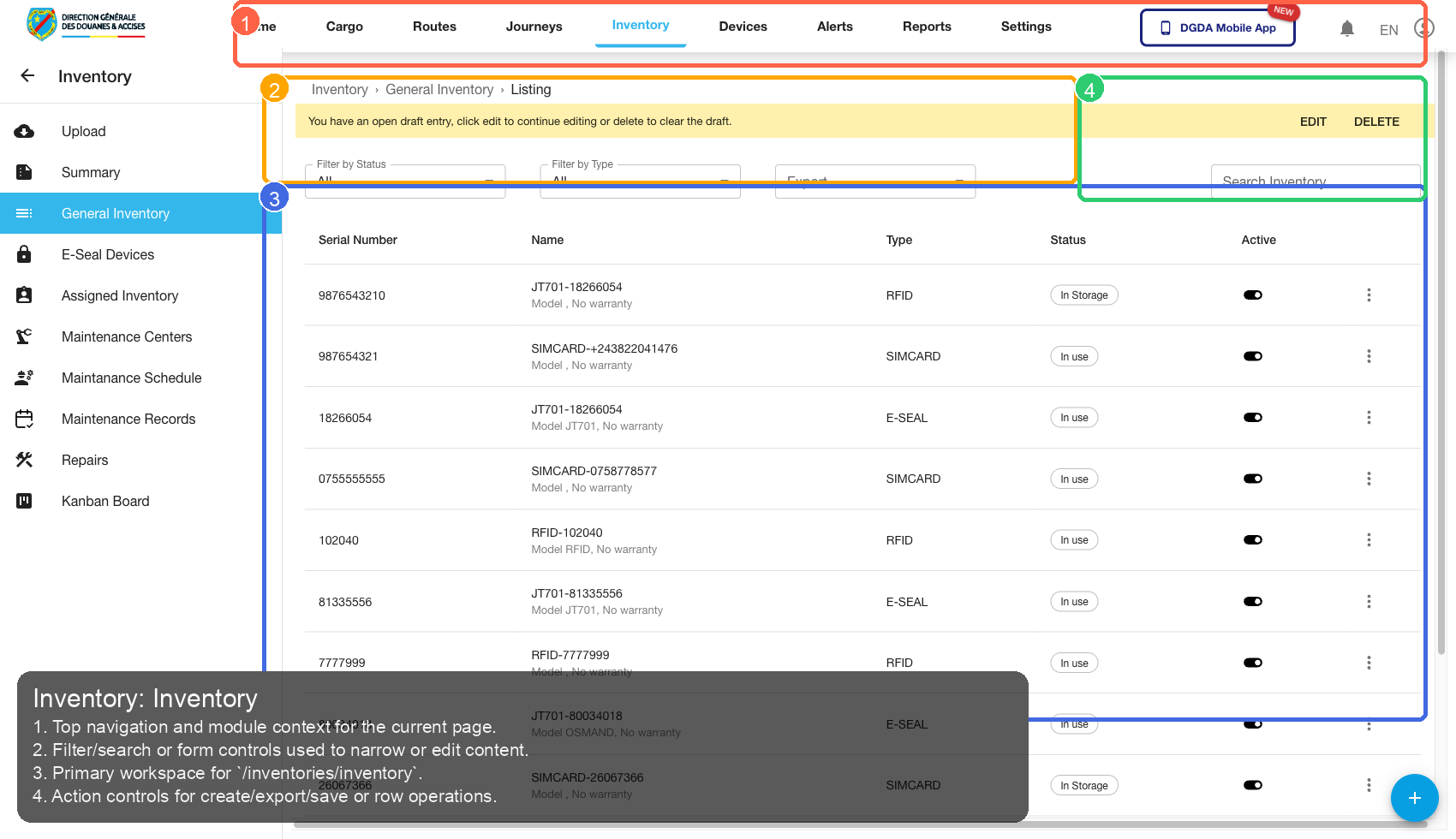
| Callout | Focus | Training Instruction | Validation |
|---|---|---|---|
| 1 | Navigation Context | Top navigation and module context for the current page. | Correct navigation context is highlighted before workflow actions. |
| 2 | Filters / Inputs | Filter/search or form controls used to narrow or edit content. | Changing this control updates page state as expected. |
| 3 | Primary Workspace | Primary workspace for /inventories/inventory. |
Primary content renders without blank/error state. |
| 4 | Actions / Operations | Action controls for create/export/save or row operations. | Action executes expected operation without runtime error. |
7.2 /inventories/inventory-summary
Source Screenshot: 26-inventory-summary.png
Route / Context: /inventories/inventory-summary
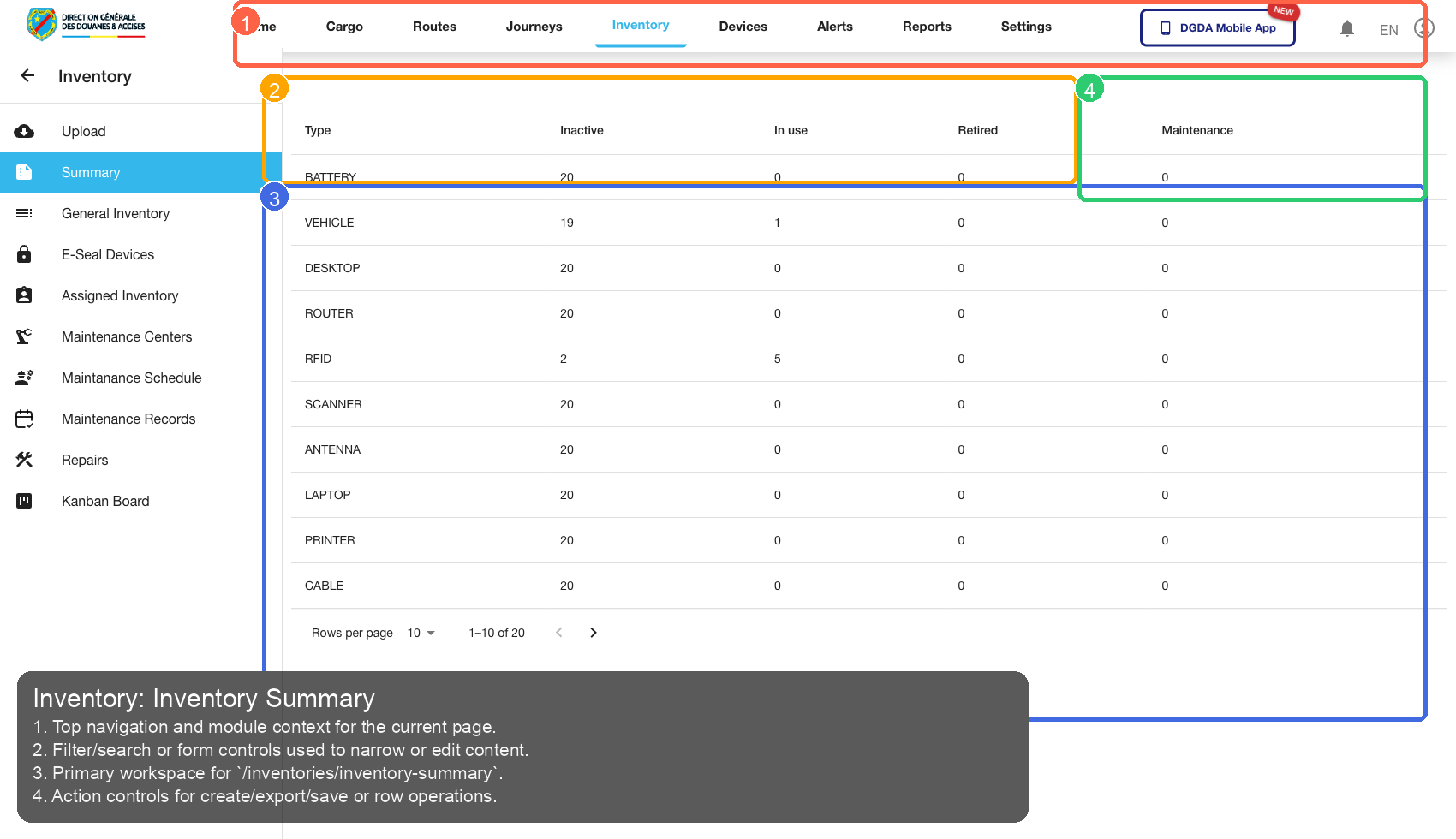
| Callout | Focus | Training Instruction | Validation |
|---|---|---|---|
| 1 | Navigation Context | Top navigation and module context for the current page. | Correct navigation context is highlighted before workflow actions. |
| 2 | Filters / Inputs | Filter/search or form controls used to narrow or edit content. | Changing this control updates page state as expected. |
| 3 | Primary Workspace | Primary workspace for /inventories/inventory-summary. |
Primary content renders without blank/error state. |
| 4 | Actions / Operations | Action controls for create/export/save or row operations. | Action executes expected operation without runtime error. |
7.3 /inventories/assigned-inventory
Source Screenshot: 27-inventory-assigned.png
Route / Context: /inventories/assigned-inventory
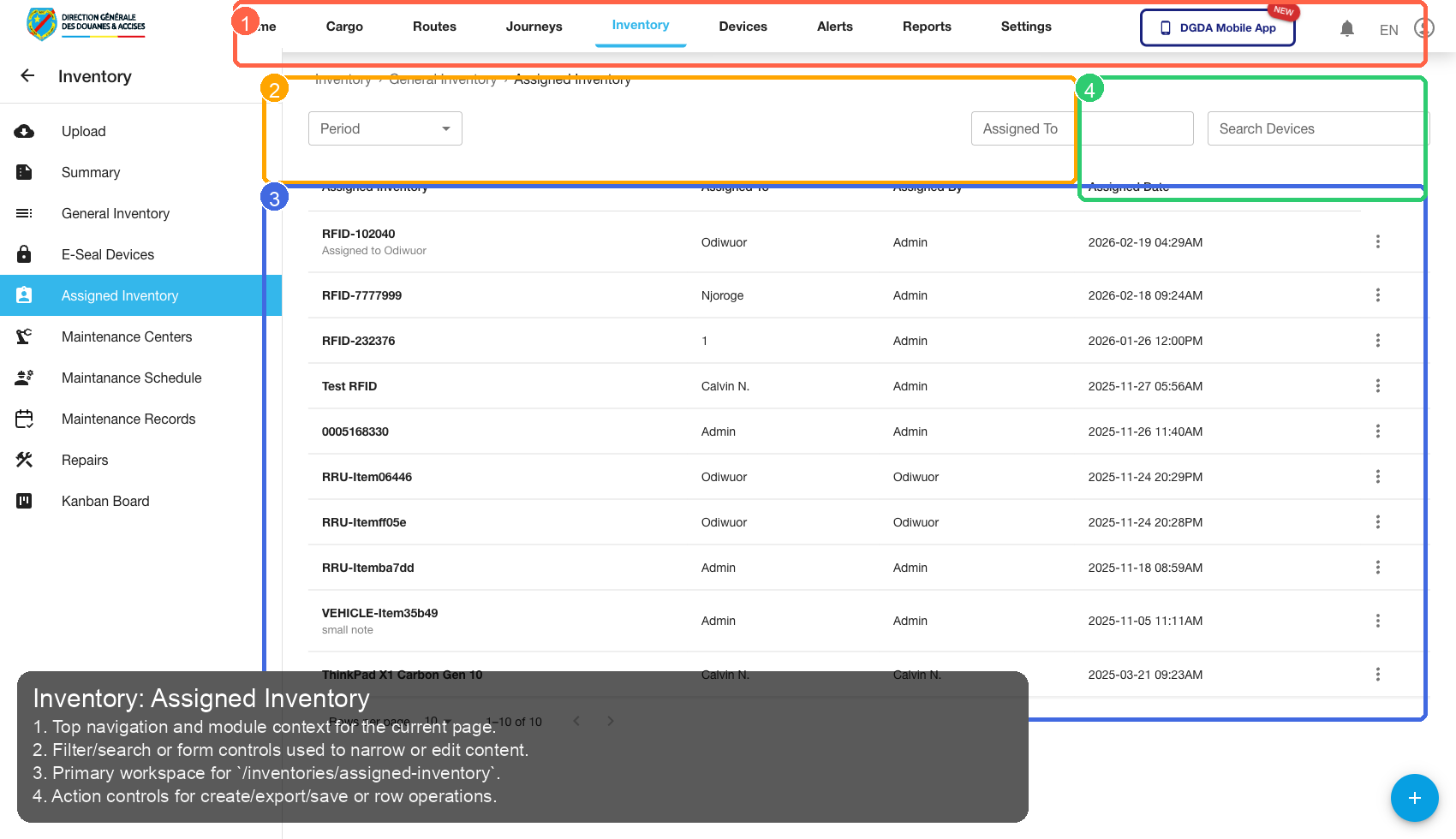
| Callout | Focus | Training Instruction | Validation |
|---|---|---|---|
| 1 | Navigation Context | Top navigation and module context for the current page. | Correct navigation context is highlighted before workflow actions. |
| 2 | Filters / Inputs | Filter/search or form controls used to narrow or edit content. | Changing this control updates page state as expected. |
| 3 | Primary Workspace | Primary workspace for /inventories/assigned-inventory. |
Primary content renders without blank/error state. |
| 4 | Actions / Operations | Action controls for create/export/save or row operations. | Action executes expected operation without runtime error. |
7.4 /inventories/add-inventory
Source Screenshot: 41-inventory-add-inventory.png
Route / Context: /inventories/add-inventory
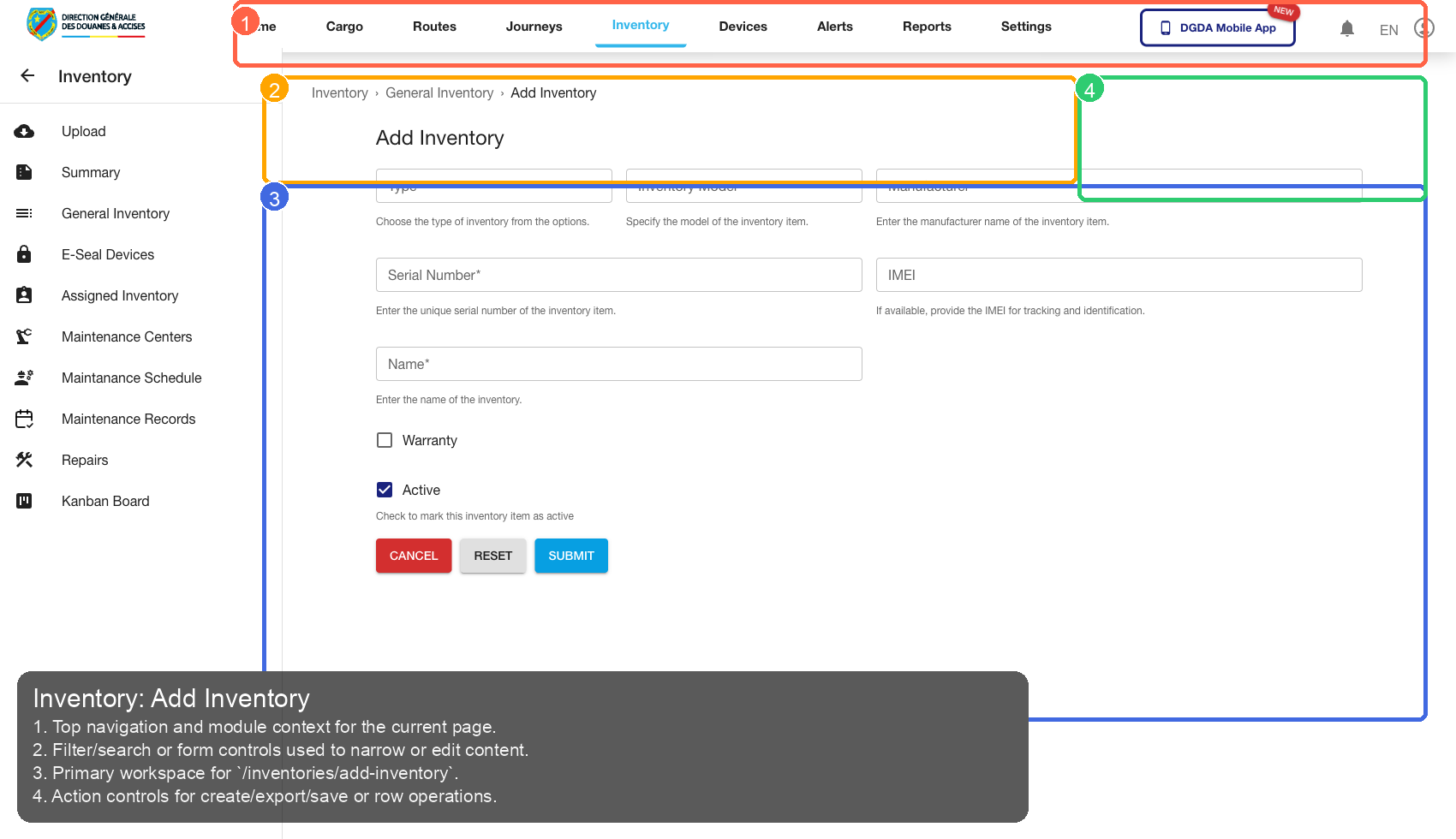
| Callout | Focus | Training Instruction | Validation |
|---|---|---|---|
| 1 | Navigation Context | Top navigation and module context for the current page. | Correct navigation context is highlighted before workflow actions. |
| 2 | Filters / Inputs | Filter/search or form controls used to narrow or edit content. | Changing this control updates page state as expected. |
| 3 | Primary Workspace | Primary workspace for /inventories/add-inventory. |
Primary content renders without blank/error state. |
| 4 | Actions / Operations | Action controls for create/export/save or row operations. | Action executes expected operation without runtime error. |
8. Alerts
8.1 /alerts/open-alerts
Source Screenshot: 28-alerts-open.png
Route / Context: /alerts/open-alerts
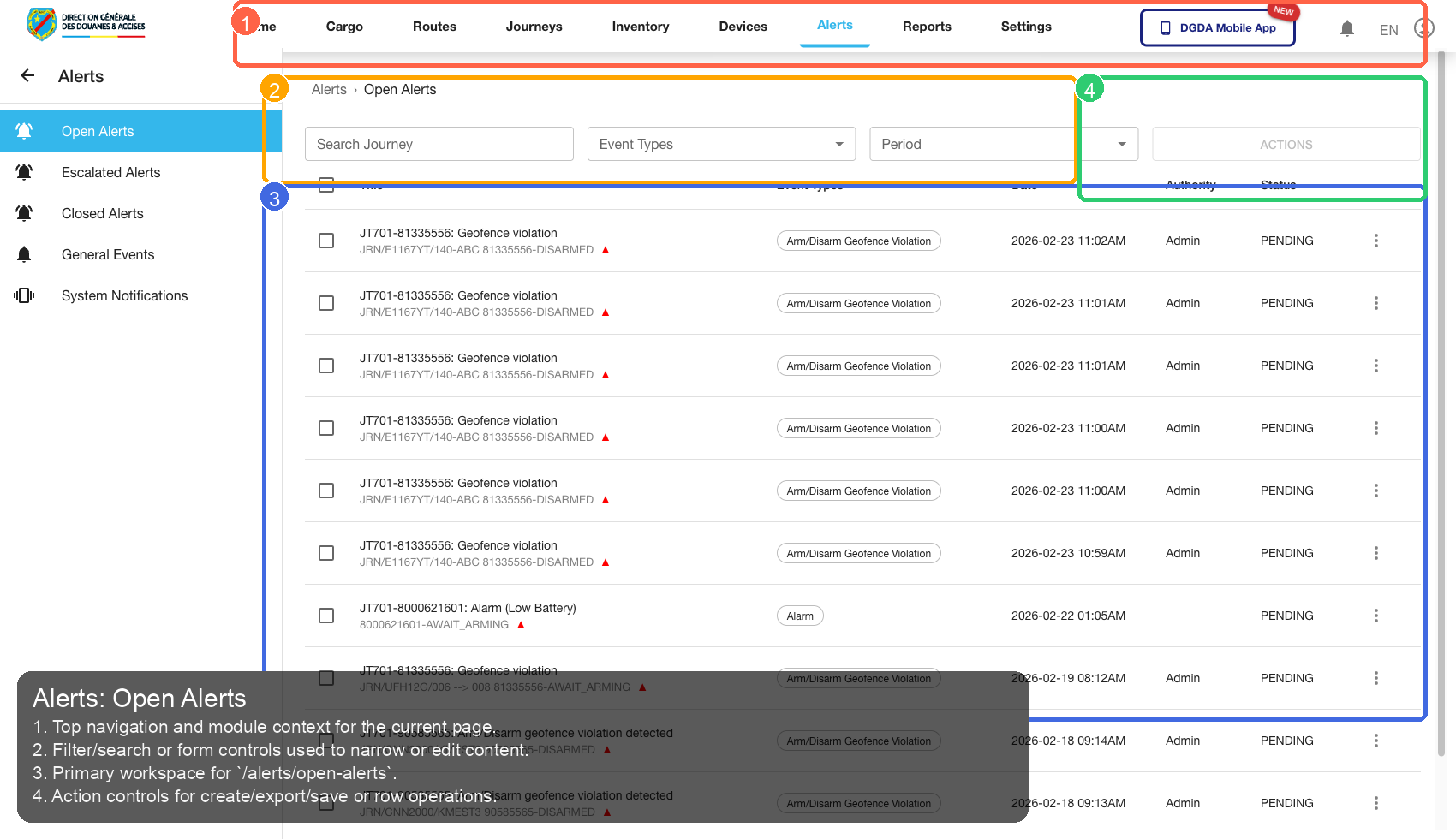
| Callout | Focus | Training Instruction | Validation |
|---|---|---|---|
| 1 | Navigation Context | Top navigation and module context for the current page. | Correct navigation context is highlighted before workflow actions. |
| 2 | Filters / Inputs | Filter/search or form controls used to narrow or edit content. | Changing this control updates page state as expected. |
| 3 | Primary Workspace | Primary workspace for /alerts/open-alerts. |
Primary content renders without blank/error state. |
| 4 | Actions / Operations | Action controls for create/export/save or row operations. | Action executes expected operation without runtime error. |
8.2 /alerts/escalated-alerts
Source Screenshot: 29-alerts-escalated.png
Route / Context: /alerts/escalated-alerts
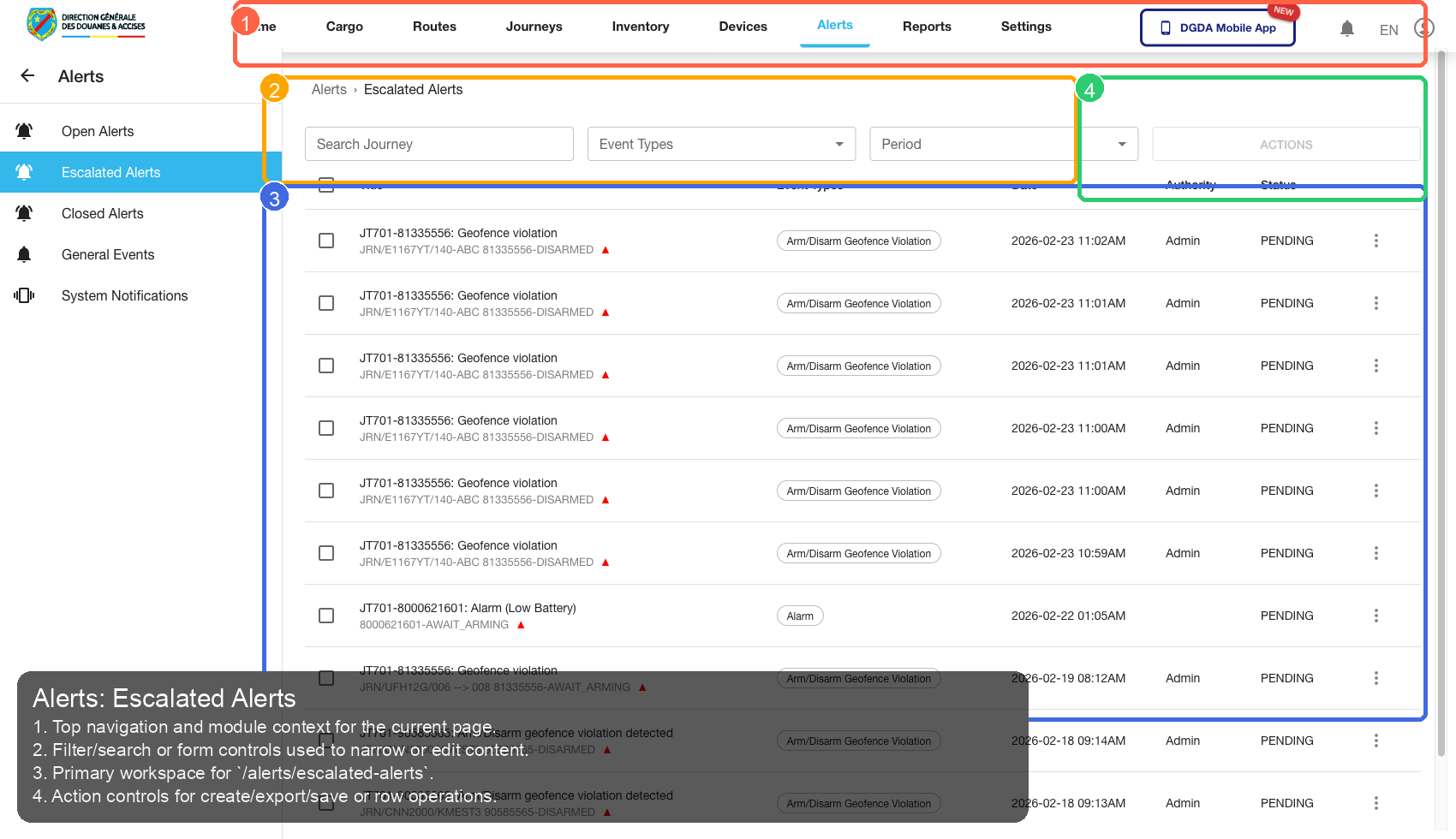
| Callout | Focus | Training Instruction | Validation |
|---|---|---|---|
| 1 | Navigation Context | Top navigation and module context for the current page. | Correct navigation context is highlighted before workflow actions. |
| 2 | Filters / Inputs | Filter/search or form controls used to narrow or edit content. | Changing this control updates page state as expected. |
| 3 | Primary Workspace | Primary workspace for /alerts/escalated-alerts. |
Primary content renders without blank/error state. |
| 4 | Actions / Operations | Action controls for create/export/save or row operations. | Action executes expected operation without runtime error. |
8.3 /alerts/closed-alerts
Source Screenshot: 44-alerts-closed.png
Route / Context: /alerts/closed-alerts
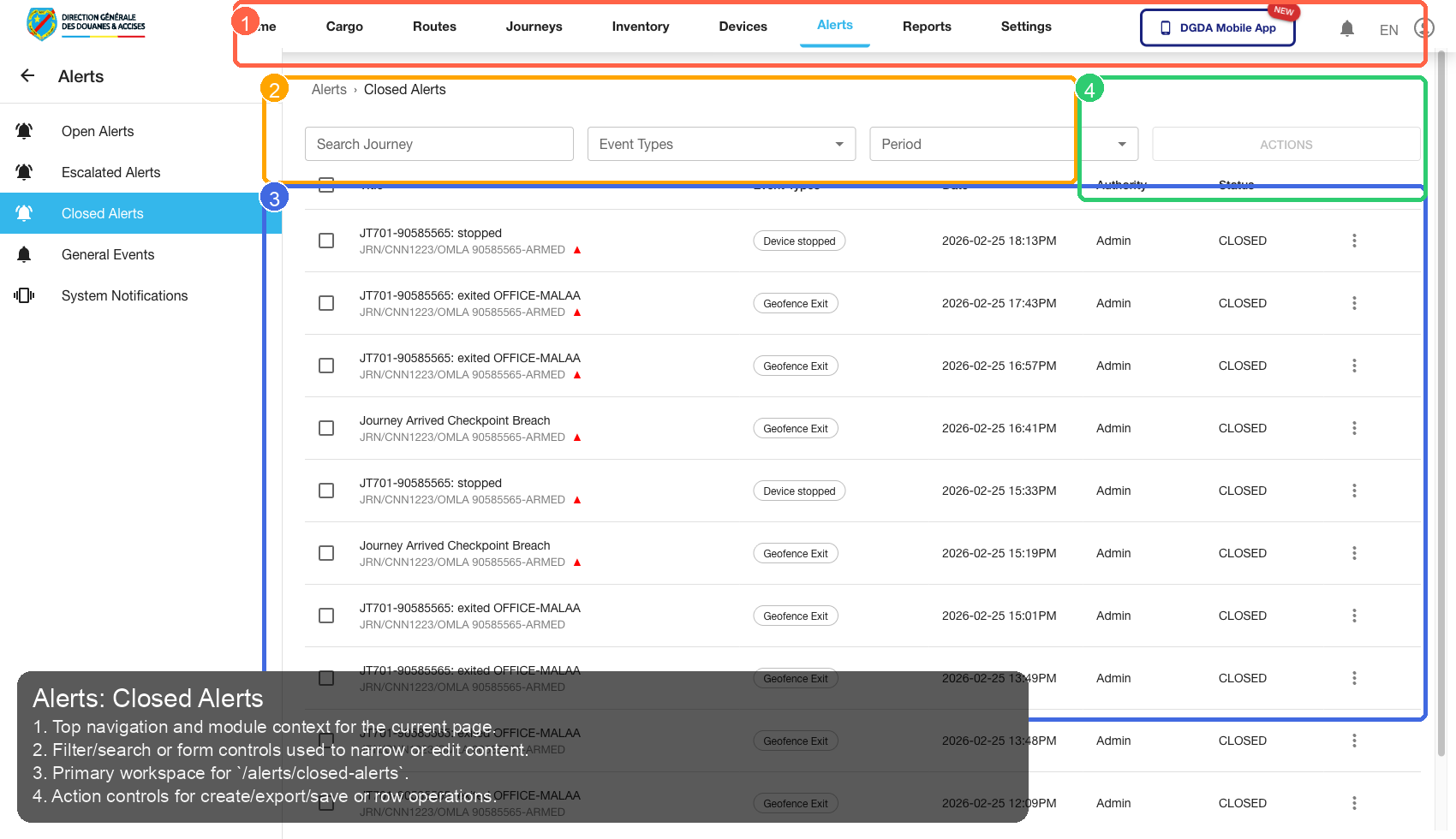
| Callout | Focus | Training Instruction | Validation |
|---|---|---|---|
| 1 | Navigation Context | Top navigation and module context for the current page. | Correct navigation context is highlighted before workflow actions. |
| 2 | Filters / Inputs | Filter/search or form controls used to narrow or edit content. | Changing this control updates page state as expected. |
| 3 | Primary Workspace | Primary workspace for /alerts/closed-alerts. |
Primary content renders without blank/error state. |
| 4 | Actions / Operations | Action controls for create/export/save or row operations. | Action executes expected operation without runtime error. |
8.4 /alerts/system-notifications
Source Screenshot: 30-alerts-system-notifications.png
Route / Context: /alerts/system-notifications
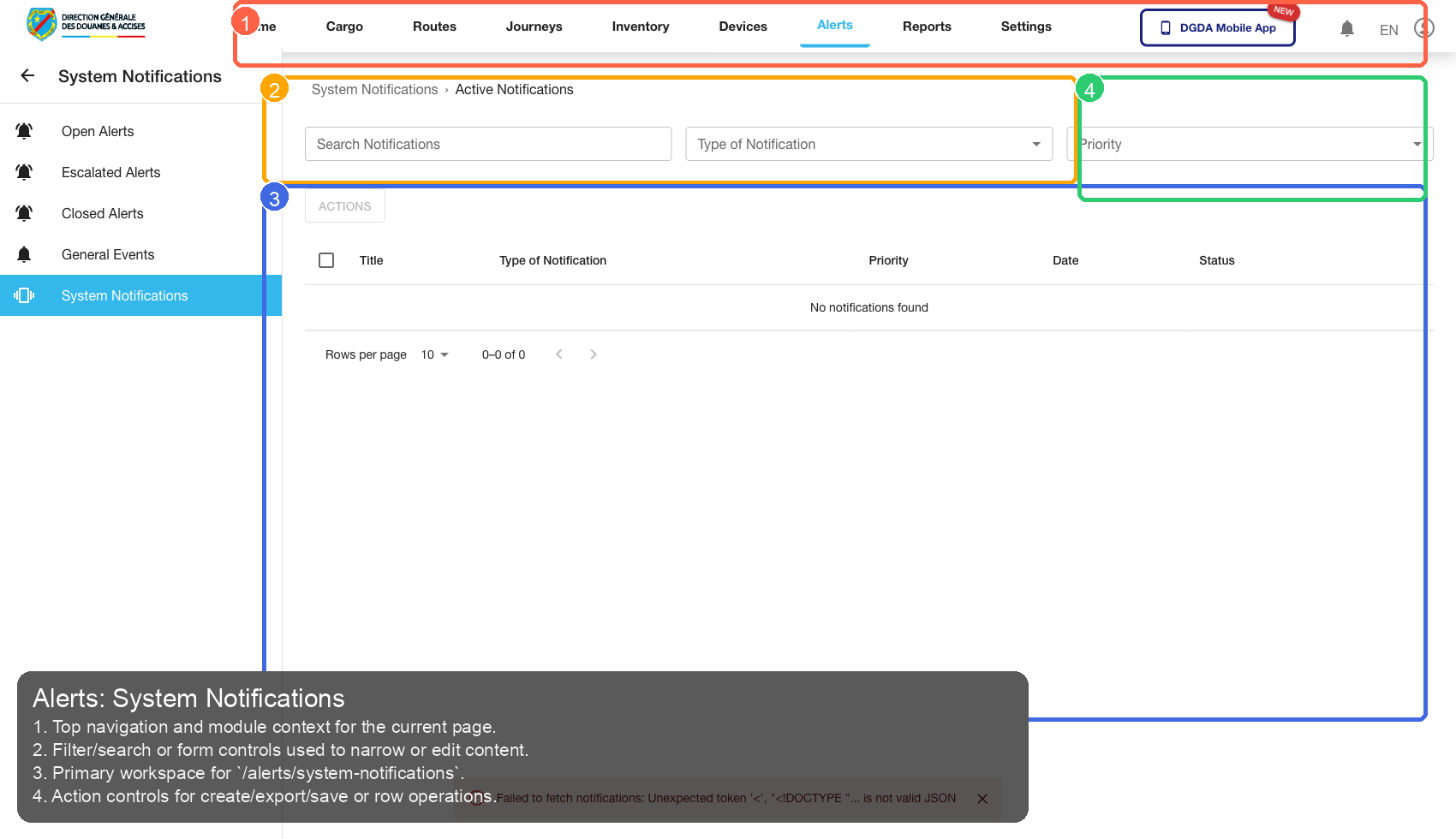
| Callout | Focus | Training Instruction | Validation |
|---|---|---|---|
| 1 | Navigation Context | Top navigation and module context for the current page. | Correct navigation context is highlighted before workflow actions. |
| 2 | Filters / Inputs | Filter/search or form controls used to narrow or edit content. | Changing this control updates page state as expected. |
| 3 | Primary Workspace | Primary workspace for /alerts/system-notifications. |
Primary content renders without blank/error state. |
| 4 | Actions / Operations | Action controls for create/export/save or row operations. | Action executes expected operation without runtime error. |
9. Reports
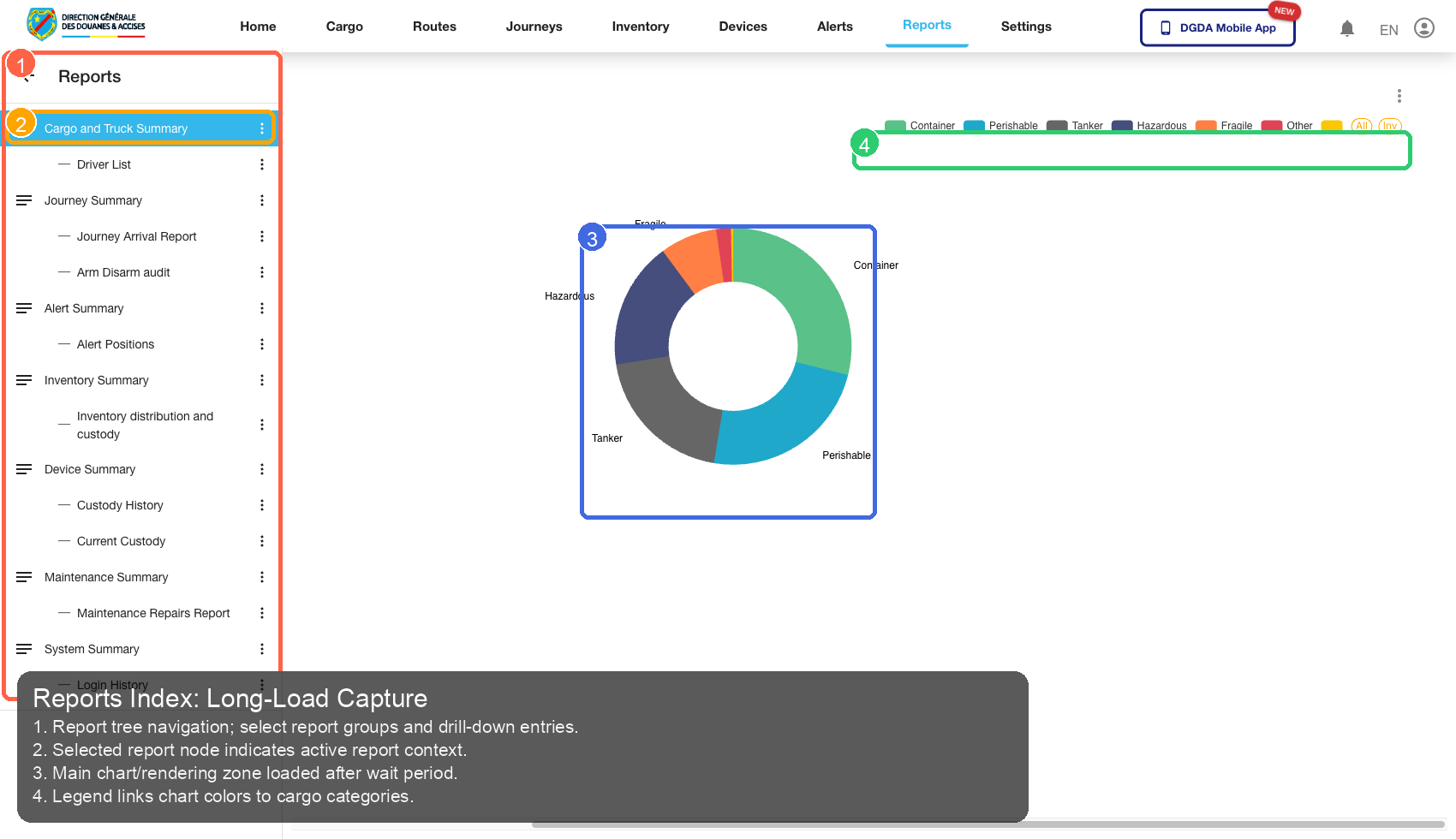
9.1 /reports (long wait)
Source Screenshot: 71-reports-index-longwait.png
Route / Context: /reports (long wait)
| Callout | Focus | Training Instruction | Validation |
|---|---|---|---|
| 1 | Navigation Context | Report tree navigation; select report groups and drill-down entries. | Correct navigation context is highlighted before workflow actions. |
| 2 | Filters / Inputs | Selected report node indicates active report context. | Changing this control updates page state as expected. |
| 3 | Primary Workspace | Main chart/rendering zone loaded after wait period. | Primary content renders without blank/error state. |
| 4 | Actions / Operations | Legend links chart colors to cargo categories. | Action executes expected operation without runtime error. |
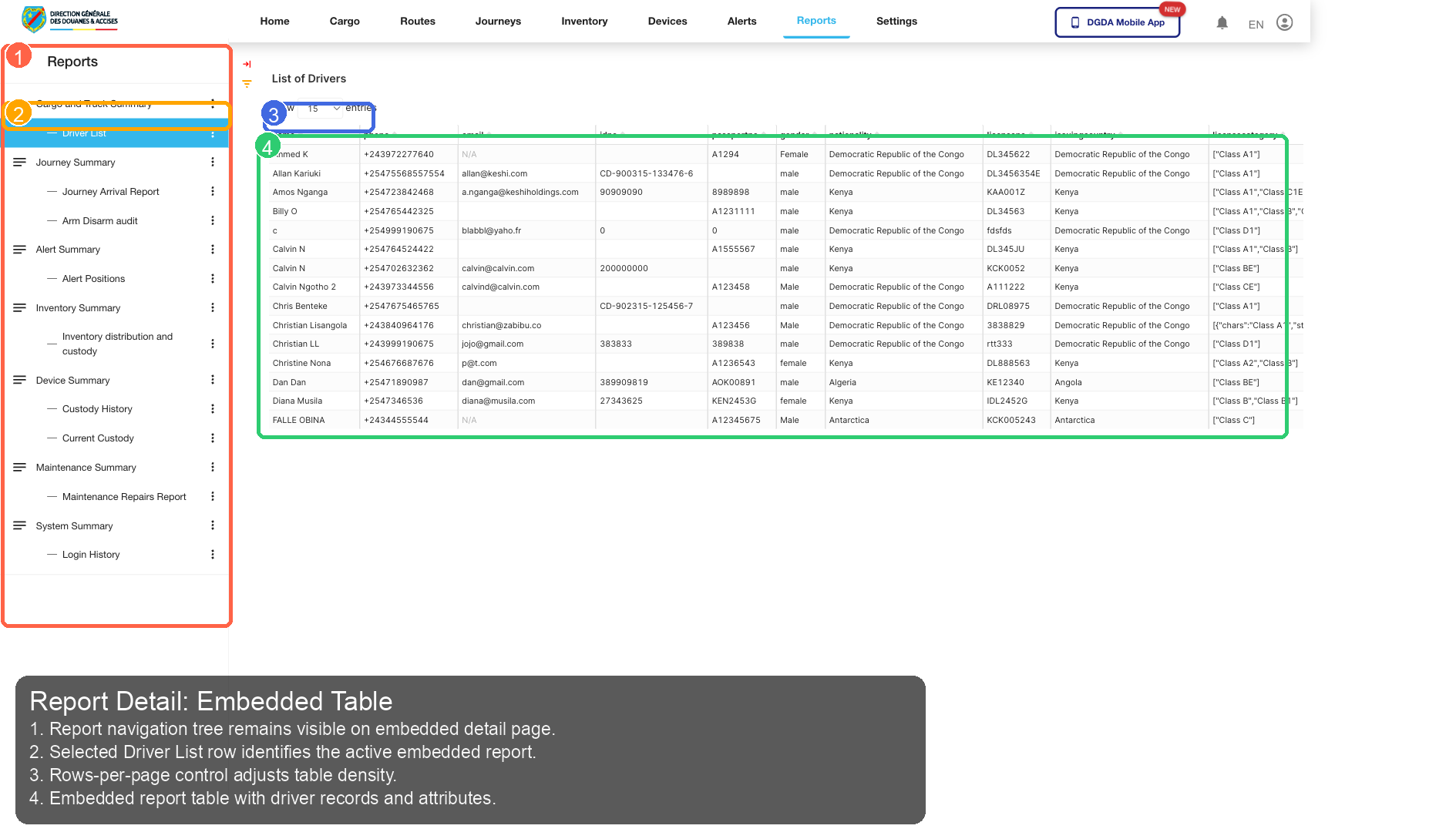
9.2 /reports/superset/18 (long wait)
Source Screenshot: 72-report-detail-longwait.png
Route / Context: /reports/superset/18 (long wait)
| Callout | Focus | Training Instruction | Validation |
|---|---|---|---|
| 1 | Navigation Context | Report navigation tree remains visible on embedded detail page. | Correct navigation context is highlighted before workflow actions. |
| 2 | Filters / Inputs | Selected Driver List row identifies the active embedded report. | Changing this control updates page state as expected. |
| 3 | Primary Workspace | Rows-per-page control adjusts table density. | Primary content renders without blank/error state. |
| 4 | Actions / Operations | Embedded report table with driver records and attributes. | Action executes expected operation without runtime error. |
10. Settings
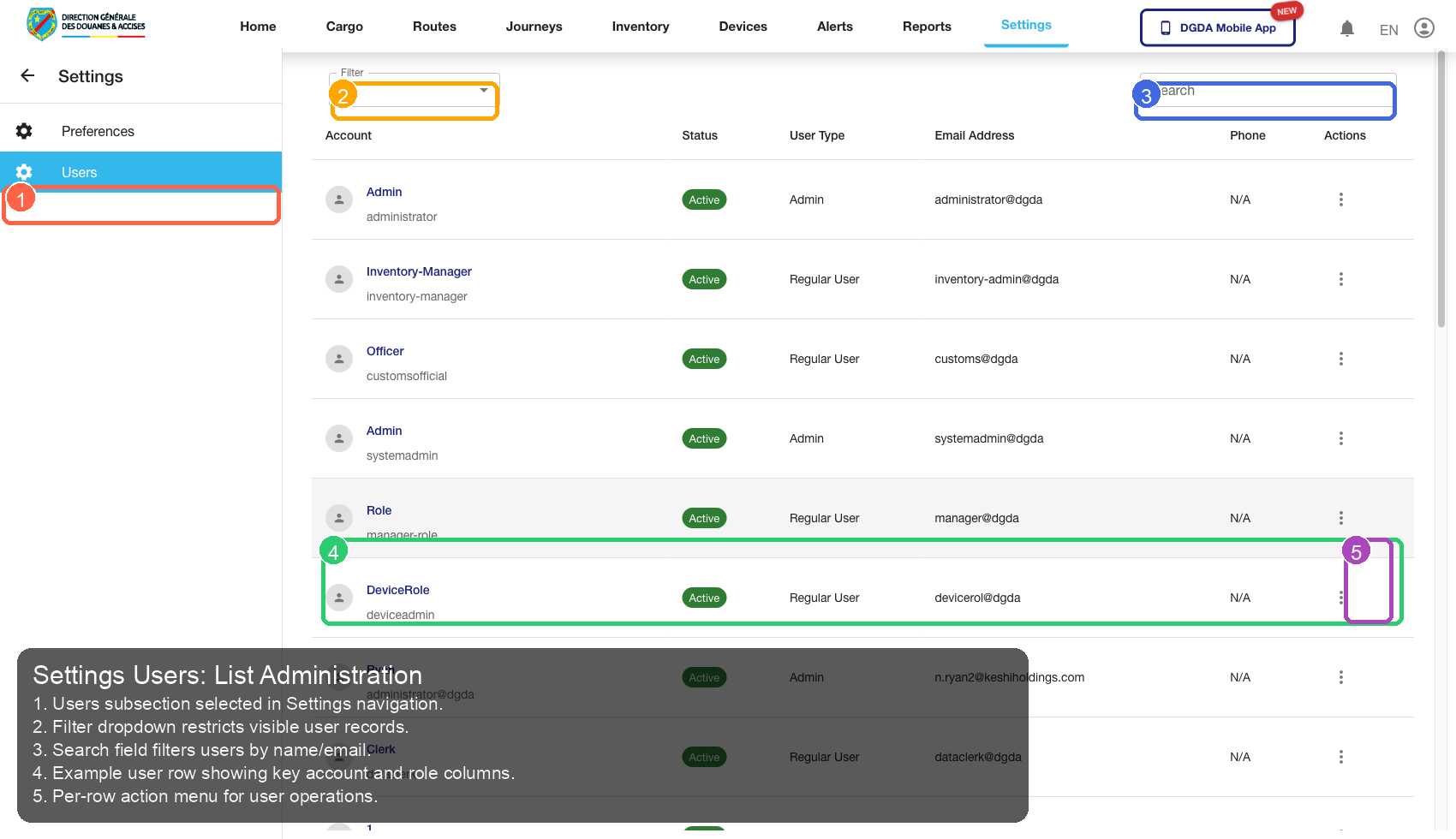
10.1 /settings/users
Source Screenshot: 62-settings-users.png
Route / Context: /settings/users
| Callout | Focus | Training Instruction | Validation |
|---|---|---|---|
| 1 | Navigation Context | Users subsection selected in Settings navigation. | Correct navigation context is highlighted before workflow actions. |
| 2 | Filters / Inputs | Filter dropdown restricts visible user records. | Changing this control updates page state as expected. |
| 3 | Primary Workspace | Search field filters users by name/email. | Primary content renders without blank/error state. |
| 4 | Actions / Operations | Example user row showing key account and role columns. | Action executes expected operation without runtime error. |
| 5 | Additional Control | Per-row action menu for user operations. | Control behaves consistently and remains interactive. |
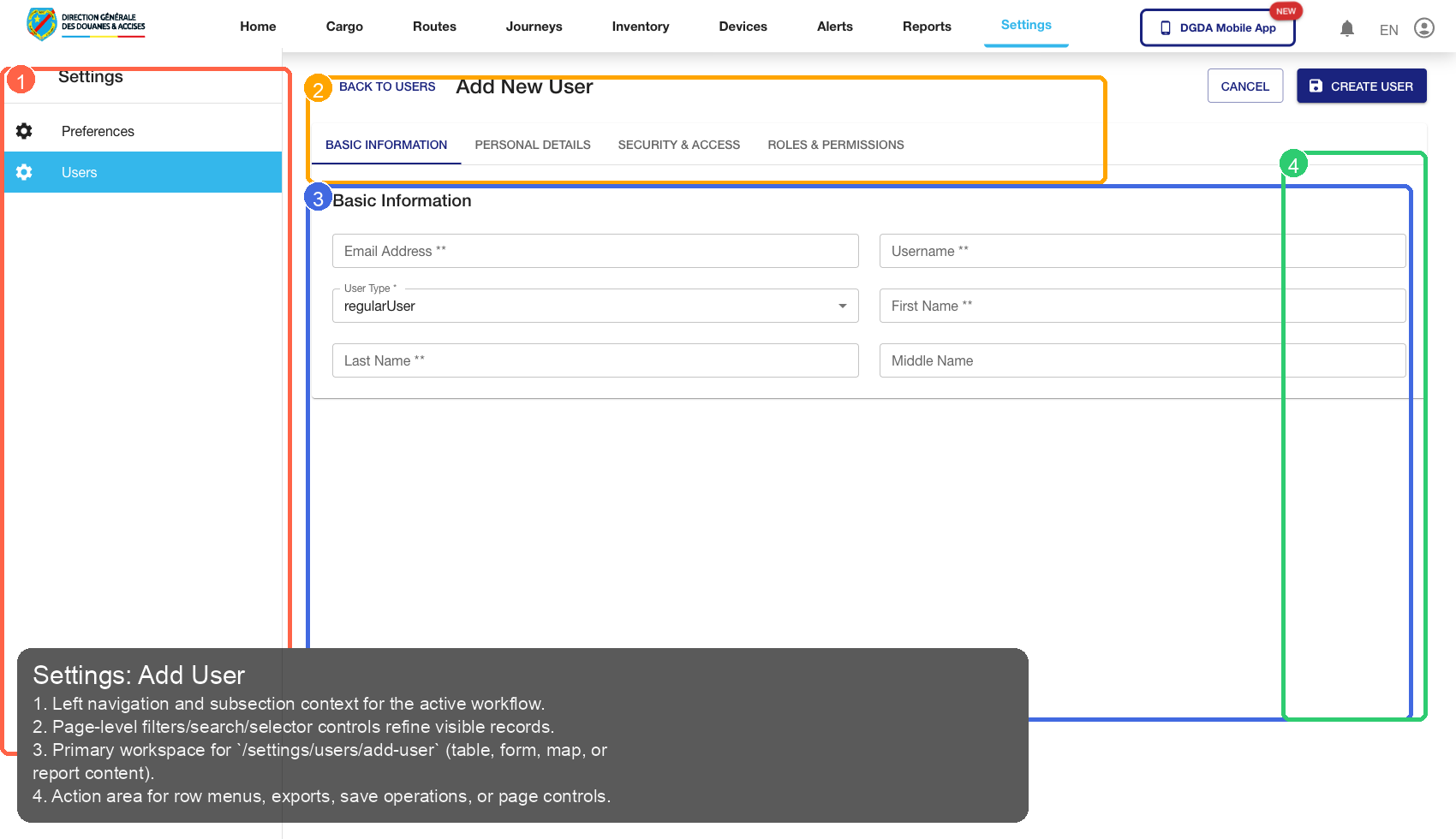
10.2 /settings/users/add-user
Source Screenshot: 63-settings-add-user.png
Route / Context: /settings/users/add-user
| Callout | Focus | Training Instruction | Validation |
|---|---|---|---|
| 1 | Navigation Context | Left navigation and subsection context for the active workflow. | Correct navigation context is highlighted before workflow actions. |
| 2 | Filters / Inputs | Page-level filters/search/selector controls refine visible records. | Changing this control updates page state as expected. |
| 3 | Primary Workspace | Primary workspace for /settings/users/add-user (table, form, map, or report content). |
Primary content renders without blank/error state. |
| 4 | Actions / Operations | Action area for row menus, exports, save operations, or page controls. | Action executes expected operation without runtime error. |
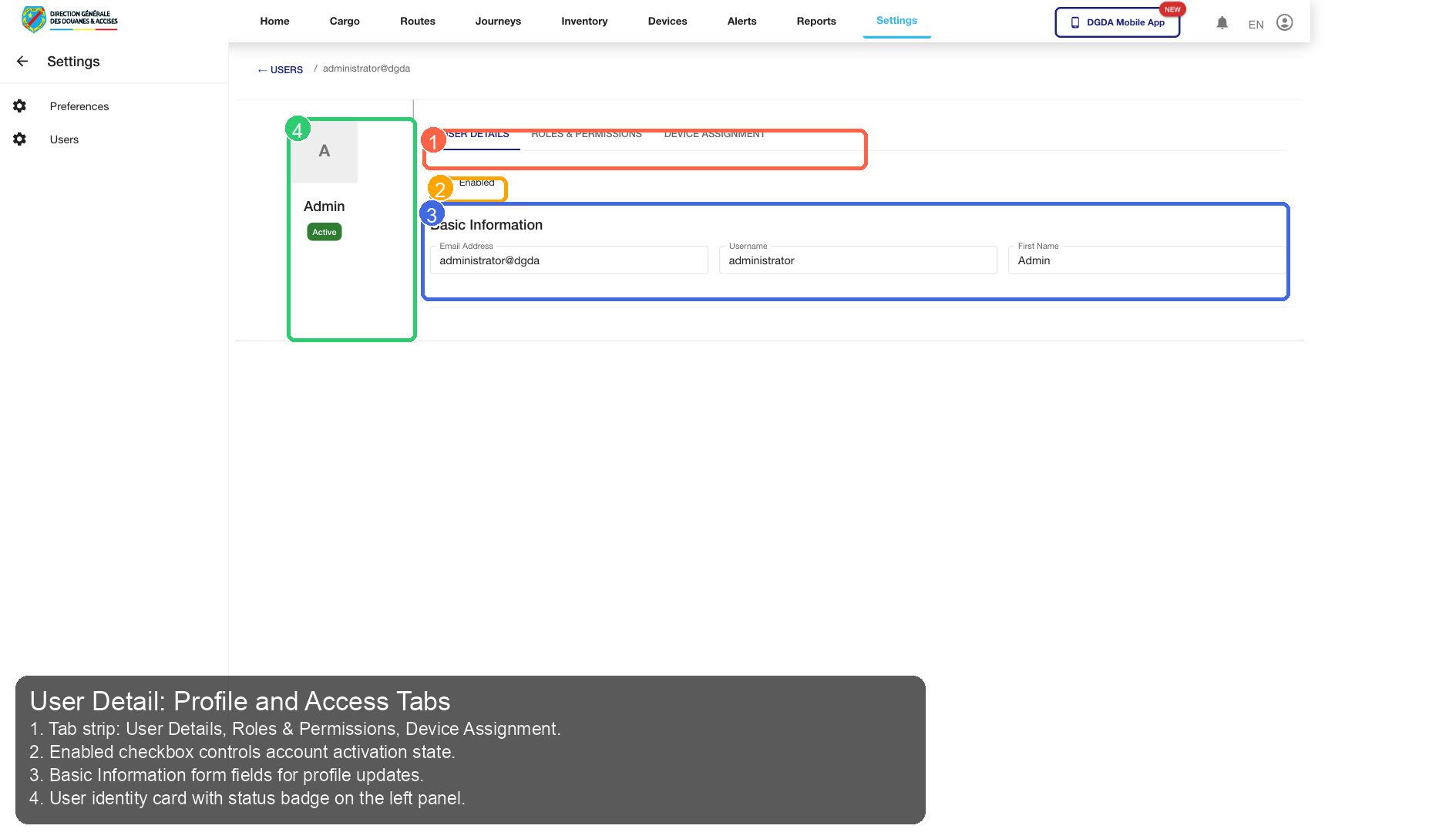
10.3 /settings/userdetail/36116
Source Screenshot: 74-settings-user-clicked.png
Route / Context: /settings/userdetail/36116
| Callout | Focus | Training Instruction | Validation |
|---|---|---|---|
| 1 | Navigation Context | Tab strip: User Details, Roles & Permissions, Device Assignment. | Correct navigation context is highlighted before workflow actions. |
| 2 | Filters / Inputs | Enabled checkbox controls account activation state. | Changing this control updates page state as expected. |
| 3 | Primary Workspace | Basic Information form fields for profile updates. | Primary content renders without blank/error state. |
| 4 | Actions / Operations | User identity card with status badge on the left panel. | Action executes expected operation without runtime error. |
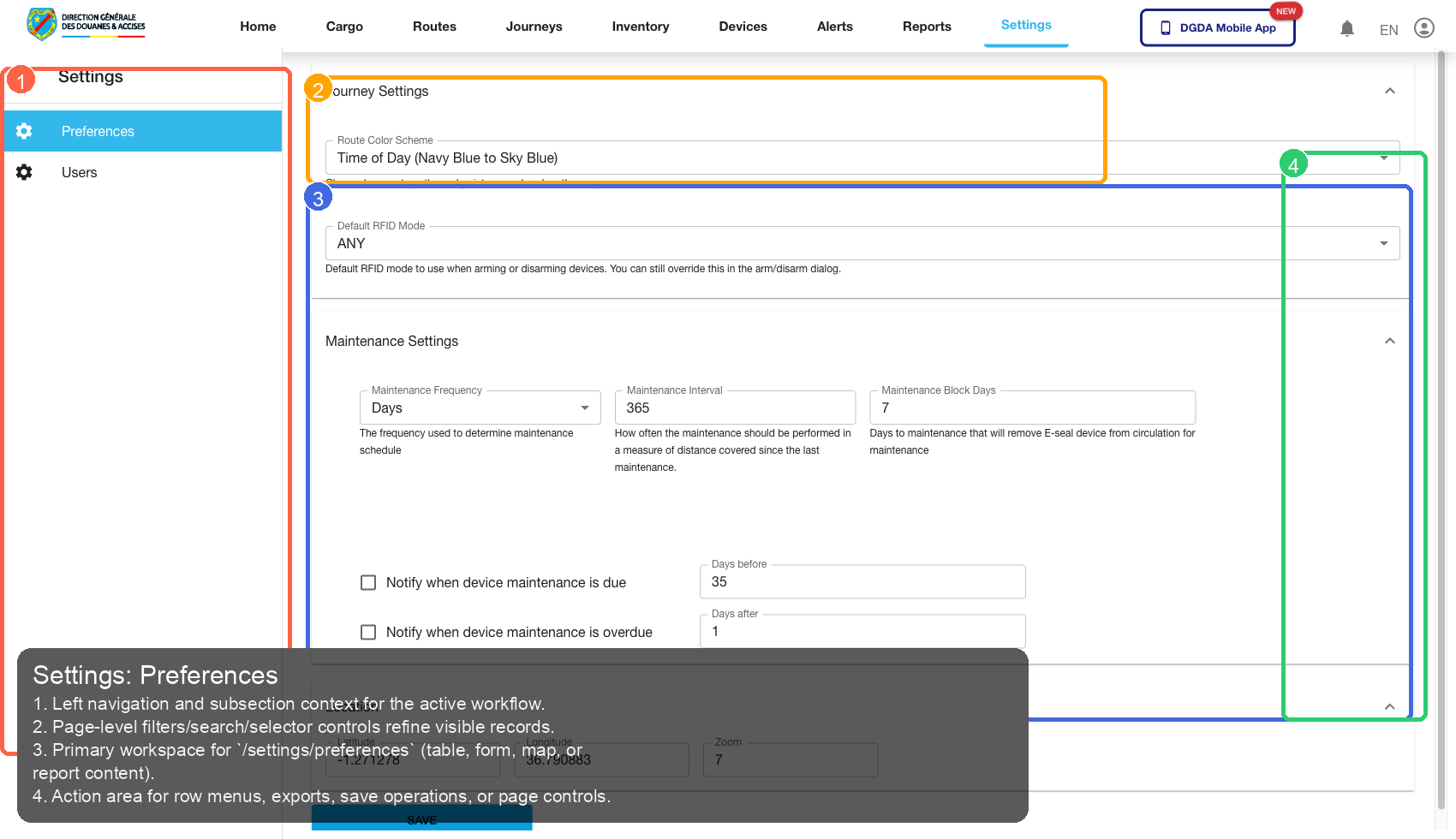
10.4 /settings/preferences
Source Screenshot: 64-settings-preferences.png
Route / Context: /settings/preferences
| Callout | Focus | Training Instruction | Validation |
|---|---|---|---|
| 1 | Navigation Context | Left navigation and subsection context for the active workflow. | Correct navigation context is highlighted before workflow actions. |
| 2 | Filters / Inputs | Page-level filters/search/selector controls refine visible records. | Changing this control updates page state as expected. |
| 3 | Primary Workspace | Primary workspace for /settings/preferences (table, form, map, or report content). |
Primary content renders without blank/error state. |
| 4 | Actions / Operations | Action area for row menus, exports, save operations, or page controls. | Action executes expected operation without runtime error. |
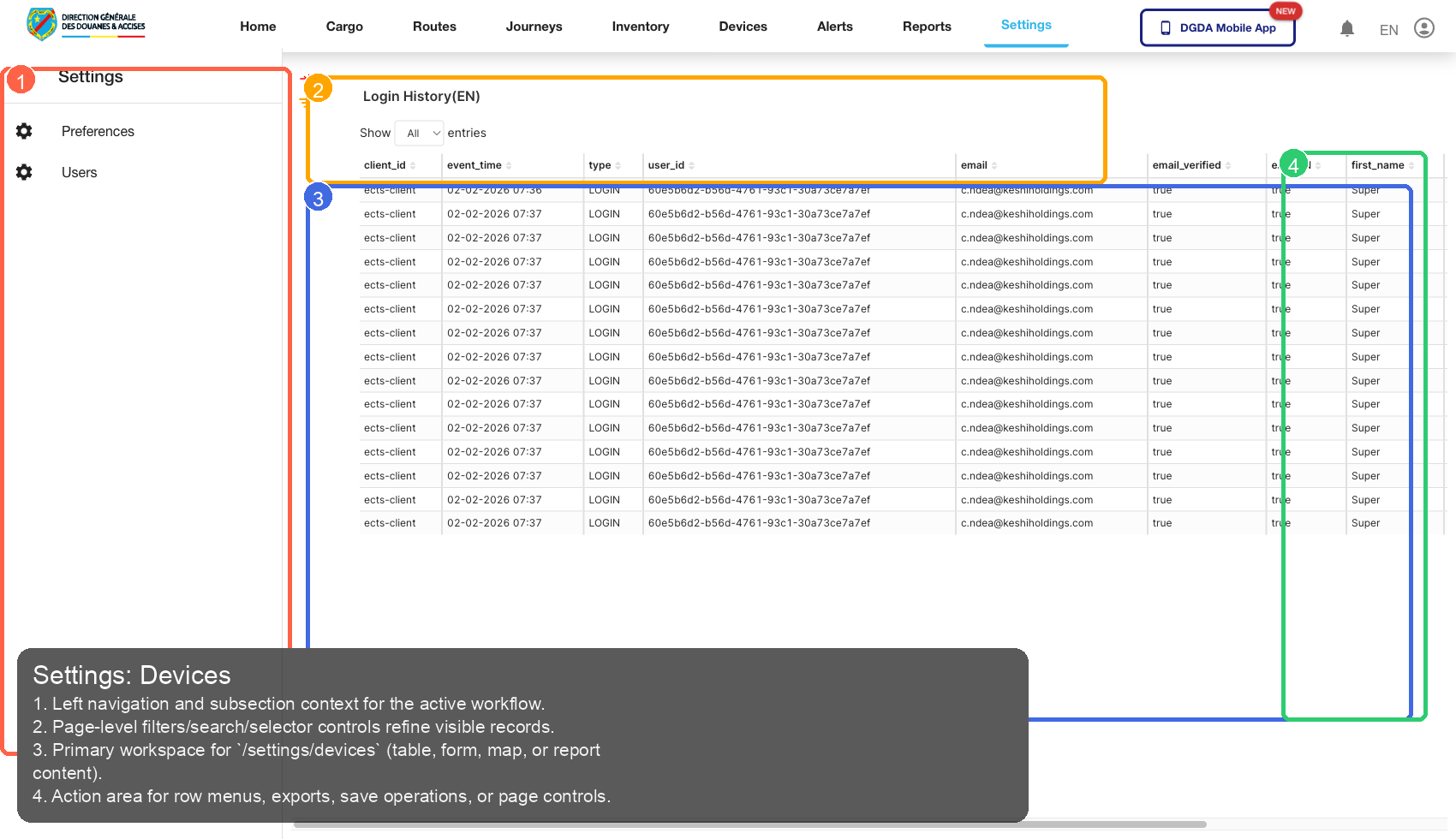
10.5 /settings/devices
Source Screenshot: 65-settings-devices-dashboard.png
Route / Context: /settings/devices
| Callout | Focus | Training Instruction | Validation |
|---|---|---|---|
| 1 | Navigation Context | Left navigation and subsection context for the active workflow. | Correct navigation context is highlighted before workflow actions. |
| 2 | Filters / Inputs | Page-level filters/search/selector controls refine visible records. | Changing this control updates page state as expected. |
| 3 | Primary Workspace | Primary workspace for /settings/devices (table, form, map, or report content). |
Primary content renders without blank/error state. |
| 4 | Actions / Operations | Action area for row menus, exports, save operations, or page controls. | Action executes expected operation without runtime error. |
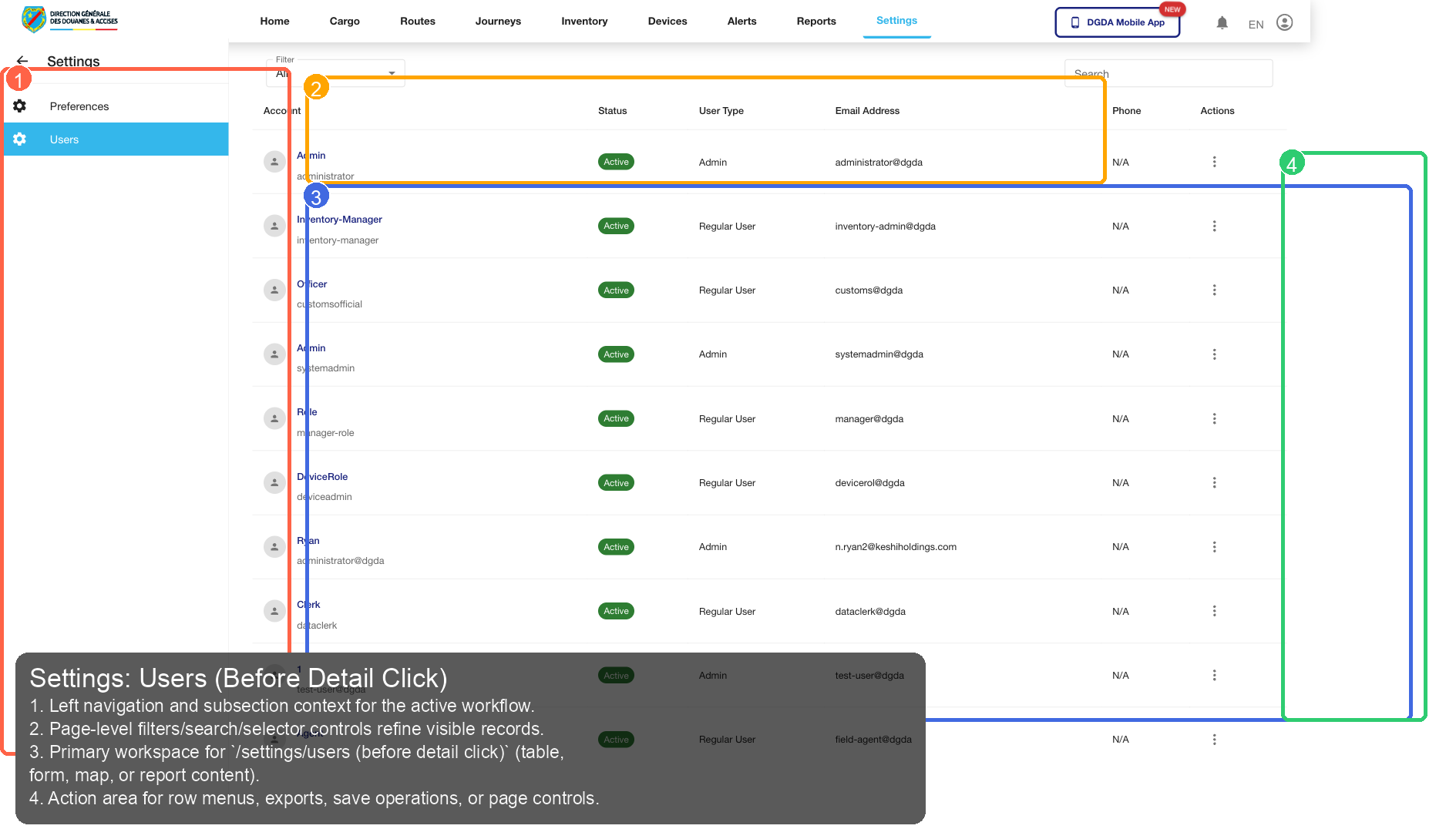
10.6 /settings/users (before detail click)
Source Screenshot: 73-settings-users-before-click.png
Route / Context: /settings/users (before detail click)
| Callout | Focus | Training Instruction | Validation |
|---|---|---|---|
| 1 | Navigation Context | Left navigation and subsection context for the active workflow. | Correct navigation context is highlighted before workflow actions. |
| 2 | Filters / Inputs | Page-level filters/search/selector controls refine visible records. | Changing this control updates page state as expected. |
| 3 | Primary Workspace | Primary workspace for /settings/users (before detail click) (table, form, map, or report content). |
Primary content renders without blank/error state. |
| 4 | Actions / Operations | Action area for row menus, exports, save operations, or page controls. | Action executes expected operation without runtime error. |
11. Devices
11.1 /device/device-summary
Source Screenshot: 46-device-summary.png
Route / Context: /device/device-summary
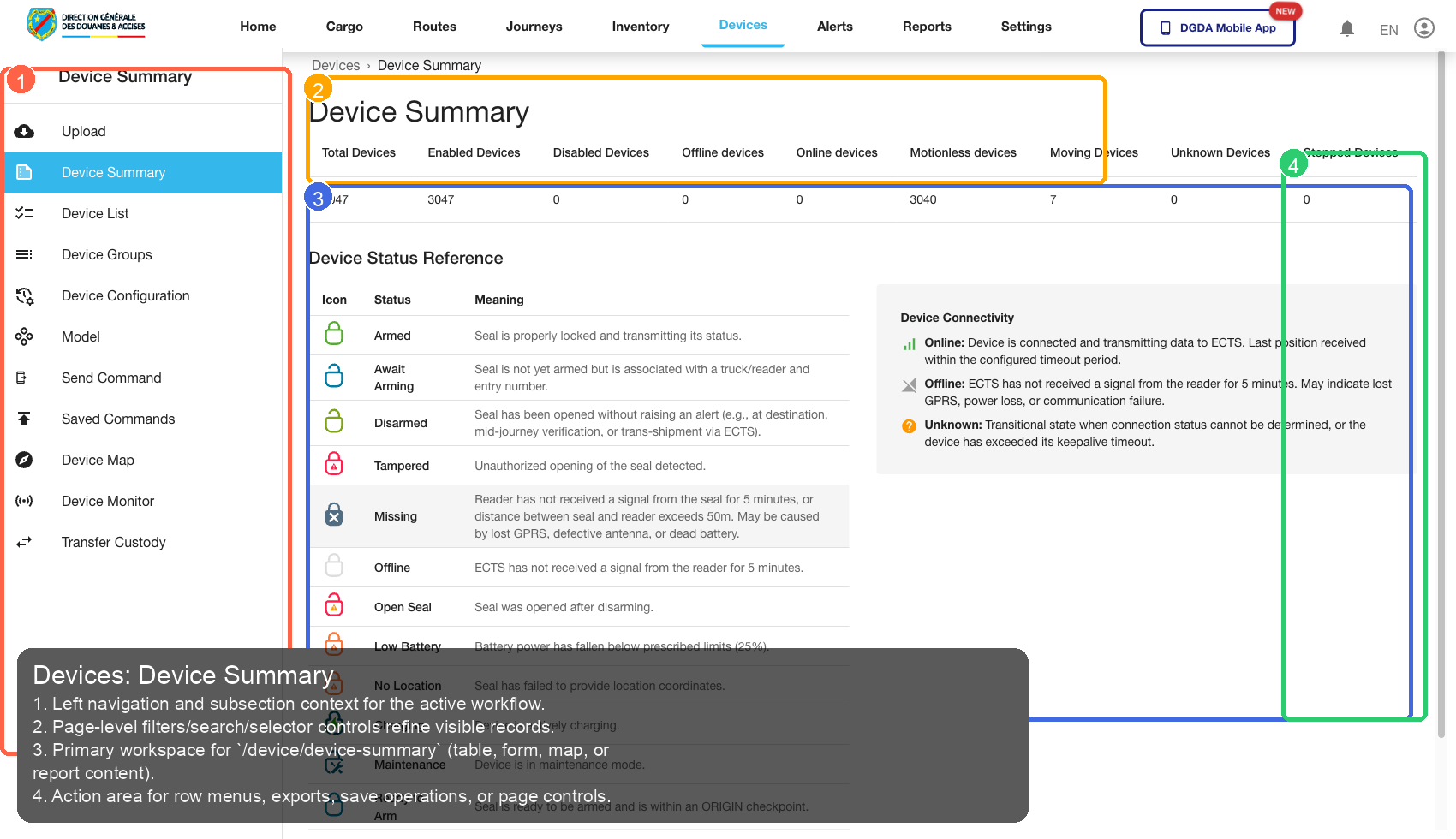
| Callout | Focus | Training Instruction | Validation |
|---|---|---|---|
| 1 | Navigation Context | Left navigation and subsection context for the active workflow. | Correct navigation context is highlighted before workflow actions. |
| 2 | Filters / Inputs | Page-level filters/search/selector controls refine visible records. | Changing this control updates page state as expected. |
| 3 | Primary Workspace | Primary workspace for /device/device-summary (table, form, map, or report content). |
Primary content renders without blank/error state. |
| 4 | Actions / Operations | Action area for row menus, exports, save operations, or page controls. | Action executes expected operation without runtime error. |
11.2 /device/device-list
Source Screenshot: 47-device-list.png
Route / Context: /device/device-list
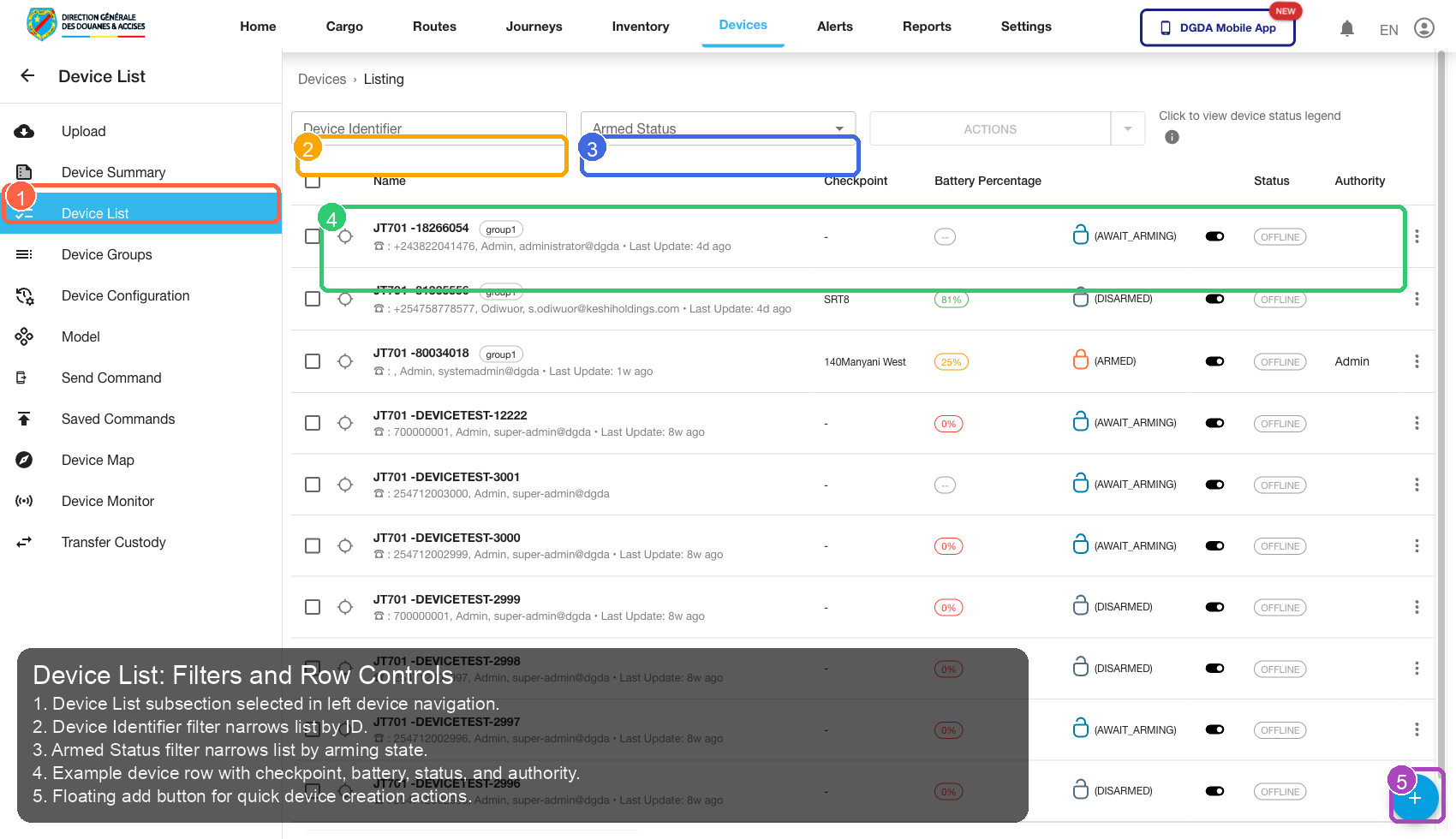
| Callout | Focus | Training Instruction | Validation |
|---|---|---|---|
| 1 | Navigation Context | Device List subsection selected in left device navigation. | Correct navigation context is highlighted before workflow actions. |
| 2 | Filters / Inputs | Device Identifier filter narrows list by ID. | Changing this control updates page state as expected. |
| 3 | Primary Workspace | Armed Status filter narrows list by arming state. | Primary content renders without blank/error state. |
| 4 | Actions / Operations | Example device row with checkpoint, battery, status, and authority. | Action executes expected operation without runtime error. |
| 5 | Additional Control | Floating add button for quick device creation actions. | Control behaves consistently and remains interactive. |
11.3 /device/device-group
Source Screenshot: 48-device-group.png
Route / Context: /device/device-group
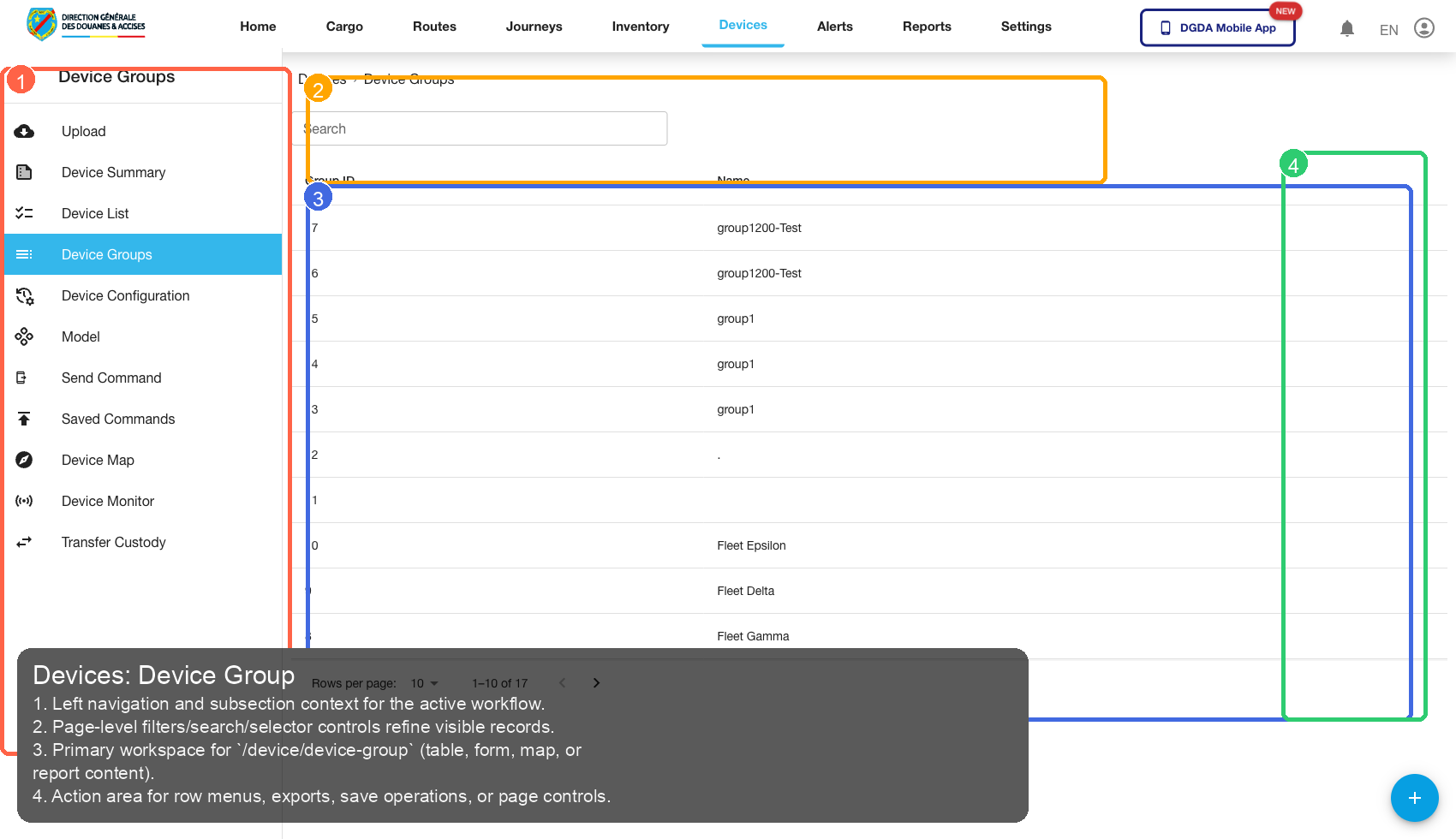
| Callout | Focus | Training Instruction | Validation |
|---|---|---|---|
| 1 | Navigation Context | Left navigation and subsection context for the active workflow. | Correct navigation context is highlighted before workflow actions. |
| 2 | Filters / Inputs | Page-level filters/search/selector controls refine visible records. | Changing this control updates page state as expected. |
| 3 | Primary Workspace | Primary workspace for /device/device-group (table, form, map, or report content). |
Primary content renders without blank/error state. |
| 4 | Actions / Operations | Action area for row menus, exports, save operations, or page controls. | Action executes expected operation without runtime error. |
11.4 /device/add-device
Source Screenshot: 49-device-add-device.png
Route / Context: /device/add-device
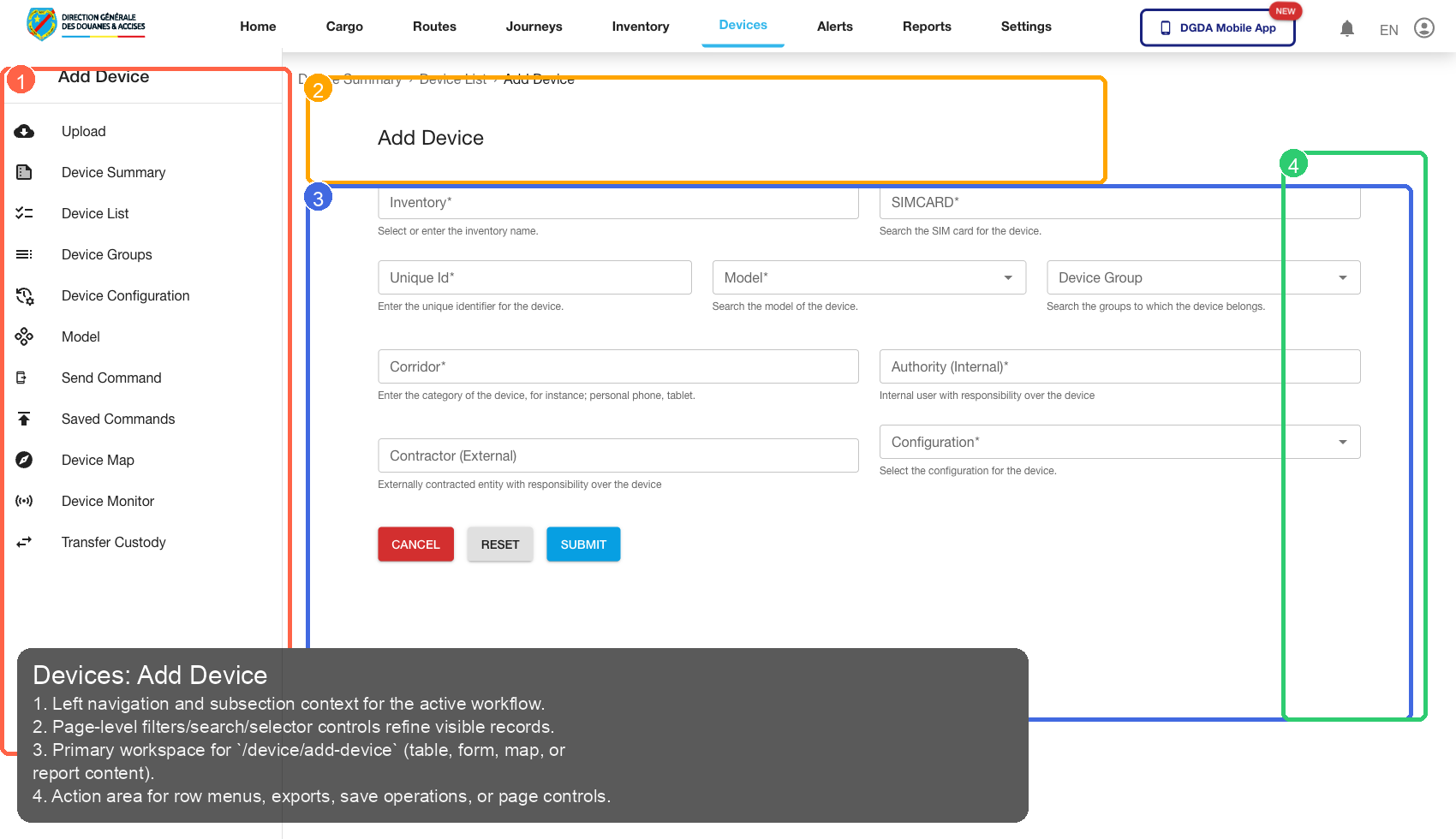
| Callout | Focus | Training Instruction | Validation |
|---|---|---|---|
| 1 | Navigation Context | Left navigation and subsection context for the active workflow. | Correct navigation context is highlighted before workflow actions. |
| 2 | Filters / Inputs | Page-level filters/search/selector controls refine visible records. | Changing this control updates page state as expected. |
| 3 | Primary Workspace | Primary workspace for /device/add-device (table, form, map, or report content). |
Primary content renders without blank/error state. |
| 4 | Actions / Operations | Action area for row menus, exports, save operations, or page controls. | Action executes expected operation without runtime error. |
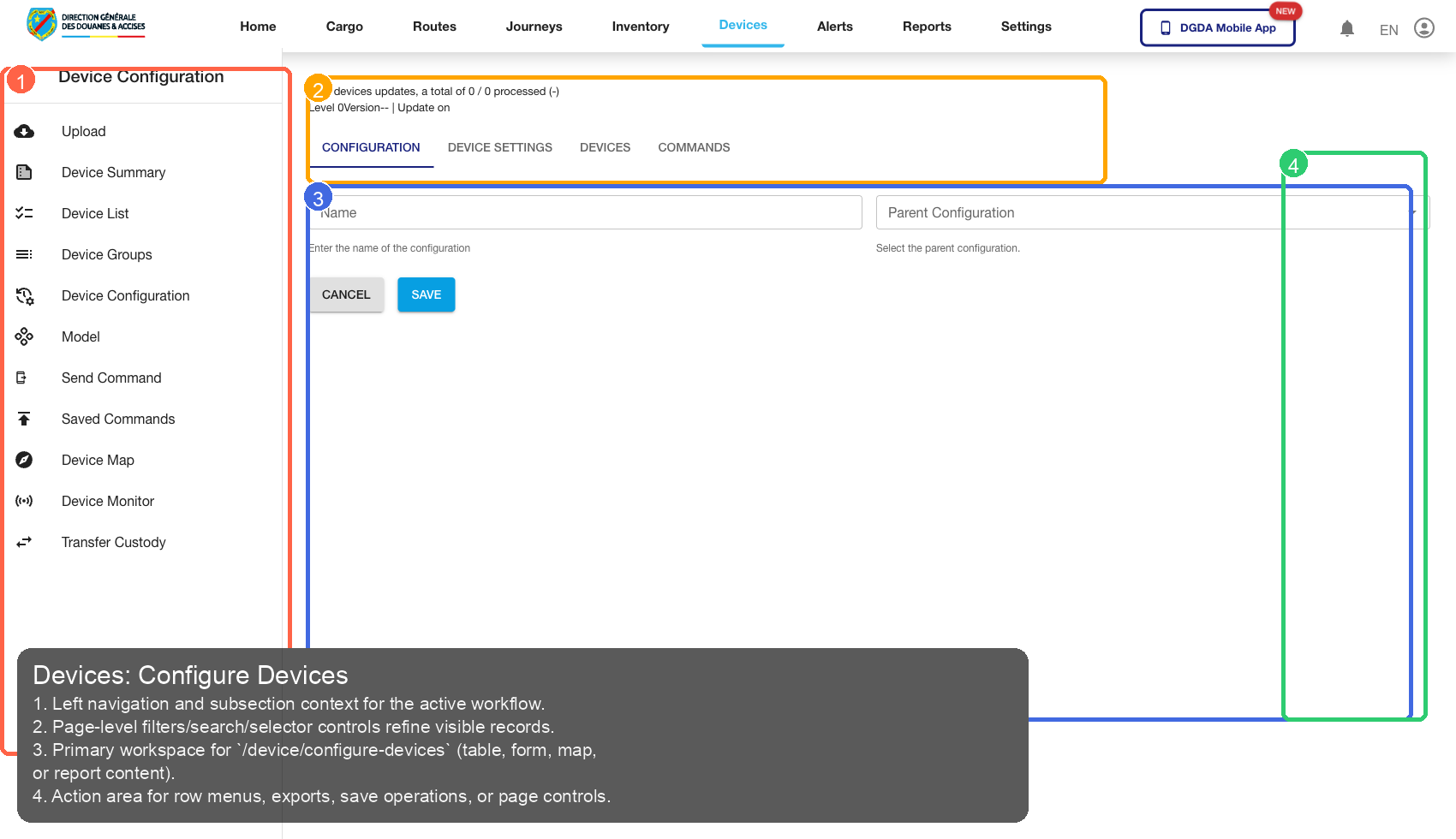
11.5 /device/configure-devices
Source Screenshot: 50-device-configure-devices.png
Route / Context: /device/configure-devices
| Callout | Focus | Training Instruction | Validation |
|---|---|---|---|
| 1 | Navigation Context | Left navigation and subsection context for the active workflow. | Correct navigation context is highlighted before workflow actions. |
| 2 | Filters / Inputs | Page-level filters/search/selector controls refine visible records. | Changing this control updates page state as expected. |
| 3 | Primary Workspace | Primary workspace for /device/configure-devices (table, form, map, or report content). |
Primary content renders without blank/error state. |
| 4 | Actions / Operations | Action area for row menus, exports, save operations, or page controls. | Action executes expected operation without runtime error. |
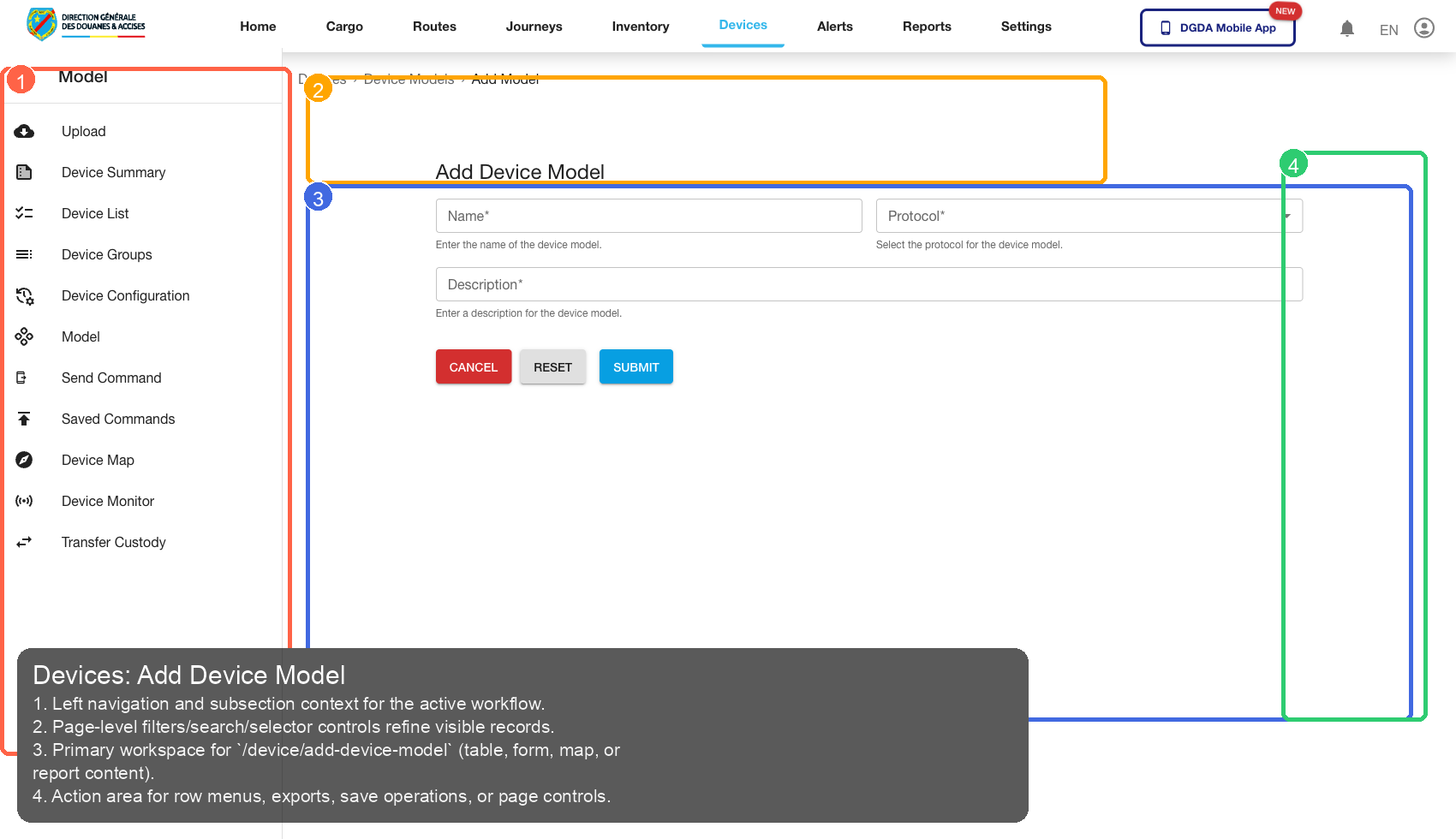
11.6 /device/add-device-model
Source Screenshot: 51-device-add-device-model.png
Route / Context: /device/add-device-model
| Callout | Focus | Training Instruction | Validation |
|---|---|---|---|
| 1 | Navigation Context | Left navigation and subsection context for the active workflow. | Correct navigation context is highlighted before workflow actions. |
| 2 | Filters / Inputs | Page-level filters/search/selector controls refine visible records. | Changing this control updates page state as expected. |
| 3 | Primary Workspace | Primary workspace for /device/add-device-model (table, form, map, or report content). |
Primary content renders without blank/error state. |
| 4 | Actions / Operations | Action area for row menus, exports, save operations, or page controls. | Action executes expected operation without runtime error. |
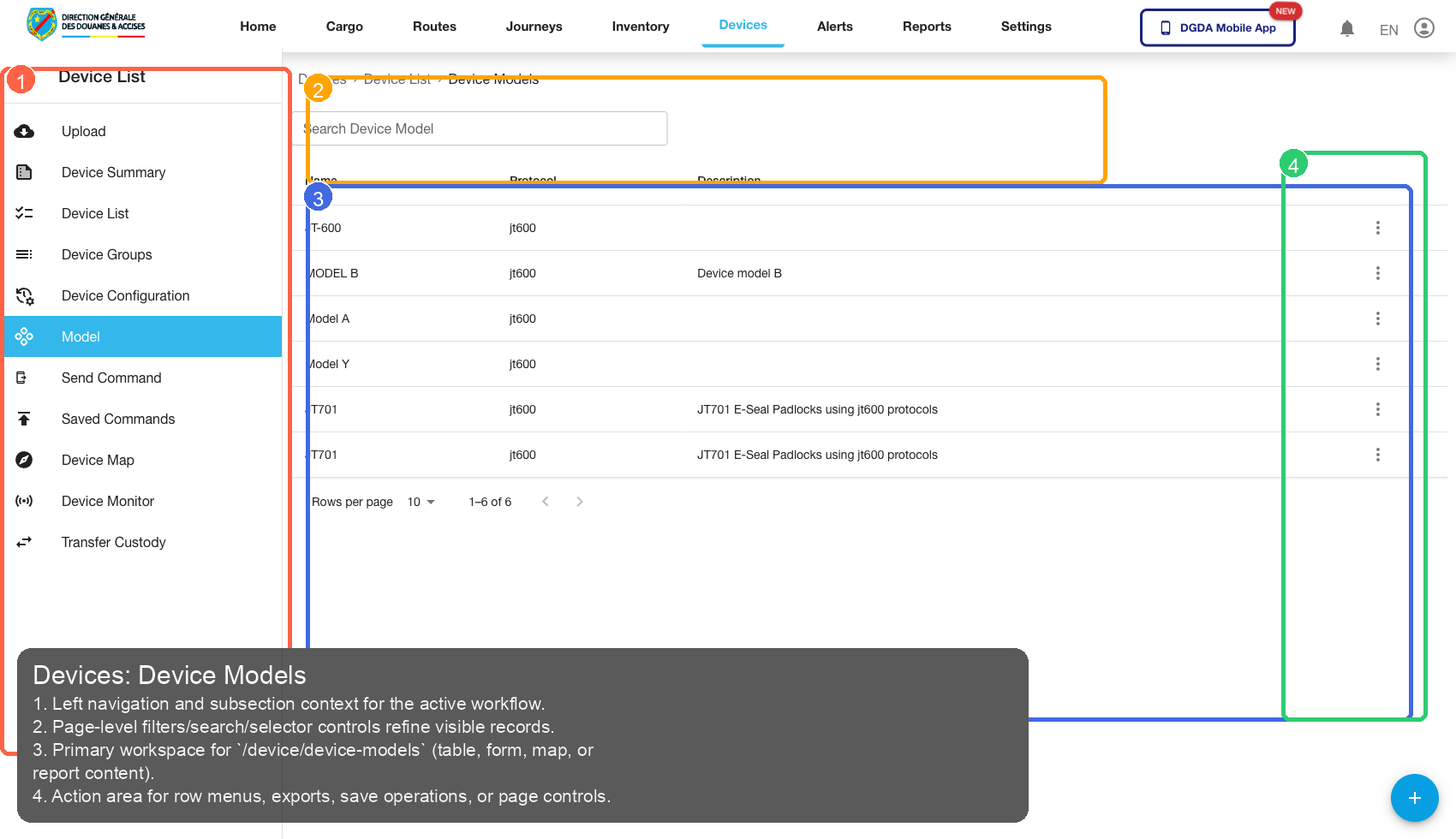
11.7 /device/device-models
Source Screenshot: 52-device-models.png
Route / Context: /device/device-models
| Callout | Focus | Training Instruction | Validation |
|---|---|---|---|
| 1 | Navigation Context | Left navigation and subsection context for the active workflow. | Correct navigation context is highlighted before workflow actions. |
| 2 | Filters / Inputs | Page-level filters/search/selector controls refine visible records. | Changing this control updates page state as expected. |
| 3 | Primary Workspace | Primary workspace for /device/device-models (table, form, map, or report content). |
Primary content renders without blank/error state. |
| 4 | Actions / Operations | Action area for row menus, exports, save operations, or page controls. | Action executes expected operation without runtime error. |
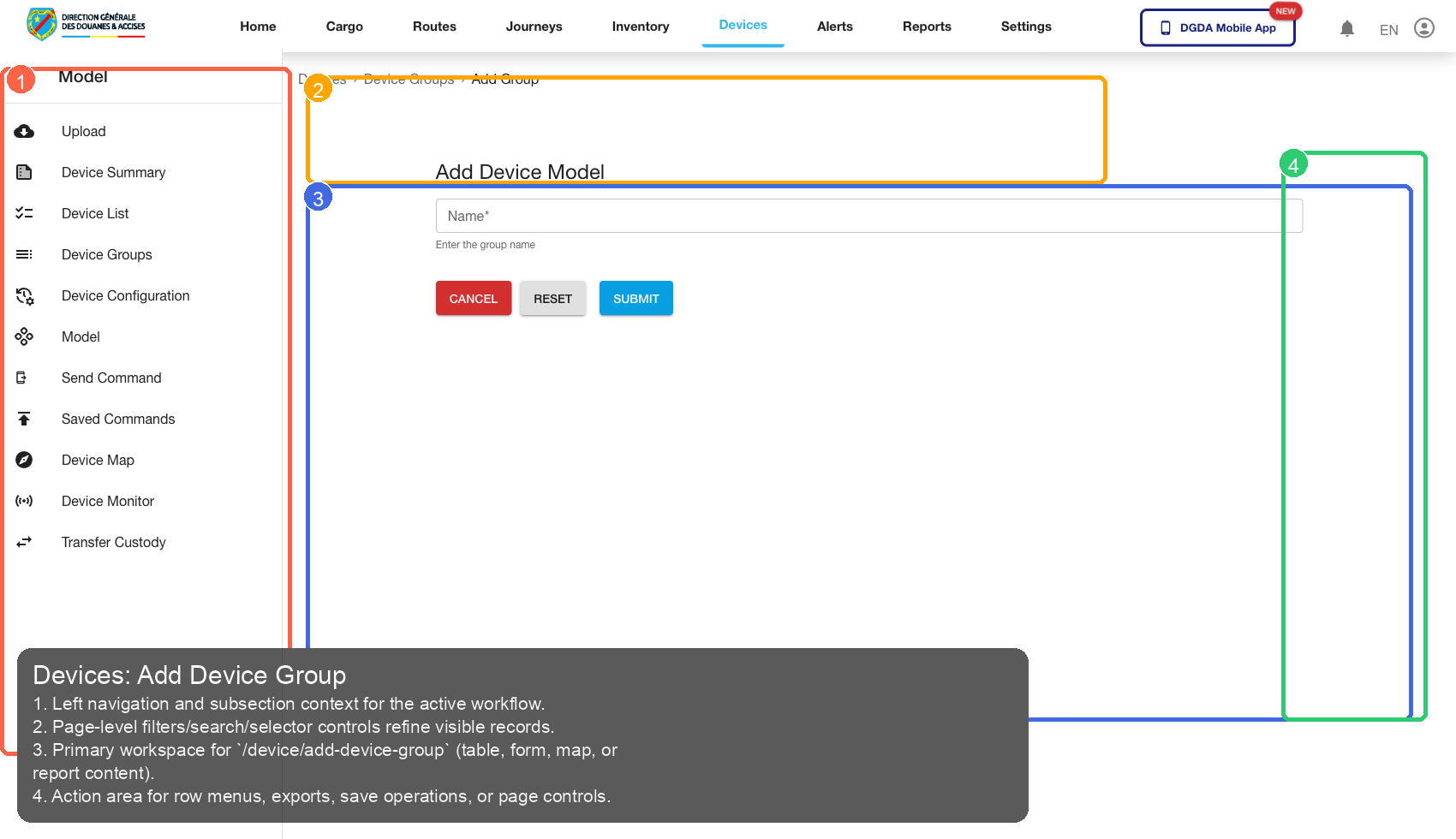
11.8 /device/add-device-group
Source Screenshot: 53-device-add-device-group.png
Route / Context: /device/add-device-group
| Callout | Focus | Training Instruction | Validation |
|---|---|---|---|
| 1 | Navigation Context | Left navigation and subsection context for the active workflow. | Correct navigation context is highlighted before workflow actions. |
| 2 | Filters / Inputs | Page-level filters/search/selector controls refine visible records. | Changing this control updates page state as expected. |
| 3 | Primary Workspace | Primary workspace for /device/add-device-group (table, form, map, or report content). |
Primary content renders without blank/error state. |
| 4 | Actions / Operations | Action area for row menus, exports, save operations, or page controls. | Action executes expected operation without runtime error. |
11.9 /device/device-configurations
Source Screenshot: 54-device-configurations.png
Route / Context: /device/device-configurations
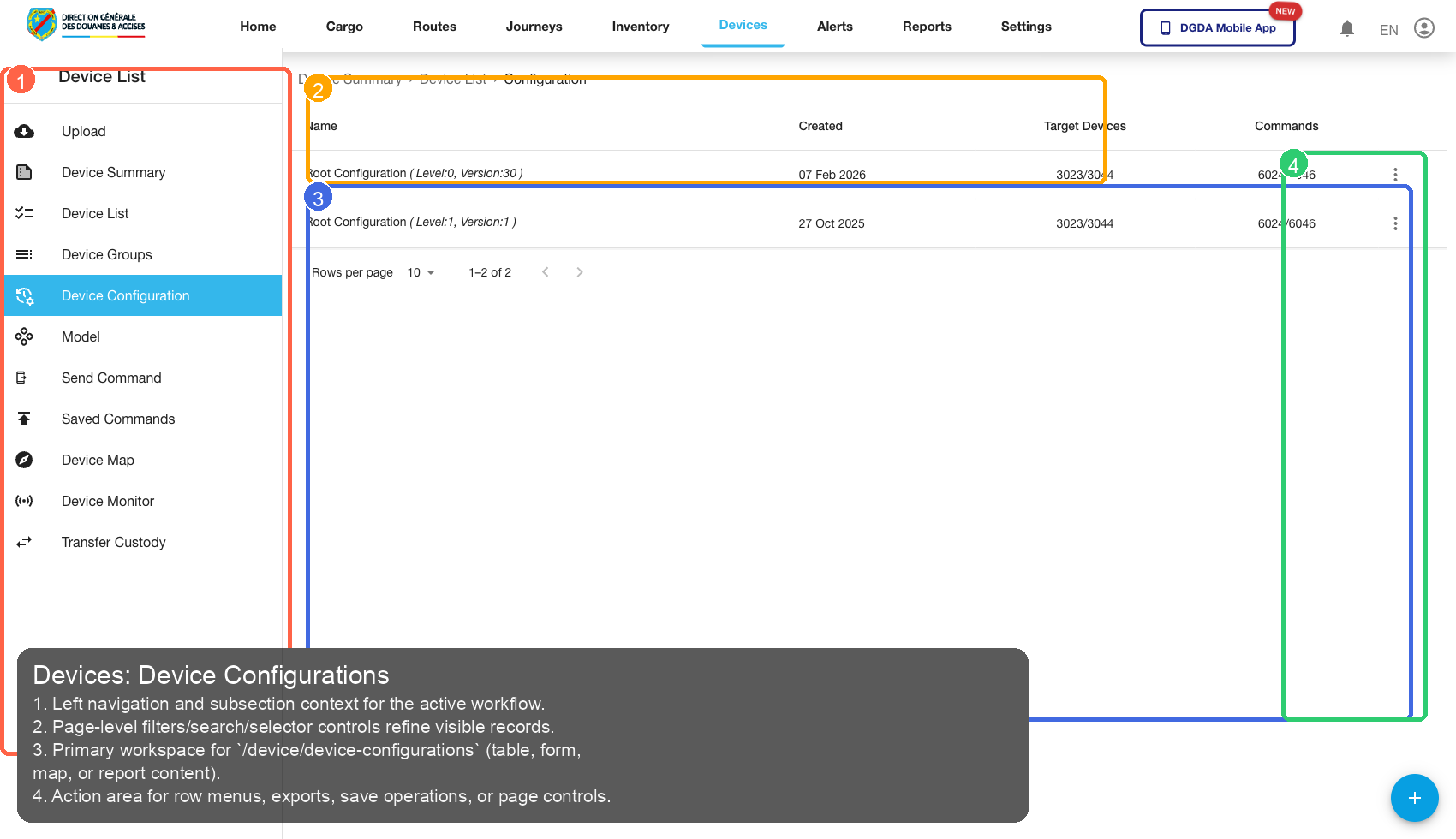
| Callout | Focus | Training Instruction | Validation |
|---|---|---|---|
| 1 | Navigation Context | Left navigation and subsection context for the active workflow. | Correct navigation context is highlighted before workflow actions. |
| 2 | Filters / Inputs | Page-level filters/search/selector controls refine visible records. | Changing this control updates page state as expected. |
| 3 | Primary Workspace | Primary workspace for /device/device-configurations (table, form, map, or report content). |
Primary content renders without blank/error state. |
| 4 | Actions / Operations | Action area for row menus, exports, save operations, or page controls. | Action executes expected operation without runtime error. |
11.10 /device/import-devices
Source Screenshot: 55-device-import-devices.png
Route / Context: /device/import-devices
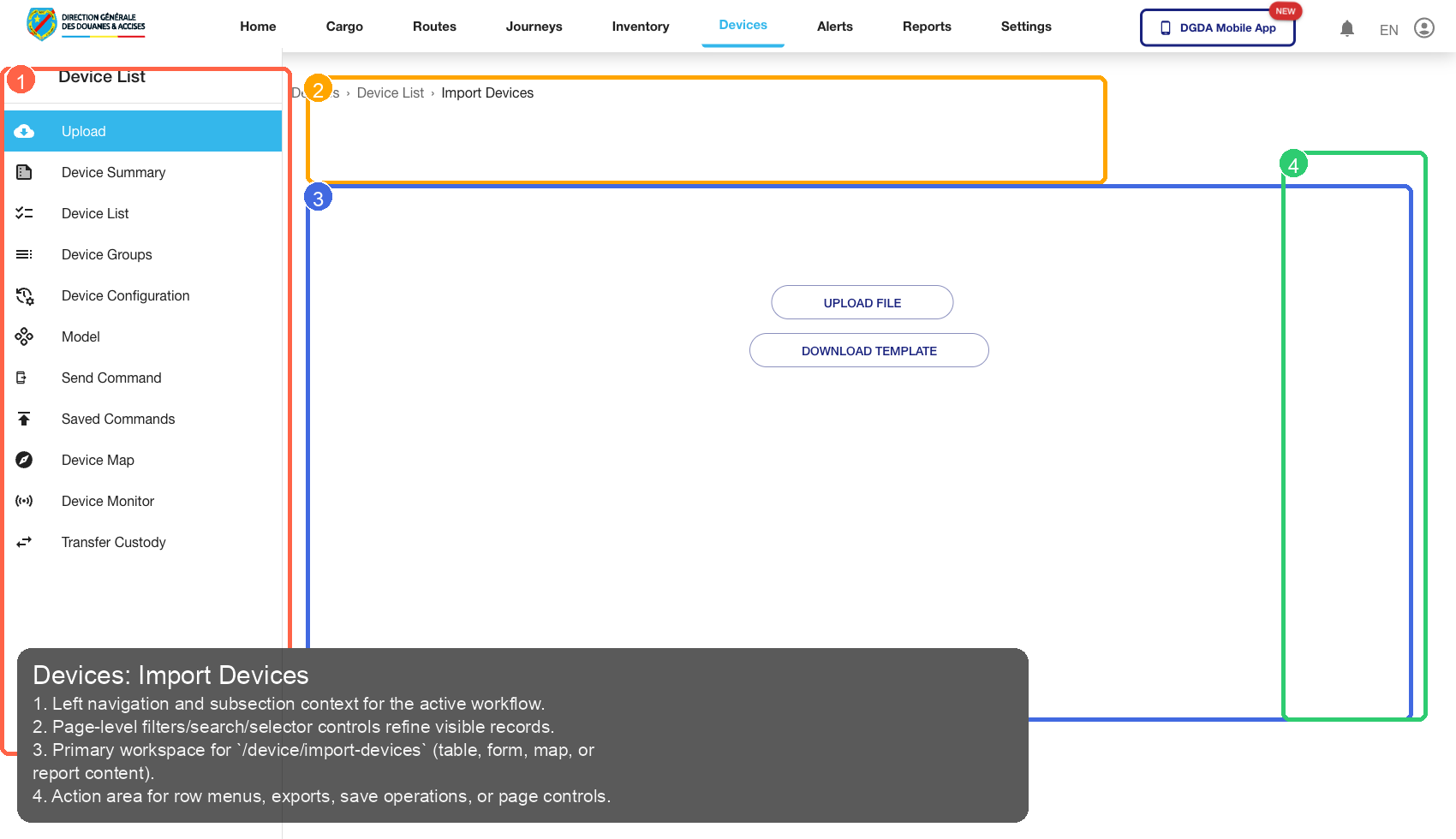
| Callout | Focus | Training Instruction | Validation |
|---|---|---|---|
| 1 | Navigation Context | Left navigation and subsection context for the active workflow. | Correct navigation context is highlighted before workflow actions. |
| 2 | Filters / Inputs | Page-level filters/search/selector controls refine visible records. | Changing this control updates page state as expected. |
| 3 | Primary Workspace | Primary workspace for /device/import-devices (table, form, map, or report content). |
Primary content renders without blank/error state. |
| 4 | Actions / Operations | Action area for row menus, exports, save operations, or page controls. | Action executes expected operation without runtime error. |
11.11 /device/send-command
Source Screenshot: 56-device-send-command.png
Route / Context: /device/send-command
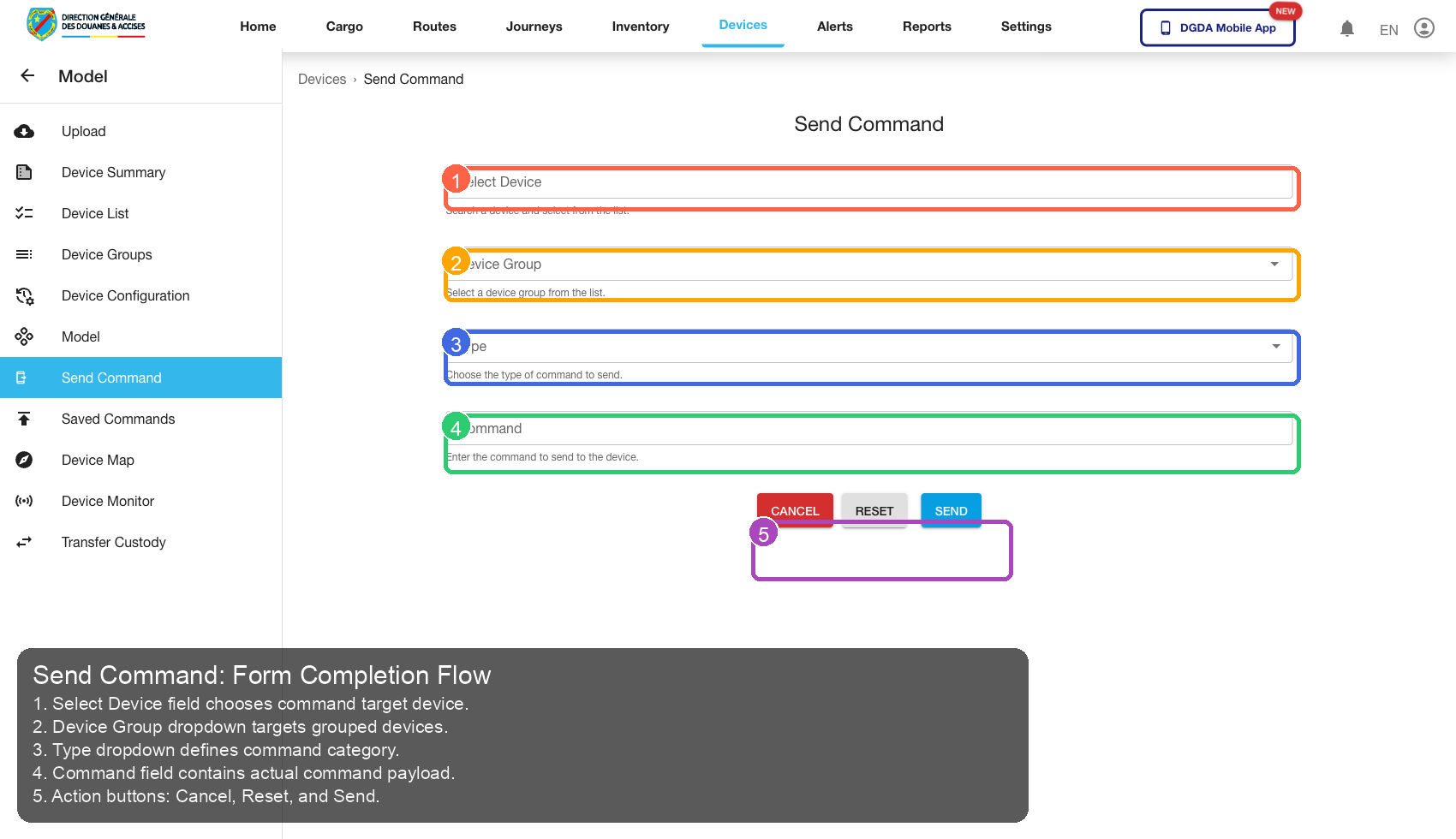
| Callout | Focus | Training Instruction | Validation |
|---|---|---|---|
| 1 | Navigation Context | Select Device field chooses command target device. | Correct navigation context is highlighted before workflow actions. |
| 2 | Filters / Inputs | Device Group dropdown targets grouped devices. | Changing this control updates page state as expected. |
| 3 | Primary Workspace | Type dropdown defines command category. | Primary content renders without blank/error state. |
| 4 | Actions / Operations | Command field contains actual command payload. | Action executes expected operation without runtime error. |
| 5 | Additional Control | Action buttons: Cancel, Reset, and Send. | Control behaves consistently and remains interactive. |
11.12 /device/commands
Source Screenshot: 57-device-commands.png
Route / Context: /device/commands
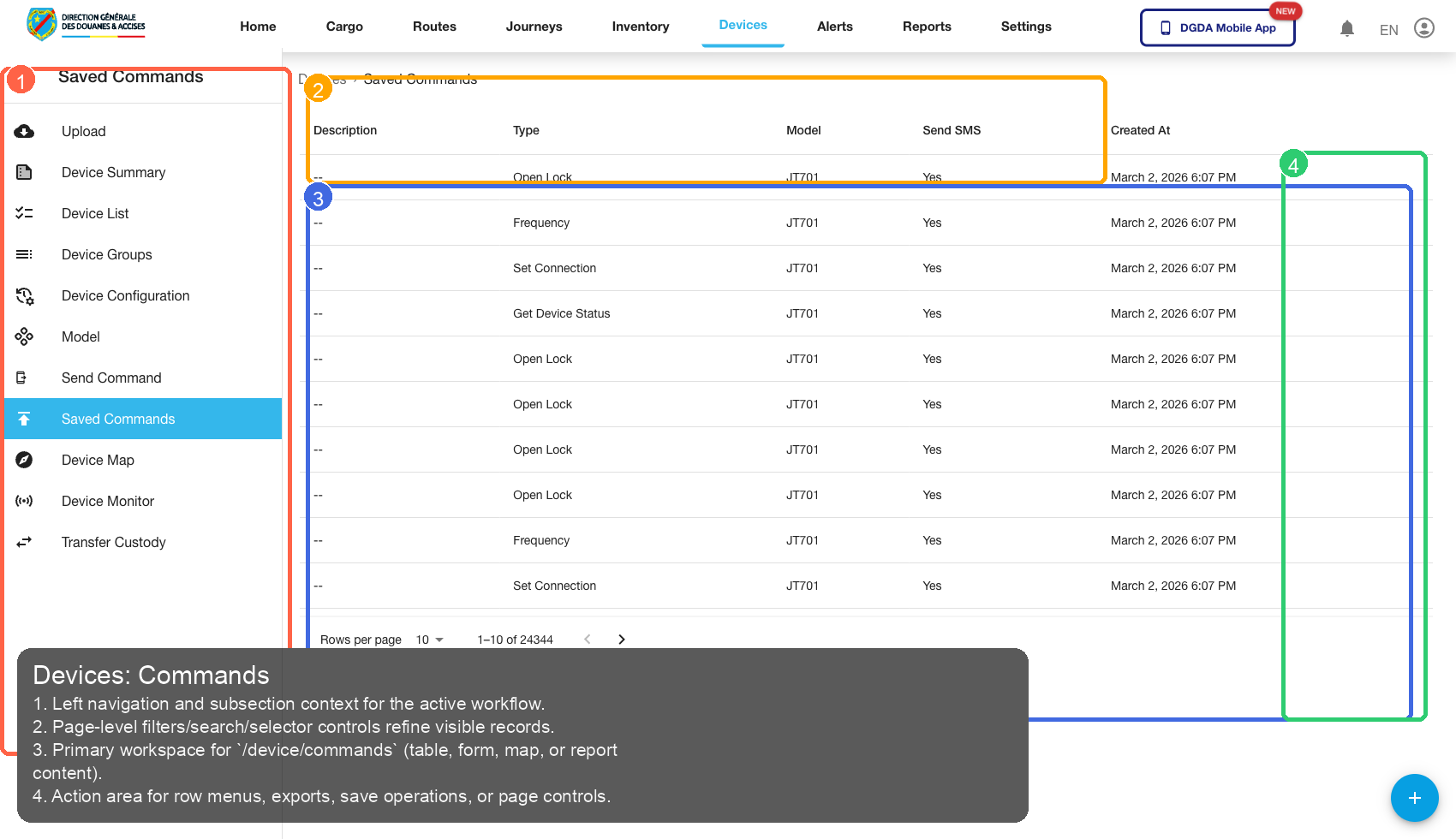
| Callout | Focus | Training Instruction | Validation |
|---|---|---|---|
| 1 | Navigation Context | Left navigation and subsection context for the active workflow. | Correct navigation context is highlighted before workflow actions. |
| 2 | Filters / Inputs | Page-level filters/search/selector controls refine visible records. | Changing this control updates page state as expected. |
| 3 | Primary Workspace | Primary workspace for /device/commands (table, form, map, or report content). |
Primary content renders without blank/error state. |
| 4 | Actions / Operations | Action area for row menus, exports, save operations, or page controls. | Action executes expected operation without runtime error. |
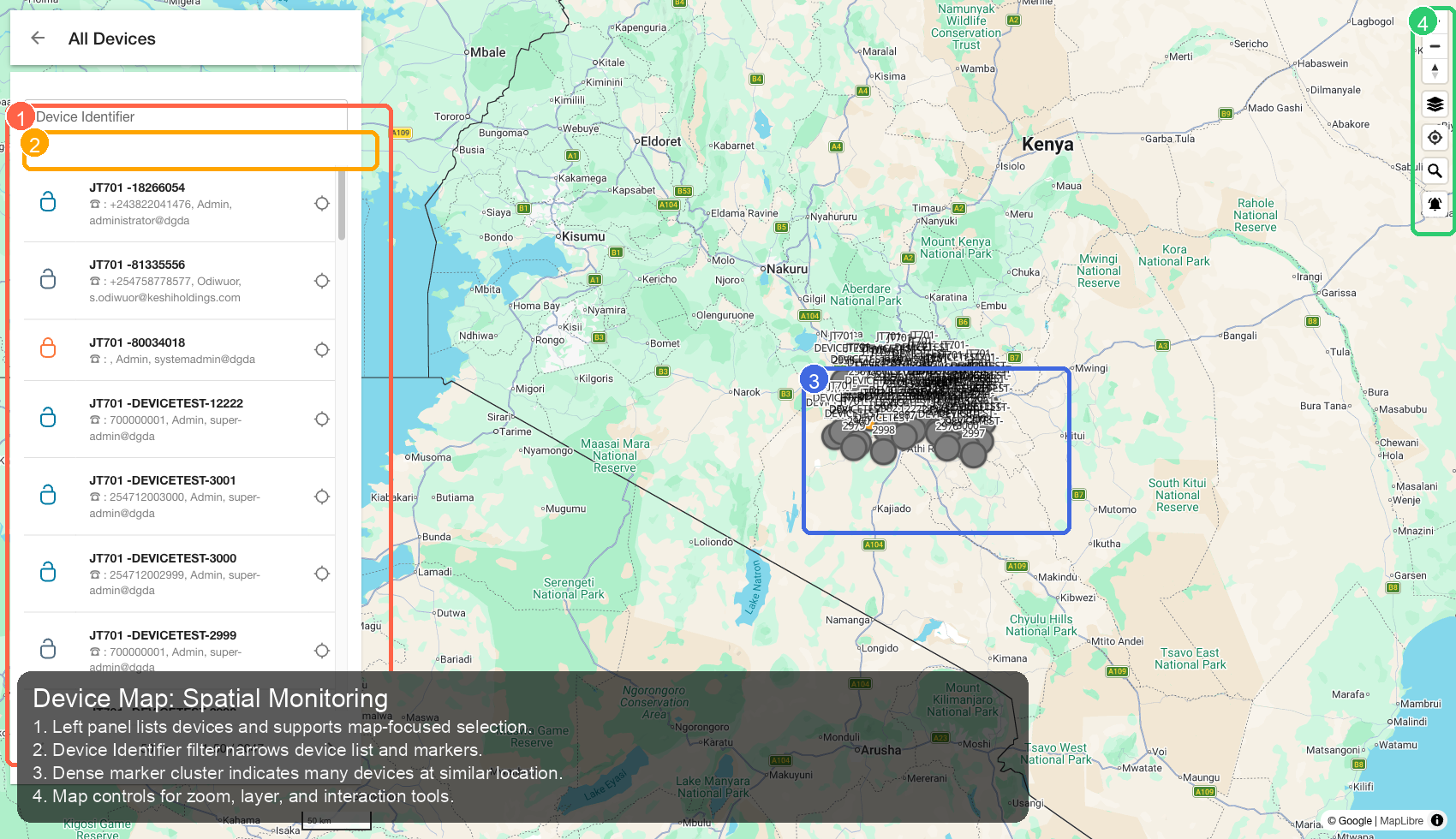
11.13 /device/device-map
Source Screenshot: 58-device-map.png
Route / Context: /device/device-map
| Callout | Focus | Training Instruction | Validation |
|---|---|---|---|
| 1 | Navigation Context | Left panel lists devices and supports map-focused selection. | Correct navigation context is highlighted before workflow actions. |
| 2 | Filters / Inputs | Device Identifier filter narrows device list and markers. | Changing this control updates page state as expected. |
| 3 | Primary Workspace | Dense marker cluster indicates many devices at similar location. | Primary content renders without blank/error state. |
| 4 | Actions / Operations | Map controls for zoom, layer, and interaction tools. | Action executes expected operation without runtime error. |
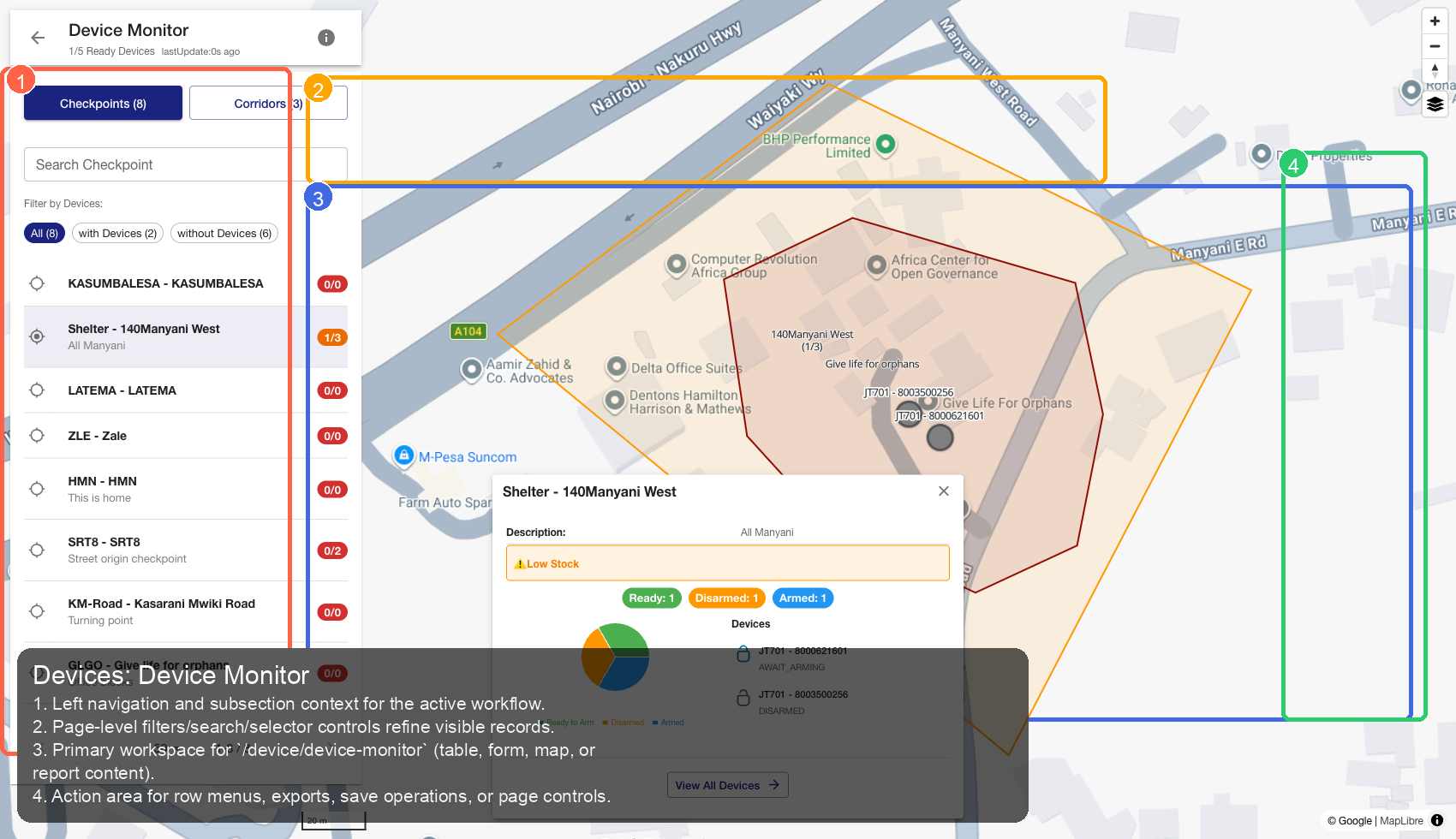
11.14 /device/device-monitor
Source Screenshot: 59-device-monitor.png
Route / Context: /device/device-monitor
| Callout | Focus | Training Instruction | Validation |
|---|---|---|---|
| 1 | Navigation Context | Left navigation and subsection context for the active workflow. | Correct navigation context is highlighted before workflow actions. |
| 2 | Filters / Inputs | Page-level filters/search/selector controls refine visible records. | Changing this control updates page state as expected. |
| 3 | Primary Workspace | Primary workspace for /device/device-monitor (table, form, map, or report content). |
Primary content renders without blank/error state. |
| 4 | Actions / Operations | Action area for row menus, exports, save operations, or page controls. | Action executes expected operation without runtime error. |
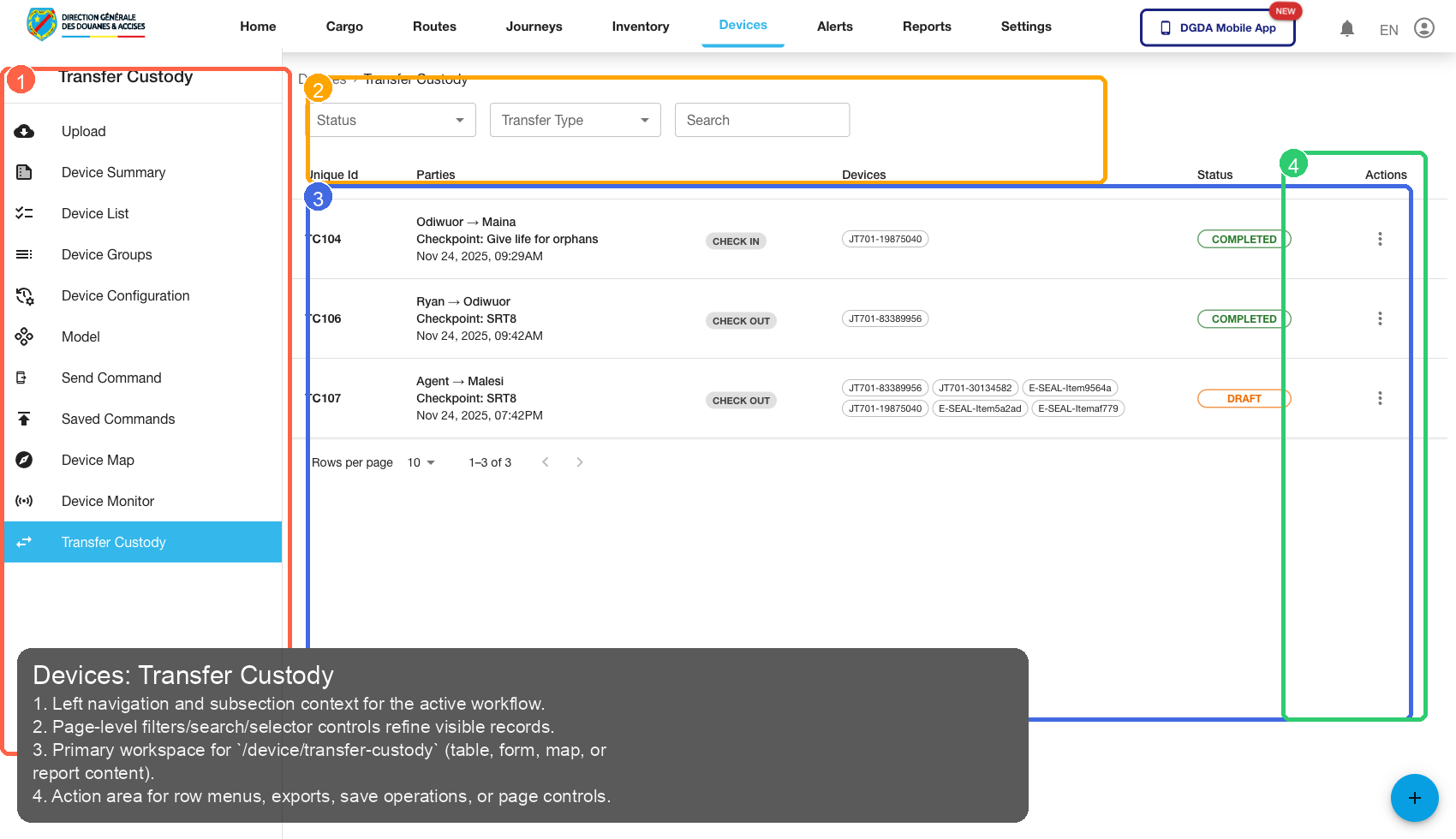
11.15 /device/transfer-custody
Source Screenshot: 60-device-transfer-custody.png
Route / Context: /device/transfer-custody
| Callout | Focus | Training Instruction | Validation |
|---|---|---|---|
| 1 | Navigation Context | Left navigation and subsection context for the active workflow. | Correct navigation context is highlighted before workflow actions. |
| 2 | Filters / Inputs | Page-level filters/search/selector controls refine visible records. | Changing this control updates page state as expected. |
| 3 | Primary Workspace | Primary workspace for /device/transfer-custody (table, form, map, or report content). |
Primary content renders without blank/error state. |
| 4 | Actions / Operations | Action area for row menus, exports, save operations, or page controls. | Action executes expected operation without runtime error. |
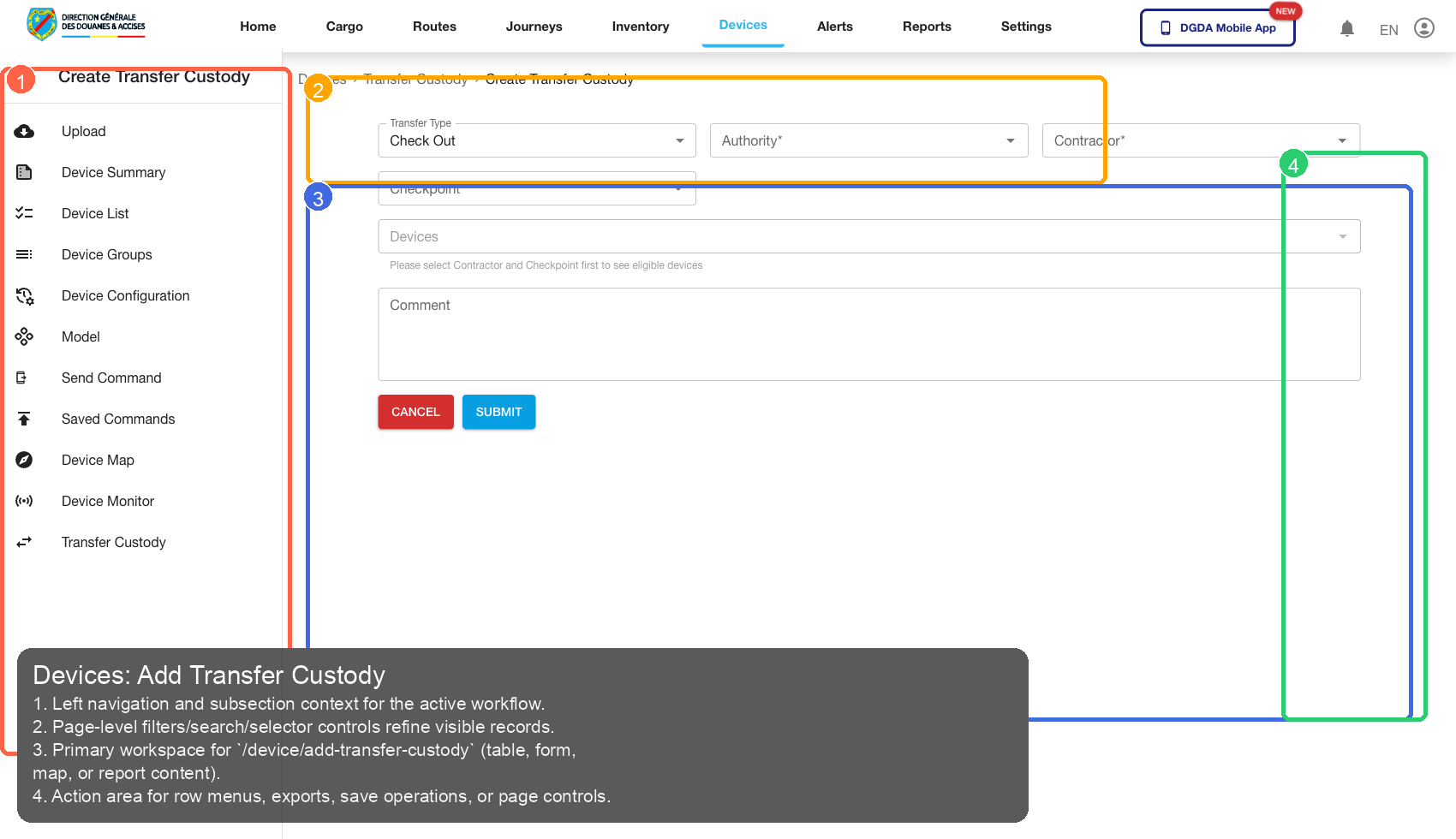
11.16 /device/add-transfer-custody
Source Screenshot: 61-device-add-transfer-custody.png
Route / Context: /device/add-transfer-custody
| Callout | Focus | Training Instruction | Validation |
|---|---|---|---|
| 1 | Navigation Context | Left navigation and subsection context for the active workflow. | Correct navigation context is highlighted before workflow actions. |
| 2 | Filters / Inputs | Page-level filters/search/selector controls refine visible records. | Changing this control updates page state as expected. |
| 3 | Primary Workspace | Primary workspace for /device/add-transfer-custody (table, form, map, or report content). |
Primary content renders without blank/error state. |
| 4 | Actions / Operations | Action area for row menus, exports, save operations, or page controls. | Action executes expected operation without runtime error. |
Trainer Notes
- Run the guide top-to-bottom for new operators.
- Pair each annotated screenshot with live system navigation during onboarding.
- For report pages, allow extended load time before diagnosing failures.
- Keep known defect routes out of SOP until fixed and re-validated.